How To Choose Wireless Earbuds With Stable Connectivity For Smooth Audio
Stable connectivity defines the real wireless earbud experience. This guide explains how to choose earbuds that deliver smooth audio, fewer dropouts and reliable performance in crowded, everyday environments. 10 tips that can help you choose wireless earbuds with stable connectivity.

Wireless Earbuds With Stable Connectivity: Here Is How To Pick The Smooth Audio Stream.
Wireless earbuds promise freedom. No tangled wires, no awkward pocket gymnastics, just press play and move on. In reality, that promise often gets tested. A call drops midway through an important conversation. Music stutters right at the favourite chorus. A video goes out of sync during a late-night comedy binge.
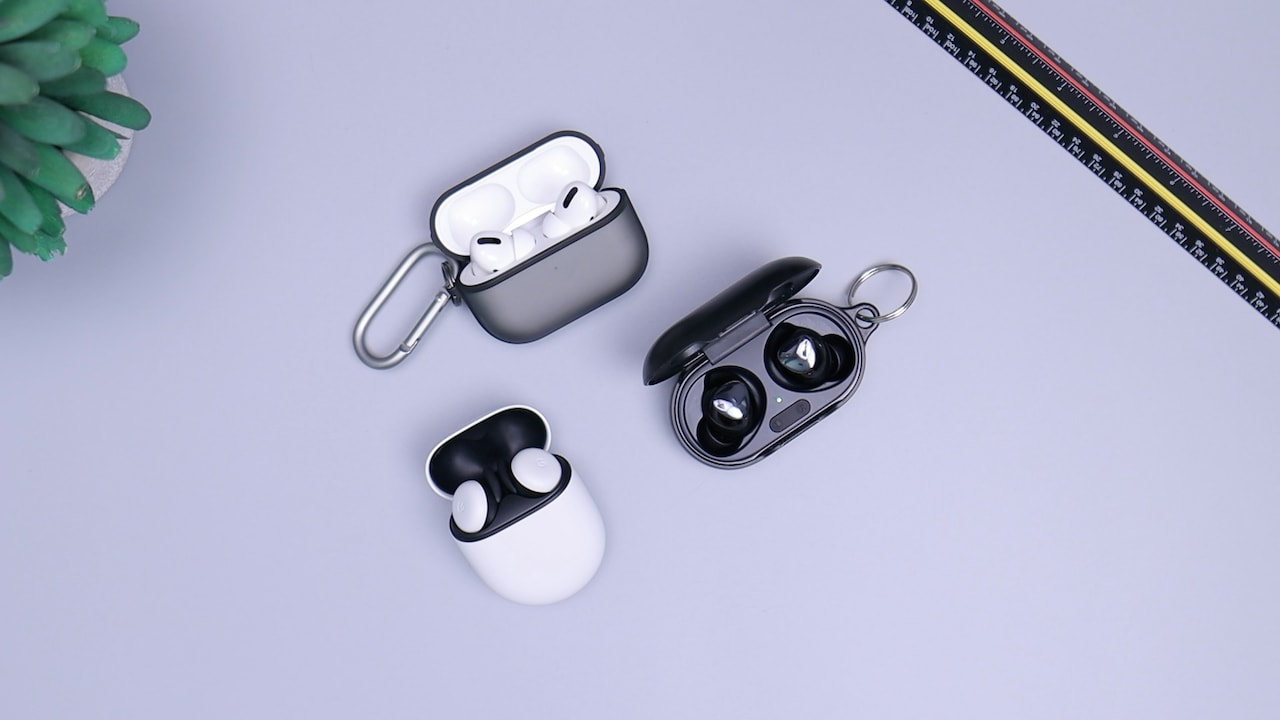
How to pick wireless earbuds that offer stable connectivity with smooth audio; Photo Credit: Unsplash
These small frustrations add up. With crowded airwaves, multiple devices fighting for attention, and varying phone quality, connectivity becomes the real deciding factor. Sound quality matters, battery life matters, but without stable connectivity, even premium earbuds feel underwhelming.
Choosing the right pair requires more than scanning price tags or brand names. It needs an understanding of how wireless connections work and which features truly make a difference in everyday use. The following sections explore ten practical factors that help ensure smooth audio streaming, whether walking through traffic-heavy streets or working from a bustling café.
What Actually Keeps Wireless Earbuds Connected
1. Bluetooth Versions: The Backbone of Stable Connections
Bluetooth sits at the heart of wireless earbuds, quietly handling all audio transfers. Newer Bluetooth versions usually mean better stability, lower power consumption, and stronger resistance to interference. Bluetooth 5.0 and above has become the sweet spot for reliable performance in crowded environments.
Older versions struggle when surrounded by Wi-Fi routers, smartwatches, laptops, and dozens of phones. In contrast, newer standards manage data more efficiently and maintain connections over longer distances. That translates to fewer dropouts when the phone stays in a backpack or on a nearby desk.
A practical example plays out during morning commutes. Busy streets flood the air with signals. Earbuds running on newer Bluetooth versions hold their ground better, keeping podcasts smooth even while crossing traffic-heavy zones.
Checking the Bluetooth version on the product specification sheet might sound boring, but it saves plenty of frustration later. Think of it as choosing a sturdy bridge rather than a shaky rope crossing. The music flows better when the foundation stays strong.
2. Codec Support: The Unsung Hero of Smooth Audio
Codecs rarely get the spotlight, yet they shape how audio travels between phone and earbuds. A codec compresses and decompresses sound, balancing quality and stability. Standard SBC works fine but often struggles under pressure, leading to lag or distortion.
Advanced codecs like AAC or aptX offer smoother performance, especially when streaming videos or attending virtual meetings. They manage data more intelligently, reducing delays and keeping audio aligned with visuals. That matters when watching match highlights or following online tutorials.
Compatibility matters too. Some codecs perform best only with specific phone platforms. Matching codec support ensures the earbuds and phone speak the same language fluently.
Imagine streaming a film on a train. With a capable codec, dialogues remain synced, even when the network fluctuates. Without it, lips move ahead of words, breaking immersion.
Paying attention to codec support feels technical at first, but the payoff shows up daily. Smooth conversations, synced videos, and consistent music playback make the listening experience far more enjoyable.
3. Antenna Design: Small Detail, Big Impact
Inside each earbud sits a tiny antenna, doing heavy lifting. Its design affects how well the earbuds receive and maintain signals. Well-designed antennas minimise dropouts, even when the head turns or the phone shifts position.
Poor antenna placement often causes audio cuts when walking or adjusting posture. That awkward moment when sound vanishes after tying shoelaces usually points to antenna limitations. Premium designs account for real-world movement, not just lab conditions.
Dual-antenna setups or optimised placements help maintain line-of-sight communication between phone and earbuds. This becomes crucial in crowded settings like malls or offices filled with electronic noise.
Think of it like tuning a radio. A strong antenna locks onto the station, while a weak one crackles at the slightest disturbance.
While antenna design rarely features in marketing headlines, reviews often reveal its effectiveness. Looking beyond flashy features and focusing on connection consistency pays dividends during everyday use.
4. Multipoint Connectivity: Juggling Devices with Ease
Modern life rarely sticks to one device. A phone handles calls, a laptop runs meetings, and a tablet streams shows. Multipoint connectivity allows earbuds to connect to two devices simultaneously, switching seamlessly between them.
Without multipoint support, constant manual reconnection becomes a chore. A call comes in during a video, and audio remains stuck on the wrong device. That small delay often leads to missed moments or awkward silences.
With multipoint, earbuds pause the laptop audio and instantly shift to the phone call. Once the call ends, playback resumes smoothly. This feature proves invaluable for remote work setups and hybrid routines.
Picture a work-from-home day. A meeting runs on the laptop while a delivery call rings on the phone. Multipoint handles the transition effortlessly, keeping things stress-free.
Although not essential for everyone, multipoint connectivity adds a layer of polish and practicality. It reflects thoughtful design, focused on real usage rather than ideal conditions.
5. Fit and Seal: Connectivity's Silent Partner
Connectivity does not rely solely on electronics. Physical fit plays a surprising role. A secure seal keeps earbuds stable, preventing micro-movements that can disrupt signal reception.
Loose earbuds shift during walking or workouts, causing intermittent audio drops. A snug fit keeps the antenna orientation consistent, supporting uninterrupted streaming. That is why multiple ear tip sizes matter more than they appear.
Comfort also influences usage habits. Earbuds that stay comfortable for hours encourage continuous wear, reducing repeated reconnections. Frequent removal and reinsertion often lead to pairing glitches.
Consider a jog through the neighbourhood park. A secure fit keeps music flowing, even with sudden turns or pace changes. Poor fit leads to constant adjustments and broken rhythm.
Testing fit before settling on a pair remains crucial. Comfort and connectivity work hand in hand, proving that good design starts with understanding the human ear.
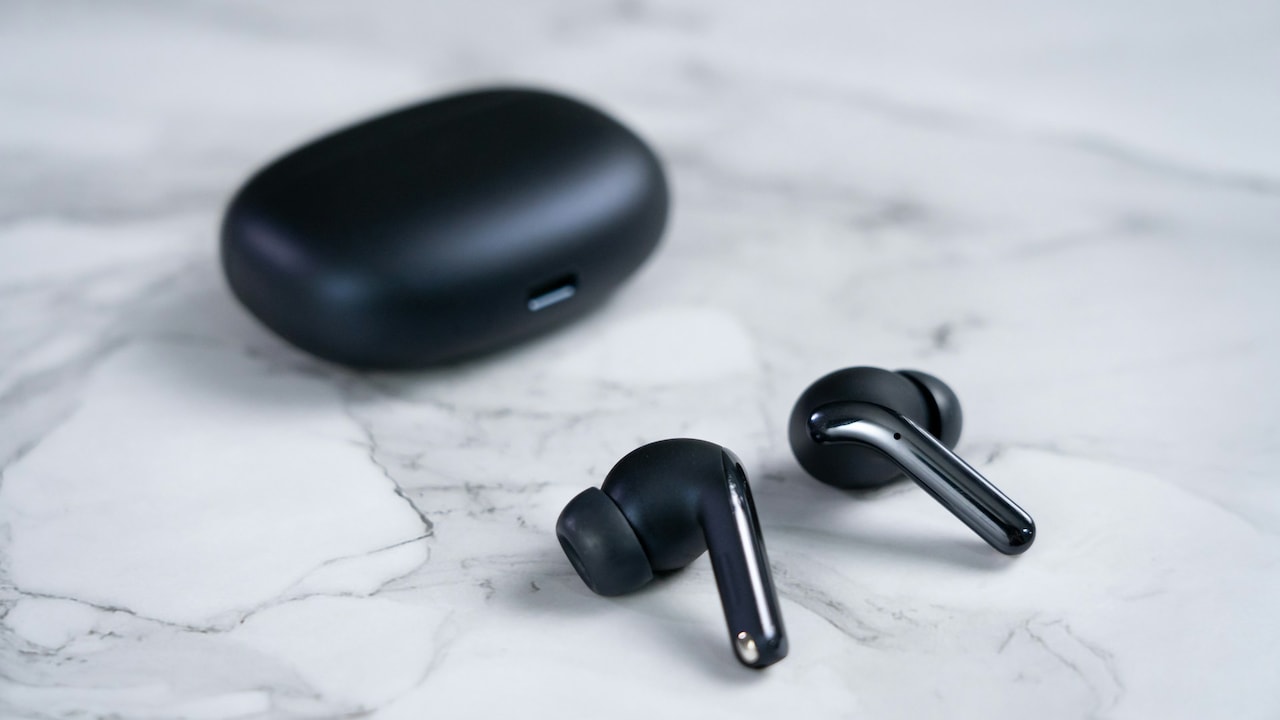
Ensure that the buds don't become loose while walking or workouts; Photo Credit: Unsplash
6. Software Optimisation: Where Hardware Meets Intelligence
Behind smooth connectivity lies smart software. Firmware optimisations manage signal strength, switching channels to avoid interference. Brands that invest in regular updates often deliver more stable performance over time.
Companion apps allow fine-tuning. Some offer connection stability modes that prioritise reliability over audio quality in busy environments. This proves useful during travel or crowded events.
Bug fixes also matter. Early glitches sometimes affect connectivity, but timely updates resolve them. Ignoring software support risks living with unresolved issues.
Imagine earbuds improving months after purchase, simply through an update. Calls sound clearer, dropouts are reduced, and pairing becomes faster. That ongoing improvement adds long-term value.
Checking update history and app ratings gives insight into a brand's commitment. Good software turns decent hardware into a dependable daily companion.
7. Battery Performance and Signal Stability
Battery levels influence connectivity more than expected. As the charge drops, the signal strength may weaken, leading to stutters or sudden disconnections. Efficient power management keeps performance consistent throughout the battery cycle.
Earbuds with stable voltage output maintain strong connections even at lower charge levels. Cheaper designs often prioritise capacity over efficiency, causing issues during extended use.
Charging cases also play a role. Quick top-ups between meetings keep earbuds operating in their optimal range. Long idle times at low charge increase pairing delays.
Think of a long commute after a full day. Earbuds with smart power handling still deliver smooth audio, while others struggle as the battery dips.
Evaluating real-world battery performance, not just advertised hours, helps avoid surprises. Reliable connectivity should last as long as the playlist.
8. Environmental Interference: Designed for Real Streets
Cities create challenging wireless environments. Wi-Fi networks, Bluetooth devices, and even traffic systems compete for space. Earbuds designed with interference mitigation handle these conditions better.
Adaptive frequency hopping allows earbuds to switch channels dynamically, avoiding crowded frequencies. This keeps audio stable in busy markets, stations, or office complexes.
Noise-cancelling technology indirectly helps too. Reducing ambient noise, it lowers the need for high volumes, which can strain wireless transmission.
Picture navigating a bustling shopping street. With good interference management, music stays uninterrupted despite dozens of active devices nearby. Without it, silence interrupts every few steps.
Real-world performance matters more than lab tests. Designs that account for everyday chaos deliver smoother experiences where it counts.
9. Build Quality and Materials: Durability Meets Performance
Strong connectivity depends on consistent internal alignment. Solid build quality ensures components stay in place, maintaining signal integrity. Cheap materials loosen over time, leading to a gradual performance decline.
Sweat resistance also matters. Moisture affects internal circuits and antenna efficiency. Proper sealing protects connectivity during workouts or humid weather.
Hinges, seams, and button placements influence longevity. A well-built case protects earbuds during travel, preventing internal damage that impacts performance.
Think of earbuds tossed into a backpack daily. Durable designs withstand knocks, keeping connectivity stable months later. Fragile builds often show issues sooner.
Investing in quality materials feels justified when audio remains smooth long after purchase. Durability and connectivity share a close relationship.
10. Value for Money: Balancing Price and Performance
Stable connectivity does not always demand premium pricing, but extreme budget options often compromise here first. Spending slightly more usually unlocks better Bluetooth versions, codecs, and optimisation.
Evaluating value involves comparing features against real needs. Someone focused on calls may prioritise microphone stability, while a commuter values uninterrupted music.
Consider long-term satisfaction rather than initial savings. Replacing unreliable earbuds costs more over time. A balanced choice around ₹4,000–₹6,000 often hits the sweet spot for dependable performance.
User reviews offer practical insights. Patterns of complaints around disconnections signal potential issues. Consistent praise for stability indicates thoughtful engineering.
Value emerges when earbuds fade into the background, letting audio take centre stage without constant troubleshooting.
Products Related To This Article
1. boAt 2025 Launch Airdopes 219
2. Earbuds Wireless Earbuds Bluetooth 5.3 TWS Earphones Full Touch Control Headphone
3. HAMMER Ultra Pods True Wireless Earbuds with in-Built Mic
4. truke New Launch Crystal Dyno Leather Finish True Wireless in Ear Earbuds
5. Philips TAT1269 Bluetooth Truly Wireless in-Ear Earbuds with mic
6. Fire-Boltt Aero TWS Earbuds Custom EQ, Wireless Bluetooth 5.4
7. OnePlus Nord Buds 2r True Wireless in Ear Earbuds with Mic
Wireless earbuds shape daily moments, from quiet morning walks to late-night calls. Stable connectivity forms the foundation of those experiences. Without it, even the best sound profile feels hollow.
Choosing the right pair involves understanding how Bluetooth versions, codecs, fit, software, and build quality interact. Each factor contributes to smoother audio streams in real-world conditions.
With thoughtful selection, earbuds become reliable companions rather than temperamental gadgets. Music flows without interruption, conversations stay clear, and videos remain perfectly synced. That quiet reliability makes all the difference, turning wireless freedom into a genuinely seamless experience.
(Disclaimer: This article may include references to or features of products and services made available through affiliate marketing campaigns. NDTV Convergence Limited (“NDTV”) strives to maintain editorial independence while participating in such campaigns. NDTV does not assume responsibility for the performance or claims of any featured products or services.)