Metal Mesh Laptop Cooling Pads Explained: Do They Really Stop Laptop Overheating?
Overheating laptops slow work and test patience. Metal mesh cooling pads promise cooler performance and better comfort, but do they truly work, or are they just another tech accessory? Here’s what really matters before buying one.
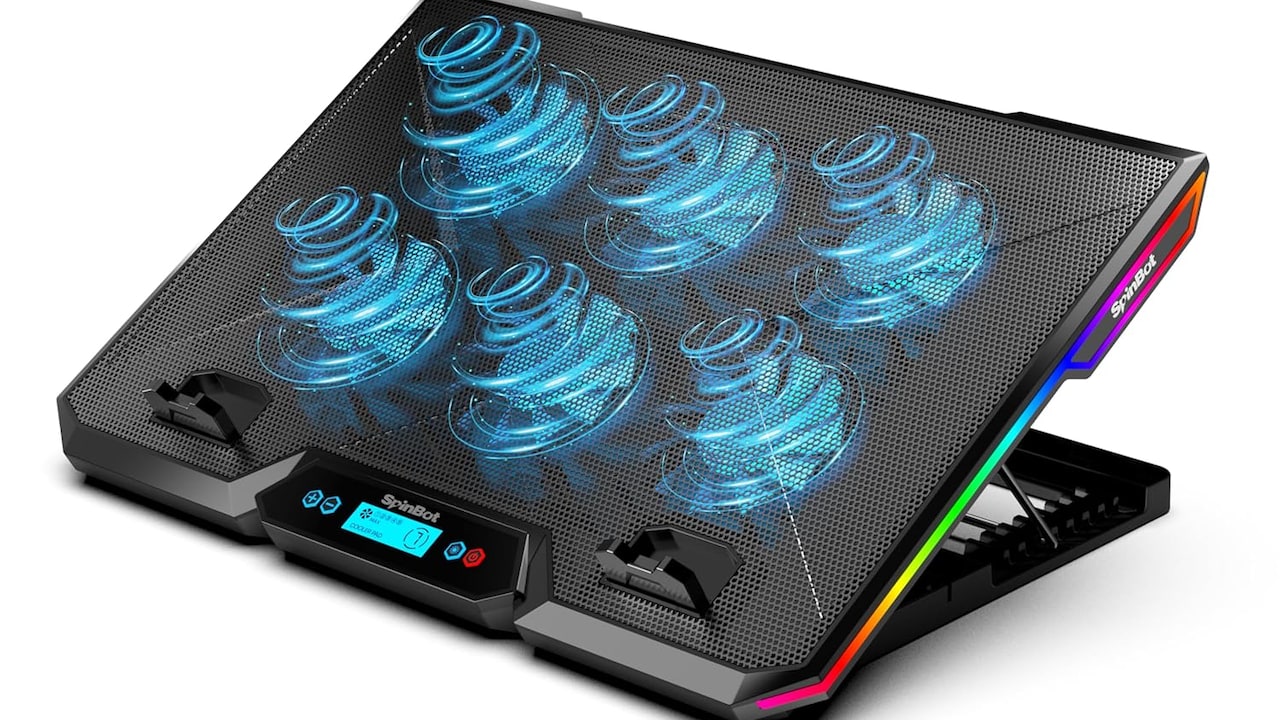
Metal Mesh Laptop Cooling Pads: Game-Changing Fix For Overheating Laptops.
A familiar scene unfolds in countless homes and cafés. A laptop starts the day calm and efficient, only to turn into a miniature heater by afternoon. Fans whirr loudly, palms grow sweaty, and performance slows at the worst possible moment. Streaming buffers, spreadsheets freeze, and tempers quietly rise. Overheating has become one of the most common frustrations of modern computing.
Several factors contribute to this problem. Slim designs prioritise aesthetics over airflow. Dust sneaks into vents. Long hours of video calls, editing software, or gaming push processors beyond comfortable limits. Even climate plays a role, especially during peak summer months when room temperatures already test human patience.
Manufacturers recommend ventilation and maintenance, yet many users search for quick fixes that do not involve opening hardware. Enter the metal mesh laptop cooling pad, marketed as a simple upgrade promising cooler temperatures and longer device life. With prices ranging roughly between ₹800 and ₹3,500, these accessories appear affordable compared to replacing a laptop altogether.
But hype often travels faster than truth. Do metal mesh cooling pads truly transform performance, or do they simply offer psychological comfort? Understanding their design, benefits, limitations, and real-world usability reveals whether they deserve a permanent spot on work desks.
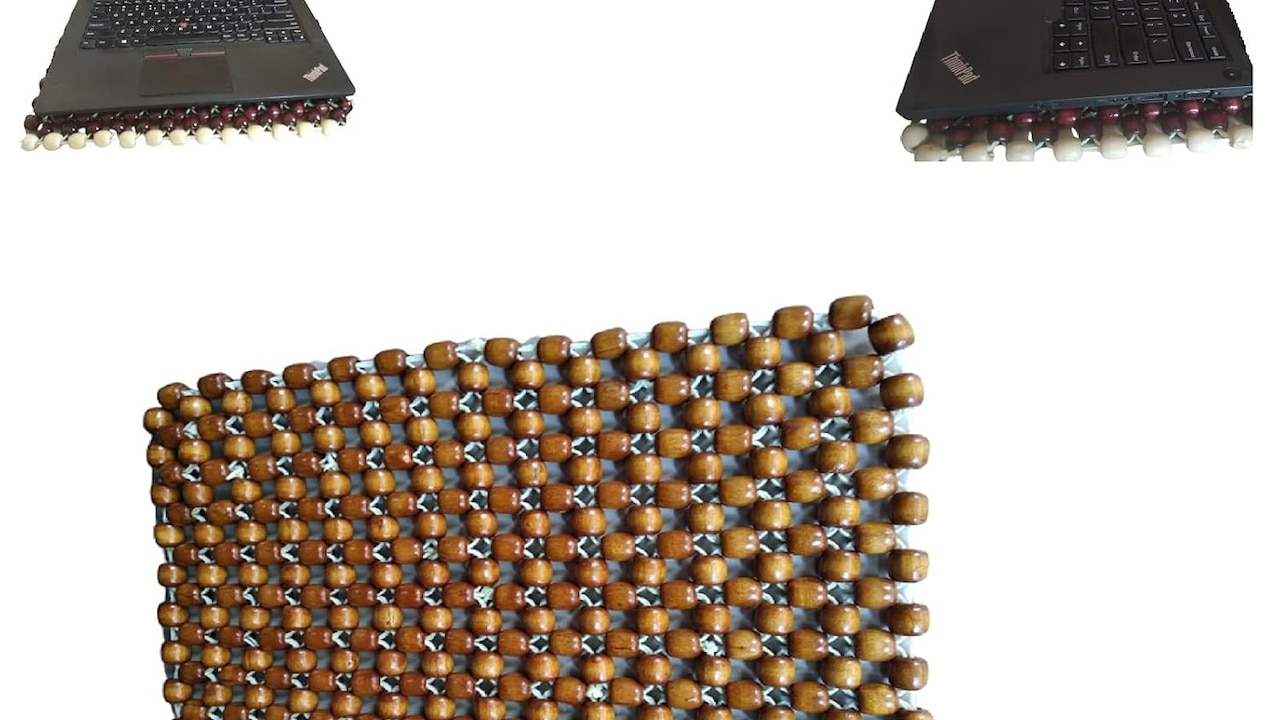
Metal Mesh Laptop Cooling Pads: Game-Changing Fix For Overheating Laptops
Photo Credit: Amazon
Exploring The Real Impact Of Metal Mesh Cooling Pads
Understanding Why Laptops Overheat So Easily
Modern laptops walk a tightrope between power and portability. Manufacturers chase thinner bodies and lighter builds, leaving limited space for airflow. Components such as CPUs and GPUs generate intense heat during demanding tasks. Without adequate ventilation, internal temperatures rise rapidly.
Many users unknowingly worsen the issue. Working from beds, sofas, or laps blocks air vents underneath the device. Soft surfaces trap heat instead of dispersing it. Even a simple cushion can transform a laptop into a heat box. Add hours of multitasking, browser tabs multiplying endlessly, and background applications quietly consuming resources, and overheating becomes inevitable.
Environmental conditions also matter. Warm weather combined with enclosed rooms creates a challenging environment for electronics. Ceiling fans help comfort people but rarely cool the hardware effectively. Air conditioning works better but increases electricity bills, often reaching ₹2,000 or more monthly during peak heat waves.
Thermal throttling then enters the picture. The laptop deliberately slows performance to prevent damage. Users often mistake this slowdown for ageing hardware when heat remains the real culprit. Understanding this behaviour forms the first step towards appreciating why cooling accessories gained popularity in the first place.
What Makes Metal Mesh Cooling Pads Different
Not all cooling pads look alike. Earlier designs relied heavily on plastic surfaces with built-in fans. Metal mesh models introduced a notable change. Their perforated aluminium or steel surface allows air to circulate more freely beneath the laptop.
Metal conducts heat better than plastic. When a warm laptop rests on a mesh surface, heat spreads across the metal rather than concentrating in one area. This distribution helps reduce hotspots, especially near processors and batteries. The mesh structure also prevents trapped air pockets, encouraging continuous airflow.
Most models include one to five fans positioned strategically beneath common heat zones. These fans pull cool air upward while pushing warm air away. USB-powered operation keeps setup simple. Plugging into the laptop instantly activates the cooling system without additional adapters.
Beyond function, metal mesh pads feel sturdier. They resist bending and often support heavier gaming laptops without wobbling. Adjustable height settings add ergonomic benefits, raising screens closer to eye level and reducing neck strain during long sessions.
This combination of airflow, heat conduction, and structural stability explains why metal mesh designs gained attention. Yet effectiveness depends on usage habits rather than materials alone.
Do Cooling Pads Actually Reduce Temperature?
The most pressing question remains straightforward: do these pads genuinely cool laptops? Real-world testing suggests moderate but meaningful results rather than dramatic miracles.
A quality metal mesh cooling pad can lower surface temperatures by roughly 3°C to 8°C during heavy workloads. That difference may sound small, yet electronics operate within tight thermal limits. Even a slight drop can prevent thermal throttling and maintain consistent performance.
Gamers often notice smoother gameplay during extended sessions. Video editors experience fewer slowdowns while rendering projects. Students attending long virtual classes report quieter fan noise because internal cooling systems no longer struggle alone.
However, expectations require adjustment. Cooling pads cannot fix poor internal thermal design or accumulated dust inside fans. A clogged laptop remains hot regardless of external airflow. Similarly, ultra-thin models with limited ventilation gain less benefit compared to laptops with bottom vents aligned with pad fans.
In essence, cooling pads assist existing cooling systems rather than replacing them. Think of them as supportive teammates rather than star performers. When combined with sensible usage habits, they provide noticeable comfort improvements without promising unrealistic transformations.
Comfort And Ergonomics: The Unexpected Advantage
Cooling performance often dominates marketing discussions, yet comfort quietly becomes the bigger selling point for many users. Metal mesh cooling pads usually include adjustable angles that elevate the laptop screen.
Working long hours on a flat surface forces necks downward. Over time, this posture leads to stiffness and fatigue. Raising the laptop slightly aligns the screen closer to eye level, reducing strain during meetings or study sessions. Many discover improved posture without actively trying.
Typing also feels different. A gentle incline mimics desktop keyboard positioning, allowing wrists to rest more naturally. During marathon writing sessions or coding sprints, this ergonomic shift proves surprisingly valuable.
Heat reduction enhances comfort further. Palms no longer feel roasted while typing. Those who work with laptops directly on their laps appreciate the barrier between skin and heat. The mesh surface disperses warmth effectively, preventing that familiar sensation of holding a portable oven.
These physical comfort improvements often justify the purchase more than temperature numbers alone. After all, productivity depends not only on machine performance but also on human comfort throughout long digital days.
Noise Levels And Everyday Practicality
A cooling accessory loses appeal quickly if it sounds like a small helicopter. Fortunately, most modern metal mesh cooling pads prioritise quieter fans. Many operate between 20 and 30 decibels, softer than typical room conversation.
During light tasks, fan noise blends into the background ambience. In silent environments such as libraries or late-night workspaces, sensitive users may still notice a faint hum. Premium models offer adjustable fan speeds, allowing a balance between cooling and silence.
Portability also matters. Metal mesh designs remain relatively lightweight despite their sturdy construction. Sliding one into a backpack alongside a laptop rarely feels burdensome. Students moving between lectures or professionals travelling for meetings often appreciate this flexibility.
Power consumption remains minimal since pads draw energy directly from USB ports. Electricity costs remain negligible compared to running air conditioning for hours. Over a year, the difference may save several hundred rupees in energy expenses.
Practicality ultimately depends on lifestyle. Those working mostly at desks benefit the most, while frequent travellers may prioritise compact foldable models.
Build Quality And Durability: Worth The Investment?
Accessory markets overflow with options ranging from budget-friendly ₹700 models to premium designs exceeding ₹4,000. Build quality often determines whether a cooling pad lasts months or years.
Metal mesh surfaces resist cracks and warping better than plastic alternatives. Aluminium constructions feel particularly durable while remaining lightweight. Rubber grips prevent laptops from sliding, especially when positioned at steeper angles.
Fan quality separates reliable products from disappointing ones. Cheap bearings wear out quickly, producing rattling noises after a few months. Better models include sealed bearings designed for thousands of hours of operation.
Cable design also matters more than expected. Reinforced USB cables survive daily plugging and unplugging without fraying. Detachable cables add convenience when packing devices for travel.
A well-built cooling pad often outlives at least one laptop upgrade cycle. Considering replacement laptop costs easily cross ₹50,000 or more, investing in a durable accessory begins to feel practical rather than indulgent. Longevity transforms the cooling pad from a gadget to a long-term workstation companion.
Energy Efficiency And Environmental Considerations
Technology conversations increasingly include environmental awareness. Cooling pads may appear minor additions, yet they influence energy consumption patterns in subtle ways.
Lower laptop temperatures improve efficiency. Components running cooler require less internal fan effort, indirectly reducing power draw. While savings per session remain small, cumulative effects over months become noticeable.
Users sometimes rely less on air conditioning when laptops stay cooler. Even reducing AC usage by one hour daily can lower electricity bills significantly, especially during warmer seasons when tariffs climb.
Metal mesh designs also contribute durability advantages. Longer-lasting accessories reduce electronic waste compared to cheaply built plastic alternatives that break quickly. Choosing repairable or sturdy models supports sustainable consumption habits.
Manufacturers have started exploring recyclable metals and energy-efficient fans. Although the industry still has room for improvement, consumer demand gradually encourages greener designs.
A cooling pad alone cannot solve environmental challenges, yet mindful purchasing decisions across millions of users collectively shape market trends toward sustainability.
Common Myths About Laptop Cooling Pads
Cooling pads attract both praise and scepticism, often fuelled by exaggerated claims. One widespread myth suggests they dramatically extend laptop lifespan. While cooler temperatures help hardware longevity, other factors, such as battery cycles and component quality, play equally significant roles.
Another misconception claims all cooling pads work equally well. Placement of fans relative to laptop vents greatly influences effectiveness. A mismatch reduces airflow benefits regardless of fan speed.
Some believe higher fan counts guarantee better cooling. In reality, airflow design matters more than quantity. Two well-positioned fans often outperform five poorly aligned ones.
A particularly persistent myth insists that cooling pads replace maintenance. Dust cleaning, software optimisation, and proper ventilation remain essential practices. Ignoring these basics limits any accessory's effectiveness.
Understanding these myths prevents disappointment. Cooling pads function best as supportive tools rather than miracle solutions. When expectations remain realistic, satisfaction tends to follow naturally.
Who Benefits Most From Metal Mesh Cooling Pads?
Not every laptop user needs a cooling pad, yet certain groups gain noticeable advantages. Gamers pushing graphics-intensive titles often experience immediate temperature stability improvements. Performance remains consistent during long sessions instead of dipping unexpectedly.
Content creators editing videos or designing graphics also benefit. Rendering tasks generate sustained heat loads, making external airflow valuable. Freelancers working from home appreciate quieter operations during client meetings.
Students attending lengthy online classes or preparing assignments late into the night often discover comfort improvements first. Reduced heat and better posture make extended study sessions more manageable.
Office professionals working remotely find cooling pads helpful during continuous video conferencing. Less fan noise means clearer audio without background distractions.
Casual users performing basic browsing tasks may not require one urgently. Yet even light users sometimes appreciate ergonomic benefits and cooler surfaces during warm afternoons. Ultimately, usage intensity determines necessity more than laptop brand or price.
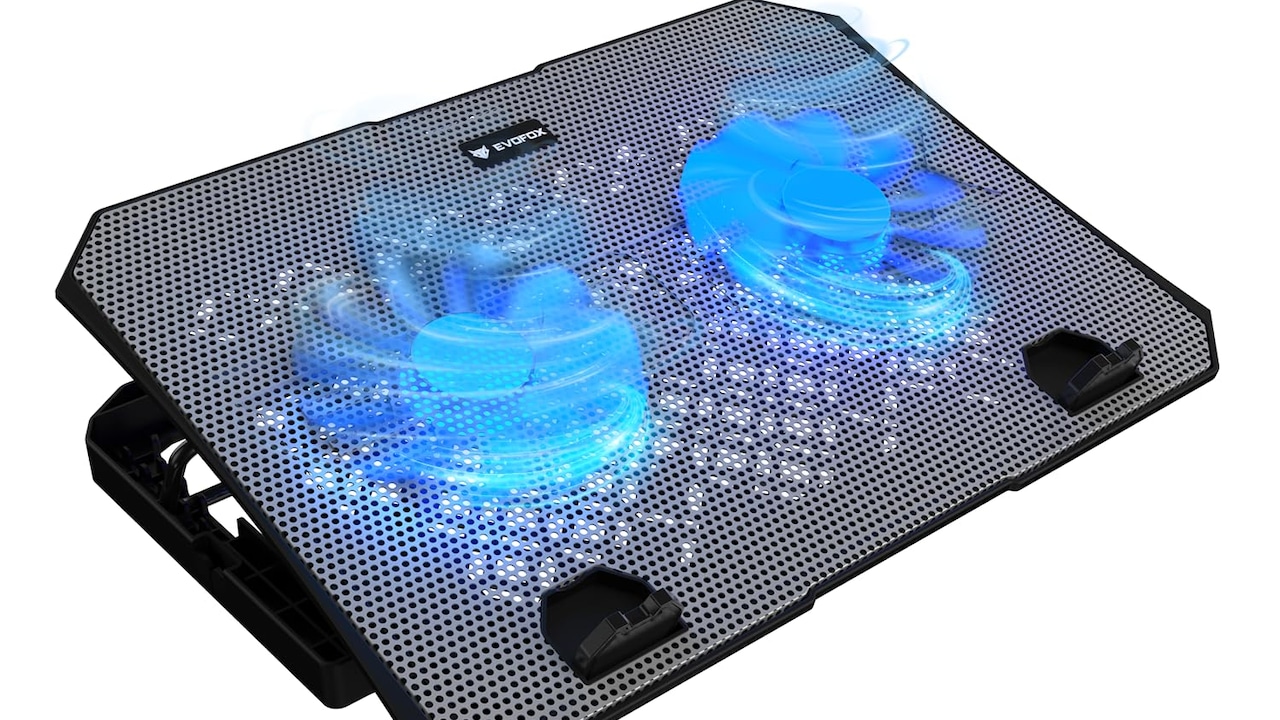
Metal Mesh Laptop Cooling Pads: Game-Changing Fix For Overheating Laptops
Photo Credit: Amazon
Choosing The Right Cooling Pad Without Overthinking
Selecting a cooling pad can feel overwhelming due to the countless models online. Practical considerations simplify the process. Laptop size compatibility comes first. A pad slightly larger than the device ensures stable support.
Fan placement deserves careful attention. Checking vent locations underneath the laptop helps align airflow effectively. Adjustable height settings improve ergonomics significantly, making them worth prioritising.
Noise ratings provide useful guidance, especially for shared spaces. Reading user reviews often reveals real-world performance better than promotional descriptions.
Budget also shapes decisions. Reliable options exist around ₹1,200 to ₹2,000, offering balanced performance and durability. Premium models add aesthetics, RGB lighting, or advanced controls, though these features rarely influence cooling efficiency dramatically.
Ultimately, choosing a cooling pad resembles selecting comfortable footwear. The best option feels right during everyday use rather than impressing with flashy specifications.
Products Related To This Article
1. Archer Tech Lab RGB Gaming Laptop Cooling Pad Stand with Aluminum Metal Grid
2. Lapster Chillpro Ultra Laptop Cooler pad with Dual Cooling Fans
3. Lapster Chillpro Ultra Laptop Cooler pad with Dual Cooling Fans
4. Lapster Chillpro Edge Laptop Cooler pad with 5 Cooling Fans
5. Frontech Laptop Cooling Pad
Metal mesh laptop cooling pads occupy an interesting space between necessity and convenience. They do not perform miracles, yet they deliver measurable benefits when expectations remain grounded. Improved airflow, modest temperature reductions, enhanced comfort, and better ergonomics combine to create a noticeably smoother computing experience.
As laptops grow slimmer and workloads grow heavier, external cooling support becomes increasingly relevant. For many users, spending ₹1,500 on a reliable cooling pad proves far more sensible than enduring performance slowdowns or risking expensive repairs later.
The true value of metal mesh cooling pads lies not only in cooler hardware but also in calmer workflows. Fewer interruptions, quieter operation, and improved posture subtly enhance daily productivity. Technology works best when it fades into the background, allowing creativity and focus to take centre stage.
So, are metal mesh laptop cooling pads a game-changing fix? Perhaps not revolutionary, but certainly practical. Sometimes, the smartest solutions arrive quietly, shaped from simple ideas executed well. And in the ongoing battle against overheating laptops, a sheet of metal mesh and a few fans might just be the ally modern workspaces needed all along.
(Disclaimer: This article may include references to or features of products and services made available through affiliate marketing campaigns. NDTV Convergence Limited (“NDTV”) strives to maintain editorial independence while participating in such campaigns. NDTV does not assume responsibility for the performance or claims of any featured products or services.)