10 Reasons Smartphone Photos Show Lens Flare Around Lights At Night And How To Reduce It
Lens flare can turn night photos into a mess of halos, streaks and glowing spots. From dirty lenses to overexposure and camera protectors, here are 10 common causes of smartphone lens flare and simple ways to reduce it.
10 Reasons Smartphone Photos Show Lens Flare Around Lights At Night And How To Reduce It
Night photography has a certain charm. A rain-soaked road reflecting shop signs, festive lights glowing across a neighbourhood, or a busy market sparkling after sunset can look far more dramatic through a smartphone camera than during the day. Then comes the surprise: the photograph shows strange circles, hazy patches or long streaks around every bright light. That visual oddity is commonly called lens flare. Lens flare happens when strong light enters a camera lens and reflects or scatters in ways the camera did not intend. Smartphones can be especially prone to it because their tiny camera modules squeeze several lens elements, protective glass and sensors into a remarkably small space.
Why Smartphone Photos Show Lens Flare At Night And 10 Ways To Fix It
Photo Credit: Pexels
The problem becomes far more noticeable at night because bright light sources sit against dark surroundings. A street lamp that seems perfectly ordinary to the eye can overwhelm parts of a smartphone camera.
Fortunately, buying a new phone is rarely the first solution. Simple changes to cleaning, composition, exposure and shooting angle can make a surprisingly large difference.
Why Smartphone Cameras Struggle With Bright Lights At Night
1. Fingerprints On The Camera Lens Scatter Light
The most common cause of dramatic night-time flare may also be the easiest to fix: a dirty camera lens.
Smartphones spend their days in pockets, handbags, backpacks and hands. Every time a finger brushes the camera area, it can leave behind a thin layer of skin oil. During daylight, that smudge may barely affect a photograph. At night, a strong street lamp or vehicle headlight hitting the greasy surface can scatter across the image.
The result often looks like glowing fog around lights, stretched streaks or soft halos. A photograph taken outside a brightly lit restaurant can suddenly look as though someone spread petroleum jelly across the camera.
Before photographing anything at night, gently wipe the camera glass with a clean microfibre cloth. Avoid rubbing it with a shirt sleeve if possible, particularly when the fabric carries dust. Tiny abrasive particles can eventually mark protective surfaces.
Cleaning should become almost automatic before an evening photography session. It takes seconds, costs nothing and can improve photographs more than several complicated camera settings. Sometimes the grand solution to mysterious flare is simply giving the lens a proper wipe.
2. Bright Lights Are Hitting The Lens Directly
A smartphone camera struggles when an extremely bright light shines directly into its lens, particularly against a dark background.
Imagine photographing friends beside a roadside café while a powerful LED street lamp sits near the corner of the frame. The lamp may look harmless while composing the shot, yet its light can bounce between internal lens surfaces and create coloured dots, rings or ghost-like shapes elsewhere in the photograph.
Moving slightly can solve the problem.
Try shifting a step to the left or right, lowering the phone or changing its angle by a few degrees. Even a tiny adjustment can stop direct light from striking the lens at the troublesome angle.
Another useful technique involves hiding the strongest light source behind an object already in the scene. A tree trunk, building edge, signboard or even a person can act as a natural shield while preserving the overall mood.
Night photography often rewards movement more than zooming. Instead of accepting the first position and fighting the flare afterwards, explore the surroundings. Two footsteps can sometimes achieve what ten minutes of editing cannot.
Also Read:: What Are The Best Budget Smartphones Under ₹15,000 In 2026
3. Internal Lens Reflections Create Ghostly Shapes
A smartphone camera lens is not one simple piece of glass. Modern phone cameras contain several tiny optical elements designed to focus light onto the sensor.
When a bright source enters the camera, some light can reflect between those internal surfaces instead of travelling directly towards the sensor. These reflections can appear as circles, coloured spots or translucent copies of the original light source.
Ever photographed a brightly illuminated wedding venue at night and noticed a mysterious green dot floating in the darker part of the picture? That green visitor is often an internal reflection rather than a strange light hiding in the garden.
There is no setting that completely eliminates this optical behaviour. Better lens coatings can reduce reflections, but even expensive smartphones may show them under difficult lighting.
Composition provides the best defence. Change the position of the bright source within the frame and watch whether the ghost moves. If it does, shift the camera until the unwanted reflection reaches an inconspicuous area or disappears.
A slight crop can also help when flare sits close to the photograph's edge.
4. Protective Camera Covers Can Make Flare Worse
Camera lens protectors sound like sensible insurance. After all, nobody enjoys discovering scratches on an expensive smartphone. Unfortunately, an additional piece of glass can create another surface for light to bounce between.
Low-quality camera protectors are particularly troublesome at night. Street lamps, decorative LEDs and headlights may reflect between the protector and the phone's original camera glass, producing halos or duplicate lights.
Dust trapped underneath the protector can make matters worse.
A useful test is simple. Photograph the same bright night scene with the protector fitted, then temporarily remove it if doing so is safe and practical. Compare the results. A major reduction in flare reveals the likely culprit.
This does not mean every camera protector causes problems. Quality, coating, thickness and installation all matter. However, anyone noticing flare immediately after fitting a new protector should consider the connection.
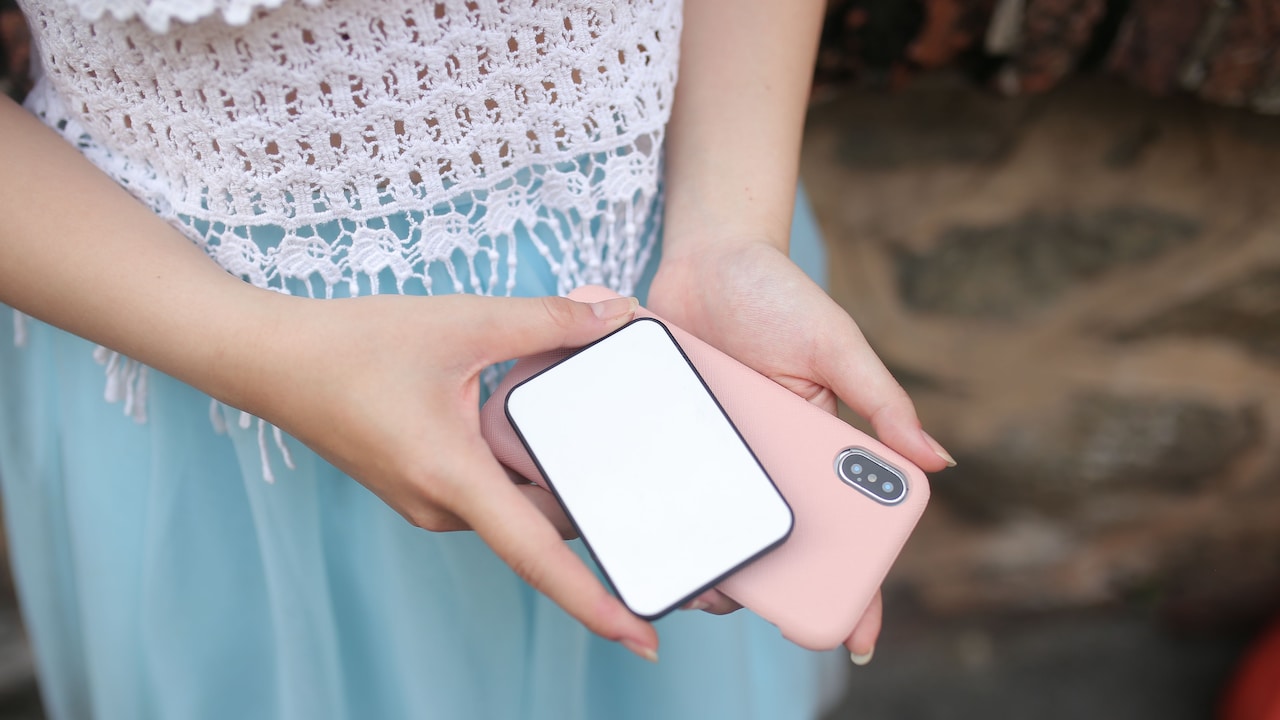
Protection also comes from a well-designed phone case with a raised camera lip. That approach can reduce direct contact with surfaces without placing another layer directly over the lens.
Sometimes more glass does not mean better photography.
5. Phone Cases Can Reflect Light Back Into The Camera
The humble phone case can quietly interfere with night photographs too.
Some cases have glossy surrounds, metallic camera rings or decorative surfaces close to the lenses. Under strong lighting, these materials may reflect light towards the camera glass. The effect can appear as extra haze, unusual colour casts or flare near the edge of the frame.
Problems become particularly noticeable with thick cases that surround the camera module closely.
Try taking a night photograph with the case attached, then repeat the shot after removing it. Keep the phone position and camera settings as similar as possible. If the second photograph looks cleaner, the case deserves suspicion.
Matte finishes usually cause fewer troublesome reflections than shiny surfaces around the camera area. A case also needs properly sized openings so that nothing intrudes into the camera's field of view.
Nobody needs to throw away a favourite case because of one street-lamp photograph. Removing it temporarily during important night shoots may be enough.
That small adjustment can be worthwhile during weddings, festivals, concerts or evening trips where memorable photographs matter more than keeping the phone dressed for the occasion.
6. Night Mode Can Make Existing Flare More Noticeable
Night mode performs impressive computational magic, but it cannot rewrite the laws of optics.
When activated, many smartphones capture several frames over a short period and combine them to produce a brighter, cleaner photograph. Dark streets suddenly reveal details, colours become richer and shadow noise falls.
However, bright flare already entering the lens may also become more obvious.
A faint reflection that barely appears in a normal photograph can become brighter after the phone lifts shadow detail and processes multiple exposures. Moving the phone while night mode captures its sequence can also stretch bright lights or make flare look messier.
Keep the smartphone steady. Rest it against a wall, railing or another stable surface when possible. A compact tripod can help for planned night photography, although it is hardly necessary for every evening chai stop.
Also compare night mode with the standard camera mode. When the scene already contains plenty of artificial light, normal mode may produce cleaner highlights.
Night mode is a tool rather than a compulsory button. Use it when it improves the scene, not simply because the sun has gone down.
Why Smartphone Photos Show Lens Flare At Night And 10 Ways To Fix It
Photo Credit: Pexels
7. Overexposure Turns Small Lights Into Large Glowing Blobs
Smartphones constantly decide how bright a photograph should appear. At night, that calculation becomes difficult because the frame may contain both deep shadows and extremely bright lights.
If the camera raises exposure to reveal a dark road or building, street lamps and signboards can become heavily overexposed. Their bright areas spread visually, making flare and halos appear larger than they really are.
Manually lowering exposure often helps.
On many camera apps, tapping the bright area brings up an exposure control. Dragging the brightness slightly down can preserve detail around lights while also giving the night scene richer contrast.
Do not take this too far. Turning a night photograph into a black rectangle defeats the purpose. The goal is to protect highlights while retaining enough detail in darker areas.
This technique works beautifully with festive decorations, illuminated monuments and bustling shopping streets where bright signs compete against dark surroundings.
A slightly darker photograph can often look more atmospheric anyway. Night should still feel like night. Phones sometimes try too enthusiastically to turn midnight into late afternoon, and a little human intervention brings the mood back.
8. Digital Zoom Can Magnify Flare And Image Problems
Pinching the screen to zoom feels convenient when the subject sits far away. Unfortunately, digital zoom frequently enlarges weaknesses along with the subject.
When a smartphone relies on digital cropping rather than a dedicated optical telephoto camera, flare, haze and noise can become more prominent. A small glowing patch near a street lamp may suddenly occupy a much larger portion of the final photograph.
Whenever practical, move physically closer instead.
Of course, walking towards every subject is not always possible. Nobody should step into traffic merely to avoid digital zoom, and a distant illuminated building may remain distant for good reason.
In those situations, use the phone's native camera options. If the device offers genuine optical focal lengths such as 1x, 2x or 3x, selecting one of those cameras can provide better results than zooming freely between values.
Another option is to shoot slightly wider and crop later. This provides greater control over composition while preserving the original file.
At night, every bit of image quality matters. Digital zoom can be useful, but treating it as a convenience rather than a default habit usually produces cleaner pictures.
9. Tiny Scratches Or Damage Can Distort Bright Lights
Not every cleaning attempt fixes flare. Sometimes the camera glass itself has been scratched, cracked or damaged.
Fine scratches may remain almost invisible during ordinary daytime photography because sunlight illuminates the scene broadly. At night, concentrated points of light reveal them far more dramatically. Headlights may develop strange streaks, lamps may grow star-shaped smears and bright signs can produce persistent haze.
Examine the camera area under a strong light. Tilt the phone gently and look for scratches, cracks or chipped edges. Pay particular attention if the device has experienced a memorable encounter with a tiled floor.
Damage becomes a likely explanation when the same flare pattern appears repeatedly in the same position, regardless of cleaning or minor composition changes.
Professional inspection may make sense if the camera glass is visibly damaged. Replacing external camera glass can cost far less than replacing an entire phone, although repair prices vary considerably by model and service provider.
Avoid polishing scratches with random household substances promoted in questionable internet hacks. Camera optics require precision. Toothpaste belongs near a toothbrush, not an expensive smartphone camera.
10. Some Lens Flare Is Simply Part Of Night Photography
After cleaning the lens, removing troublesome accessories, lowering exposure and changing angles, a little flare may still remain. That is normal.
Every camera system has optical limitations. Smartphone cameras face an especially demanding challenge because manufacturers fit sophisticated lenses and sensors into bodies only millimetres thick.
Instead of viewing every flare as a ruined photograph, consider whether it actually harms the image.
A subtle glow around festival lights can create warmth. A controlled streak from headlights may add energy to a rainy city scene. Filmmakers and photographers sometimes deliberately embrace flare because it brings atmosphere and a sense of brightness.
The trick is recognising the difference between intentional-looking flare and distracting optical clutter.
If a reflection lands across someone's face or creates an ugly green blob in an otherwise dark sky, reposition the camera. If it adds character without hiding important details, leaving it alone may produce the more memorable photograph.
Technical perfection is not the only measure of a good picture. Sometimes a slightly imperfect frame captures the feeling of an evening better than a clinically spotless one.
Why Smartphone Photos Show Lens Flare At Night And 10 Ways To Fix It
Photo Credit: Pexels
Products Related To This Article
1. Samsung Galaxy M36 5G Mobile (Velvet Black, 8GB RAM, 128GB Storage)
2. REDMI Note 15 Pro+ 5G (Coffee Mocha, 12GB + 256GB)
3. XIAOMI 14 (White, 12GB RAM, 512GB Storage) | 50MP Leica Professional Optics
4. realme NARZO 80 Lite 4G (Obsidian Black 2026, 4GB+64GB)
5. iQOO Z10 Lite 5G (Titanium Blue 2026, 4GB RAM, 128GB Storage)
6. Motorola G57 Power 5G (Fluidity, 8GB RAM, 128GB Storage)
7. Samsung Galaxy A56 5G (Awesome Violet Glow, 8GB, 256GB)
Lens flare around lights at night usually comes from a combination of bright light sources, reflective surfaces and the physical limitations of tiny smartphone cameras. Dirty lenses remain one of the biggest offenders, while camera protectors, cases, overexposure, internal reflections and damaged glass can make matters worse.
The encouraging part is that most situations do not demand expensive accessories or a brand-new phone. Cleaning the lens, adjusting the shooting angle, lowering exposure and keeping the device steady can transform a photograph within seconds.
Night photography also rewards experimentation. Move around. Try another angle. Compare normal mode with night mode. Watch how reflections change as the light moves across the frame.
And when one small flare refuses to disappear, consider whether it truly needs to. The best night photograph is not always the one with flawless optics. It is the one that preserves the glow, colour and mood that made the phone come out of the pocket in the first place.
(Disclaimer: This article may include references to or features of products and services made available through affiliate marketing campaigns. NDTV Convergence Limited (“NDTV”) strives to maintain editorial independence while participating in such campaigns. NDTV does not assume responsibility for the performance or claims of any featured products or services.)