10 Reasons An Amazon Fire TV Stick Buffers Even When Your Wi-Fi Seems Fast
Fast Wi-Fi does not always guarantee smooth streaming. From weak signals and app glitches to overheating and server issues, here are 10 common reasons your Amazon Fire TV Stick keeps buffering.
10 Reasons An Amazon Fire TV Stick Buffers Even When Your Wi-Fi Seems Fast
Picture the scene. Dinner is done, the lights are dimmed, chai is within reach, and the family has finally agreed on something to watch. The opening credits roll beautifully. Then, at the most interesting moment, the television freezes. A spinning loading icon appears. Few pieces of technology can ruin the mood quite so efficiently. The frustrating part is that the home internet may seem perfectly healthy. A speed test on a phone could show an impressive result. Instagram works instantly, websites load without hesitation, and video calls sound perfectly clear. So why does the Fire TV Stick behave as though it has been connected through a telephone line from 2004?
10 Reasons An Amazon Fire TV Stick Buffers Even When Your Wi-Fi Seems Fast
Photo Credit: Pexels
Internet speed matters, but streaming performance depends on far more than one number. The Fire TV Stick, router, streaming app, wireless environment and even the television's position can affect playback. Here are ten reasons buffering may continue even when the Wi-Fi looks fast.
Why Your Fire TV Stick Buffers Despite Fast Wi-Fi
1. Your Internet Speed And Fire TV Speed May Be Different
Running a speed test on a smartphone does not necessarily reveal what the Fire TV Stick receives.
A phone might sit comfortably in someone's hand a few metres from the router, while the Fire TV Stick hides behind a television across the room. Walls, furniture and distance can weaken the signal before it reaches the streaming device. A fast broadband plan therefore does not guarantee an equally fast connection everywhere in the house.
This becomes particularly noticeable with high-resolution streaming. Full HD video requires a steady connection, while 4K content can demand considerably more bandwidth. Brief drops may not affect browsing, but video streaming notices them immediately.
The important word here is consistency. A connection that jumps between excellent and poor speeds can cause more buffering than a slightly slower but stable one.
Try checking network performance close to the television rather than beside the router. If speeds fall sharply in that area, the broadband connection itself may be perfectly fine. The problem could simply be the final few metres between the router and Fire TV Stick.
2. Wi-Fi Interference Could Be Causing Trouble
Wireless networks have plenty of competition.
Neighbouring routers, Bluetooth speakers, cordless devices, smart appliances and other electronics can crowd the same wireless frequencies. In a densely populated apartment building, the Wi-Fi environment can become particularly busy during the evening, when dozens of households start streaming simultaneously.
That interference may cause packets of data to arrive late or require retransmission. A speed test can still look respectable because it measures performance over a short period, while a two-hour film demands a stable connection continuously.
The commonly used 2.4 GHz Wi-Fi band travels further but tends to experience more congestion. A 5 GHz connection generally offers higher speeds and less interference at shorter distances, although walls weaken it more quickly.
Switching Wi-Fi bands can sometimes transform streaming performance without changing the broadband plan at all.
Router placement matters too. Keeping the router buried inside a cabinet beside tangled cables and electronic equipment is rather like asking someone to hold a conversation in the middle of a crowded railway platform. Giving the signal some breathing room can make a surprisingly noticeable difference.
Also Read: Media Streaming Devices Under ₹11,000: From Airtel To Roku Check Top 15 Deals On Amazon
3. The Fire TV Stick May Be Too Far From The Router
Distance remains one of the simplest explanations for mysterious buffering.
Wi-Fi signals weaken as they travel through a home. Concrete walls, doors, cupboards and large pieces of furniture can all reduce signal strength. A router sitting in the bedroom may provide fantastic speeds there but struggle to deliver the same performance to a television two rooms away.
Homes with thick walls can make this particularly obvious. The speed displayed by the broadband provider becomes almost irrelevant if the Fire TV Stick receives only a weak fraction of that connection.
Moving the router closer to the television can help, although that is not always practical. Repositioning it somewhere higher and more central may improve coverage without requiring major changes.
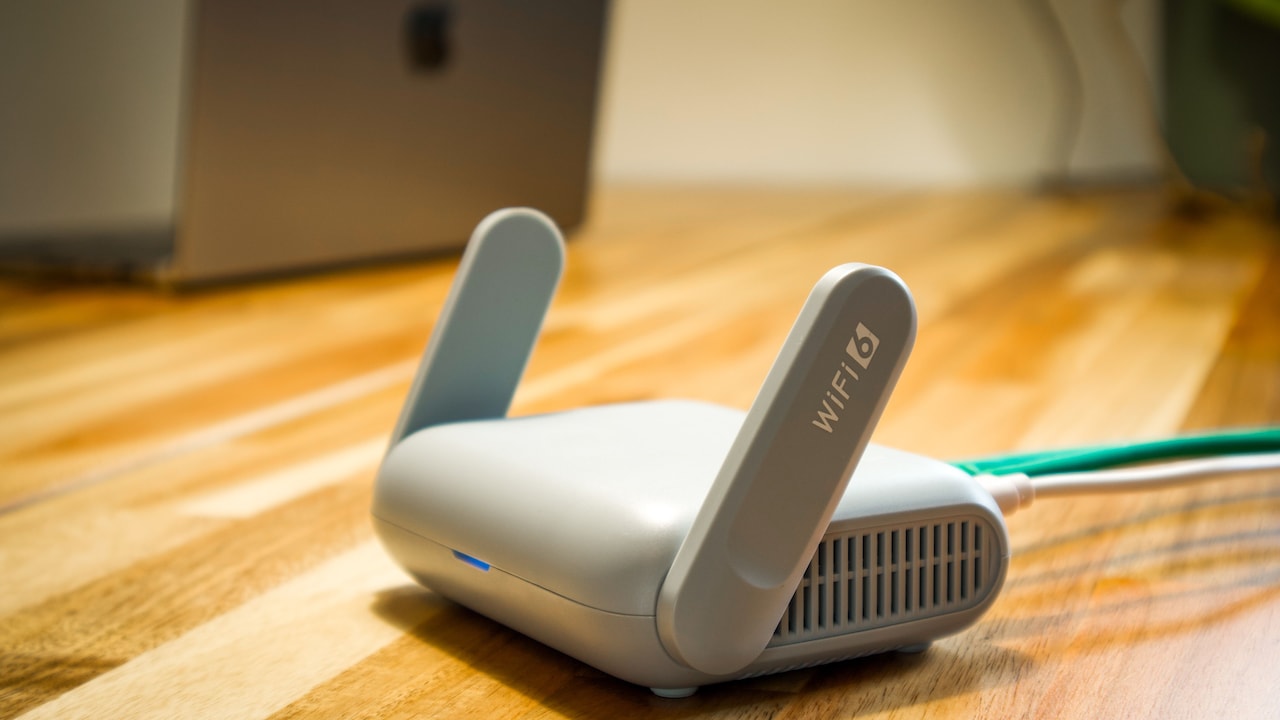
A mesh Wi-Fi system can make sense in larger properties where one router simply cannot cover every room effectively. A suitable Wi-Fi extender may also help in certain layouts, although poor placement can merely repeat an already weak signal.
Think of Wi-Fi less like water flowing through pipes and more like conversation across rooms. The further away the listener gets, the easier it becomes to miss important information.
4. Your Fire TV Stick Could Be Overheating
A Fire TV Stick may be small, but it still contains a processor that produces heat.
The device normally sits behind a television, an area that may receive limited airflow. Add several hours of streaming, warm weather and heat coming from the television itself, and temperatures can climb.
When electronic devices become too hot, performance may suffer. Apps can become sluggish, menus may respond slowly and streaming can begin to stutter or buffer. The symptoms sometimes resemble an internet problem even when the network connection remains completely healthy.
Touching the device after extended use may reveal whether it feels unusually hot. Warmth is normal; excessive heat accompanied by repeated performance problems deserves attention.
Using the HDMI extender supplied with many Fire TV Stick models can move the device slightly away from the back of the television and improve airflow. Avoid surrounding it with other heat-producing electronics.
Restarting the device may temporarily improve performance, but repeated overheating suggests that ventilation needs attention. During a hot afternoon, even streaming gadgets appreciate a little space rather than being roasted behind a large television panel.
5. Too Many Devices May Be Sharing Your Connection
A fast internet connection can still become crowded.
Imagine a household where one television streams a 4K film, another family member joins a video meeting, someone downloads a large game update, two phones back up photos, and a security camera uploads footage to the cloud. The broadband plan may sound fast on paper, but every active device wants part of the available bandwidth.
Streaming can suffer when several high-demand activities occur simultaneously.
The situation becomes more complicated because some internet activity happens quietly in the background. A laptop could download an operating system update without anyone noticing. Phones may synchronise thousands of photographs. Gaming consoles can start enormous updates automatically.
The Fire TV Stick sees none of this context. It simply notices that the data it needs is no longer arriving consistently.
Try temporarily stopping large downloads or disconnecting unnecessary devices. If streaming suddenly improves, bandwidth competition was probably contributing to the problem.
Modern routers may also offer Quality of Service features that prioritise particular devices or activities. Used correctly, these settings can help ensure movie night does not lose a bandwidth battle against somebody's 35 GB game patch.
10 Reasons An Amazon Fire TV Stick Buffers Even When Your Wi-Fi Seems Fast
Photo Credit: Pexels
6. The Streaming App May Have A Cache Problem
Sometimes the Wi-Fi deserves an apology.
Streaming applications store temporary information known as cache data. This helps apps load content efficiently, but cached files can occasionally become bloated or corrupted. When that happens, an app may freeze, crash, respond slowly or buffer unexpectedly despite a perfectly capable connection.
The clue often appears when one service behaves badly while others work normally.
Suppose Prime Video keeps pausing but YouTube plays 4K clips without complaint. That pattern points towards the app rather than the entire network.
Fire TV settings allow users to clear an application's cache without deleting the whole app. Doing so can remove temporary files that may be causing trouble. Force-stopping and reopening the application can also help.
Clearing app data is a more drastic step because it can remove saved settings and login information, so cache clearing usually makes sense first.
Applications also need updates. Streaming companies regularly fix bugs, improve compatibility and change the way video playback works.
That innocent spinning circle may therefore have nothing to do with broadband speed. Sometimes an app simply needs the digital equivalent of clearing a cluttered desk.
7. Your Fire TV Stick May Be Running Low On Storage
Fire TV devices do not offer unlimited storage, and available space can disappear faster than expected.
Streaming applications, updates, downloaded files and cached data gradually consume internal storage. When very little free space remains, the device may become slow and unstable. Apps can take longer to open, menus may lag, and playback problems can appear.
This is easy to overlook because streaming itself feels like an activity that should not require much storage. The video comes from the internet, after all. Yet the operating system and apps still need room for temporary files and routine processes.
Check the Fire TV Stick's storage through the settings menu. If space has become tight, uninstalling apps that nobody uses can make a difference. Old games and forgotten streaming services are obvious candidates.
Clearing unnecessary cache files may recover additional space without removing applications.
Avoid turning the home screen into a digital storeroom where every app downloaded since Diwali three years ago continues living rent-free.
Maintaining some free storage gives the operating system room to work and can improve overall responsiveness, even when network speeds have not changed.
8. The Streaming Service Itself May Be Struggling
Not every buffering problem begins inside the home.
Streaming services operate enormous networks of servers that deliver video to millions of viewers. Those systems usually work impressively well, but temporary outages, regional congestion and technical faults can occur.
Peak demand can also expose problems. A hugely anticipated cricket match, film premiere or season finale may attract an unusually large audience at the same time. If the platform struggles to handle demand, viewers can experience buffering despite having excellent broadband.
This type of problem often causes confusion because every home troubleshooting step appears useless. Restarting the router changes nothing. Moving closer to it changes nothing. The Fire TV Stick itself seems healthy.
A useful clue is whether other apps continue streaming normally. If one platform repeatedly buffers while competing services play smoothly, the problem may sit beyond the home network.
In such cases, repeatedly restarting every gadget in sight becomes an exercise in frustration.
Sometimes the most technically accurate diagnosis is also the least satisfying one: the service is having a bad day, and the television cannot fix somebody else's servers.
9. VPNs And Custom Network Settings Can Slow Streaming
A VPN can improve privacy or change how internet traffic travels, but it can also introduce extra distance between the Fire TV Stick and the streaming service.
Without a VPN, data usually follows a relatively direct route from the device through the internet to the content provider. With a VPN enabled, traffic first travels through another server. If that server is overloaded or geographically distant, latency can increase and available streaming speed may fall.
A fast home connection cannot eliminate that bottleneck.
Custom DNS services, unusual router configurations and certain security tools can create similar complications when configured poorly. These settings are not automatically harmful, but they add more moving parts to the connection.
If buffering begins after installing a VPN or modifying network settings, temporarily returning to the standard configuration can provide a useful test.
Choose reputable VPN providers when one is genuinely needed, and connect to a sensible nearby server where appropriate.
There is little benefit in paying for fast broadband only to send a film on an unnecessary internet sightseeing tour before it reaches the television.
10. The Fire TV Stick Itself May Be Showing Its Age
Technology ages, even when it still looks perfectly fine.
Older Fire TV Stick models have less powerful processors, smaller amounts of memory and older Wi-Fi hardware than newer versions. Streaming applications also become more demanding over time as interfaces grow richer and services introduce higher-quality video, additional features and updated software.
An ageing device may therefore struggle even though the internet connection remains fast.
Slow menus provide one clue. If navigating between apps feels delayed, applications frequently restart, or the device freezes outside video playback too, general hardware limitations may be involved.
A factory reset can sometimes restore performance by removing accumulated clutter and configuration problems. It should usually come after simpler fixes because the process removes apps and settings.
Software updates are equally important, since outdated system software can cause compatibility issues.
Eventually, however, troubleshooting reaches a point of diminishing returns. A Fire TV Stick that has worked hard for many years may simply lack the hardware required for today's heavier workloads.
At that stage, replacing the device can prove less frustrating than spending another weekend negotiating with a loading circle.
10 Reasons An Amazon Fire TV Stick Buffers Even When Your Wi-Fi Seems Fast
Photo Credit: Pexels
Products Related To This Article
1. Amazon Fire TV Stick HD (newest model) and E GATE Atom 3X Projector Combo
2. Amazon Fire TV Stick HD and Wipro 9W LED Smart Color Bulb Combo
3. Amazon Fire TV Stick 4K Select (newest model), start streaming in 4K
4. Amazon Fire TV Stick HD (newest model), our fastest HD stick yet
5. Xiaomi 138 cm (55 inches) Smart TV MiniLED QLED Fire TV L55MC-FSMIN
A fast broadband connection certainly helps streaming, but the number on a speed test tells only part of the story. The Fire TV Stick needs a strong and stable signal, enough processing power, available storage, healthy apps and reliable servers at the other end.
That explains why buffering can appear even when a phone happily reports excellent Wi-Fi speeds.
Start with the simplest possibilities. Check the connection near the television, restart the Fire TV Stick and router, close unnecessary downloads, clear problematic app caches and make sure the device has enough storage. Then consider interference, overheating, VPNs and the age of the hardware.
Most importantly, look for patterns. Buffering across every app usually points towards the device or network. Problems limited to one service may indicate an application or platform issue. Trouble that appears only during busy periods can suggest congestion.
A Fire TV Stick should make entertainment easier, not turn every film into a test of patience. Once the real bottleneck is found, that dreaded spinning circle often disappears just as quickly as it arrived.
(Disclaimer: This article may include references to or features of products and services made available through affiliate marketing campaigns. NDTV Convergence Limited (“NDTV”) strives to maintain editorial independence while participating in such campaigns. NDTV does not assume responsibility for the performance or claims of any featured products or services.)