Why Thin Gaming Laptops Can Get Hotter And Louder During Long Sessions
Thin gaming laptops run hotter and louder during long sessions because powerful chips, tight cooling space, and rising heat force fans to work harder to maintain performance.

Thin Gaming Laptops: Why They Run Hotter And Louder While Gaming
A thin gaming laptop can feel like a small miracle. It slips into a college bag, looks sharp on a café table, and still promises high frame rates in demanding games. For many players, that sounds perfect. No bulky desktop tower, no messy cables, no separate monitor. Just open the lid, plug in the charger, launch the game, and enter the battlefield. Then, after an hour, reality arrives with warm keys, hot air from the vents, and fans that sound ready for take-off. The laptop that felt cool and elegant during browsing suddenly behaves like a pressure cooker during a Sunday lunch rush. This heat and noise do not come from poor design alone. Thin gaming laptops pack powerful chips, graphics cards, batteries, screens, and cooling systems into a body slimmer than many school notebooks. That tight space creates a constant tug of war between performance, portability, comfort, and silence.

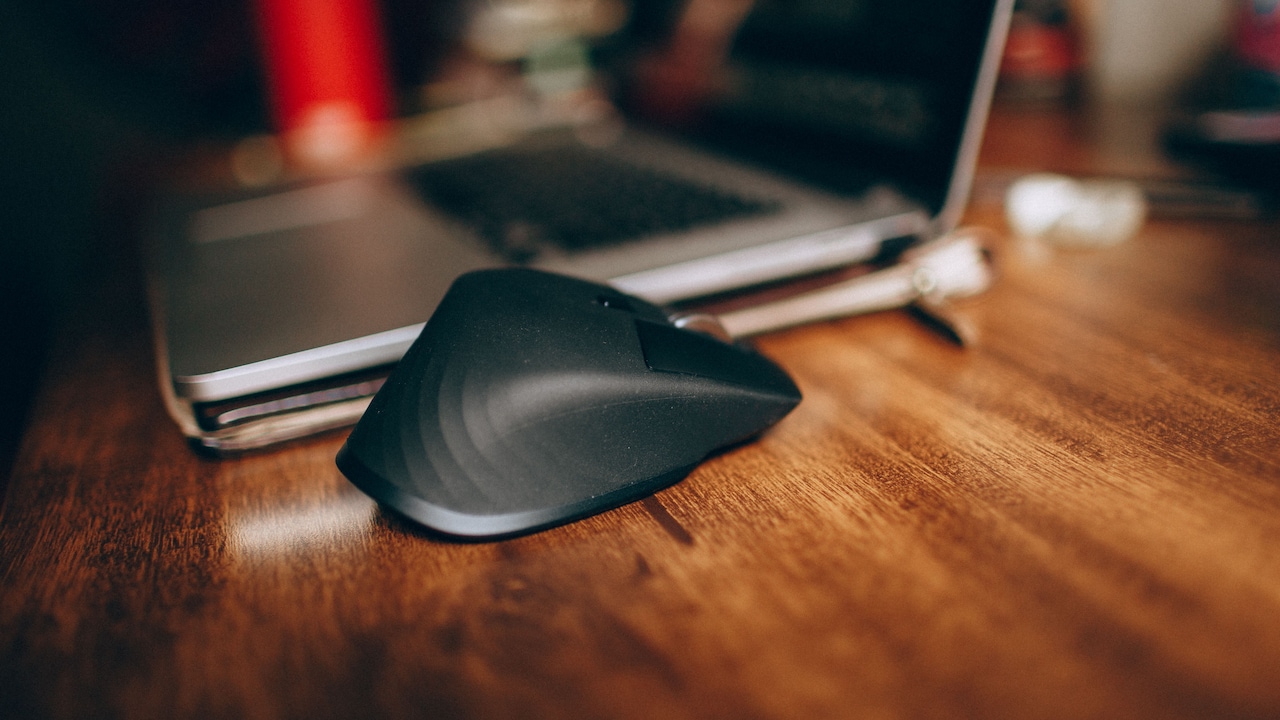
Thin Gaming Laptops: Why They Run Hotter And Louder While Gaming; Photo Credit: Pexels
The Real Reasons Thin Gaming Laptops Heat Up During Long Play
Slim Bodies Leave Less Room For Cooling
A gaming laptop needs space to breathe. Thick machines can use larger fans, wider heat pipes, bigger vapour chambers, and deeper vents. Thin laptops do not enjoy that luxury. Their cooling system has to fit into a narrow shell, often beside a battery, speakers, storage, ports, and a high-refresh screen.
Heat does not politely disappear once a game starts. It travels from the processor and graphics chip into metal plates, pipes, fins, and finally out through the vents. In a slim chassis, that journey becomes cramped. Air has less room to move, and every component sits closer to the next one.
Think of it like a crowded local train during peak hours. Everyone may still get in, but comfort disappears quickly. A thick gaming laptop has more breathing space. A thin one manages the same crowd in a smaller compartment.
This is why slim machines heat up faster during long sessions. They can handle short bursts well, but over time the lack of cooling space becomes harder to hide.
Powerful Chips Create A Lot Of Heat
Modern games ask a lot from hardware. The processor handles game logic, background tasks, physics, and communication with the graphics card. The graphics chip renders detailed worlds, shadows, textures, explosions, reflections, and fast motion. Both parts consume power, and much of that power turns into heat.
Thin gaming laptops often carry hardware that sounds close to desktop-grade on paper. The names look exciting in advertisements, and rightly so. These chips can deliver smooth gameplay, high frame rates, and impressive visuals. But power has a price. More performance means more electricity moving through tiny circuits, and that creates heat.
During casual work, the laptop may stay calm. Writing notes, watching videos, or browsing shopping deals for a ₹999 mouse barely troubles it. Launch a heavy game, however, and the story changes. The chips wake up fully and start demanding power.
Long sessions make this worse because the heat does not get enough time to settle. The laptop keeps working hard, and the cooling system keeps chasing a target that moves further away.
Long Sessions Cause Heat To Build Up
A short gaming session can fool anyone. The first ten minutes may feel fine. The keyboard stays comfortable, the fans remain tolerable, and the frame rate looks strong. The real test starts after an hour or two, especially during summer afternoons or in rooms without air conditioning.
Heat builds slowly. At first, the cooling system absorbs and pushes it out. Over time, the metal parts inside the laptop warm up. The chassis warms up too. Once that happens, the laptop has fewer cool surfaces left to help carry heat away.
It is similar to cooking on a tawa. The first roti may take time because the surface is still heating. After that, everything cooks faster because the tawa is already hot. A laptop behaves in a similar way during long play. Once the internal parts reach high temperatures, they stay there unless the workload drops.
This is why a machine may sound reasonable at the start but grow louder later. The fans are not being dramatic. They are responding to a rising heat load.
Fans Must Spin Faster In A Tight Space
Fans in thin gaming laptops work under pressure. They must pull in cool air, push it across hot components, and throw warm air out. In a slim body, the fan blades are smaller and the airflow path is tighter. To move enough air, the fans often need to spin faster.
Fast fans create noise. That sharp whoosh during a boss fight or ranked match usually comes from the cooling system fighting hard to protect the hardware. The sound can feel annoying, especially in a shared room where someone else is studying, sleeping, or watching a series at low volume.
Larger fans in thicker laptops can move more air at lower speeds. Smaller fans have to work harder, and harder work often means a higher-pitched sound. That pitch can feel more noticeable than the deeper hum of a bigger machine.
Manufacturers try to tune fan behaviour carefully, but physics does not bargain. When a thin laptop gets hot, the fans must respond. Silence and high performance rarely walk together in such a compact design.
The Graphics Card Works Harder Than Expected
In gaming, the graphics chip often carries the heaviest load. It handles the visual magic that players notice first: detailed faces, realistic lighting, smooth movement, smoke, rain, grass, water, and reflections. In a thin laptop, this chip sits close to other warm parts, so its heat affects the whole system.
Many players also push graphics settings higher than the laptop can comfortably manage for hours. Ultra textures, ray tracing, high resolution, and uncapped frame rates can look beautiful. They can also turn a slim machine into a miniature furnace.
A laptop screen with a high refresh rate adds to the pressure. If the display supports 144Hz or more, the graphics chip may try to produce many frames every second. That means extra work, extra power, and extra heat.
The simplest example is a racing game. At medium settings, the laptop may feel warm but stable. Push every setting to maximum, and the fans may roar before the first lap ends. The visuals improve, but the cooling system pays the bill.

Thin Gaming Laptops: Why They Run Hotter And Louder While Gaming; Photo Credit: Pexels
Thin Chassis Spreads Heat To The Keyboard
Players often judge laptop heat by touch. Warm vents are expected, but hot keys feel personal. When the WASD area, palm rest, or centre of the keyboard gets toasty, the machine feels less comfortable, even if the internal temperatures remain within safe limits.
Thin laptops spread heat more noticeably because the components sit closer to the outer shell. The metal or plastic body acts like a thin wall between the player and the hot hardware. In some designs, the keyboard area sits above the processor and graphics chip, which makes warmth easier to feel.
This does not always mean the laptop is about to fail. Many machines are designed to move some heat through the chassis. Still, comfort matters. A laptop that feels like a hot plate during a long match can spoil the experience.
External keyboards help, especially at home. A simple keyboard worth ₹700 can keep hands away from the warm deck. A laptop stand can also improve airflow. Small changes can make long sessions feel far less sweaty.
Dust And Blocked Vents Make Things Worse
Even the best cooling system struggles when dust enters the story. Over time, fine dust, hair, fabric fibres, and room particles collect near fans and vents. A laptop used on beds, sofas, or dusty desks gathers this faster. Once dust blocks airflow, temperatures rise, and fans work harder.
Blocked vents create similar trouble. Many thin gaming laptops pull air from the bottom. Place one on a bed, blanket, or cushion, and the intake area gets smothered. The laptop then tries to breathe through a blocked nose. Fans spin faster, but less cool air reaches the hot parts.
This is why a machine can feel louder after a year than it did when new. The hardware may be fine, but the airflow may not be. A small layer of dust on cooling fins can act like a sweater in May.
Regular cleaning helps. A flat desk, laptop stand, and occasional professional servicing can reduce heat. In many homes, where dust returns faster than guests during festival season, this small habit matters more than people realise.
Room Temperature Changes Everything
A gaming laptop does not cool itself in isolation. It depends on the air around it. When the room is hot, the cooling system starts at a disadvantage. Warm air absorbs less heat from the laptop, so internal temperatures climb faster.
This matters a lot during peak summer. A laptop that behaves well in December may become noisy in May. The same game, same settings, and same charger can produce a very different experience just because the room temperature has changed.
Air conditioning helps, but not everyone wants to run it for hours just to play. A fan in the room can help slightly, especially if it keeps air moving around the laptop. A stand that lifts the rear of the machine may also improve intake.
Closed rooms make matters worse. Heat from the laptop, charger, and player all stays trapped. After a long session, the whole corner can feel warmer. The laptop is then forced to cool itself using air that has already been heated by its own effort.
Performance Modes Trade Silence For Speed
Most gaming laptops offer performance profiles. These modes may have names such as Silent, Balanced, Performance, Turbo, or something equally dramatic. They control power limits, fan speed, and sometimes chip behaviour. The chosen mode can change heat and noise dramatically.
In Silent mode, the laptop may reduce power and keep fans calmer. Games may still run, but frame rates can drop. In Turbo or Performance mode, the system allows the chips to draw more power. The result can be smoother gameplay, but also more heat and louder fans.
This trade-off often surprises new buyers. The laptop may advertise strong performance numbers, but those numbers usually depend on aggressive cooling. That means noise. There is no magic setting that gives maximum power, low heat, and whisper-level fans in a thin body.
Balanced mode suits many players better than maximum performance. It can reduce noise without ruining the experience. Dropping a few graphics settings may also help. A game running smoothly at slightly lower settings often feels better than a beautiful slideshow with fans screaming in protest.

Thin Gaming Laptops: Why They Run Hotter And Louder While Gaming; Photo Credit: Pexels
Chargers And Power Limits Add Heat
Gaming laptops perform best when plugged in. On battery, they usually reduce power to save energy and protect battery health. Once connected to the charger, the machine unlocks higher performance. That extra power improves gameplay, but it also adds heat.
The charger itself can become warm during long sessions. The laptop's internal power delivery components also work harder. This is normal, but it adds another layer to the heat picture. A slim laptop already has limited space, so every watt matters.
Some players keep the laptop charging while playing heavy games for hours. That is common and often necessary, but it keeps the system under constant load. The processor, graphics chip, screen, storage, fans, and power circuits all stay active.
Using the correct charger matters. A lower-powered or third-party charger can cause performance drops, battery drain, or extra stress. The original charger may look bulky, but it exists for a reason. In a thin gaming laptop, stable power helps the machine manage performance more predictably.
Small Tweaks Can Make Gaming More Comfortable
Heat and noise cannot disappear completely from a thin gaming laptop, but they can become easier to manage. Sensible settings make the biggest difference. Capping the frame rate, lowering shadows, reducing ray tracing, and choosing balanced performance mode can cut heat without making the game ugly.
A laptop stand helps airflow, especially when the bottom vents need space. Playing on a table instead of a bed can lower temperatures more than expected. Cleaning dust, keeping vents clear, and updating system software also help the cooling system do its job.
Room habits matter too. A cooler room, open space around the laptop, and short breaks between matches can reduce heat build-up. Even five minutes on the desktop after a long session allows fans to push out trapped heat.
Gamers often chase the highest settings because nobody buys a gaming laptop to run everything like a potato. Still, comfort has value. A slightly quieter, cooler machine can make a long session more enjoyable than squeezing out a few extra frames while the fans perform a full dhol solo.
Products Related To This Article
1. HP Smartchoice Victus, AMD Ryzen 7 7445HS, 6GB RTX 4050
2. ASUS TUF A15 (2025), AMD Ryzen 7 7445HS,RTX 3050-4GB
3. Lenovo LOQ 2024, Intel Core i5-13450HX, 13th Gen, NVIDIA RTX 4050-6GB
4. Samsung Galaxy Book4 (Gray, 16GB RAM, 512GB SSD)
5. MSI Thin A15, AMD 7th Gen. Ryzen 7 7735HS
6. Acer Aspire Lite 12th Gen, Intel Core i5-12450H
7. Dell G Series, 13th Gen Intel Core i5-13450HX, NVIDIA RTX 3050-6GB
Thin gaming laptops get hotter and louder during long sessions because they try to do something genuinely difficult. They pack powerful gaming hardware into a slim, portable body, then ask a compact cooling system to control all the heat. During short tasks, that balance works well. During long gaming sessions, heat builds up, fans spin faster, and the slim design shows its limits.
This does not make thin gaming laptops bad. In fact, they are impressive machines for people who need power without carrying a brick. The key is understanding the compromise. Slim design brings style and portability, while heat and fan noise arrive as part of the package.
With the right settings, clean vents, good airflow, and realistic expectations, these laptops can deliver excellent gaming experiences. They may never stay silent during a marathon session, but they can stay manageable. In the end, a thin gaming laptop is like a fast scooter in city traffic: agile, exciting, and practical, but not exactly calm when pushed hard for too long.
(Disclaimer: This article may include references to or features of products and services made available through affiliate marketing campaigns. NDTV Convergence Limited (“NDTV”) strives to maintain editorial independence while participating in such campaigns. NDTV does not assume responsibility for the performance or claims of any featured products or services.)