Study, Create, Work And Unwind: What To Look For In A Laptop That Can Do It All
Looking for the best student laptop in India? Explore the essential specifications, including CPU, RAM, battery, and OLED display, and discover why the new HP OmniBook 5 is built for modern student life.
Explore the key specs to look for a student laptop
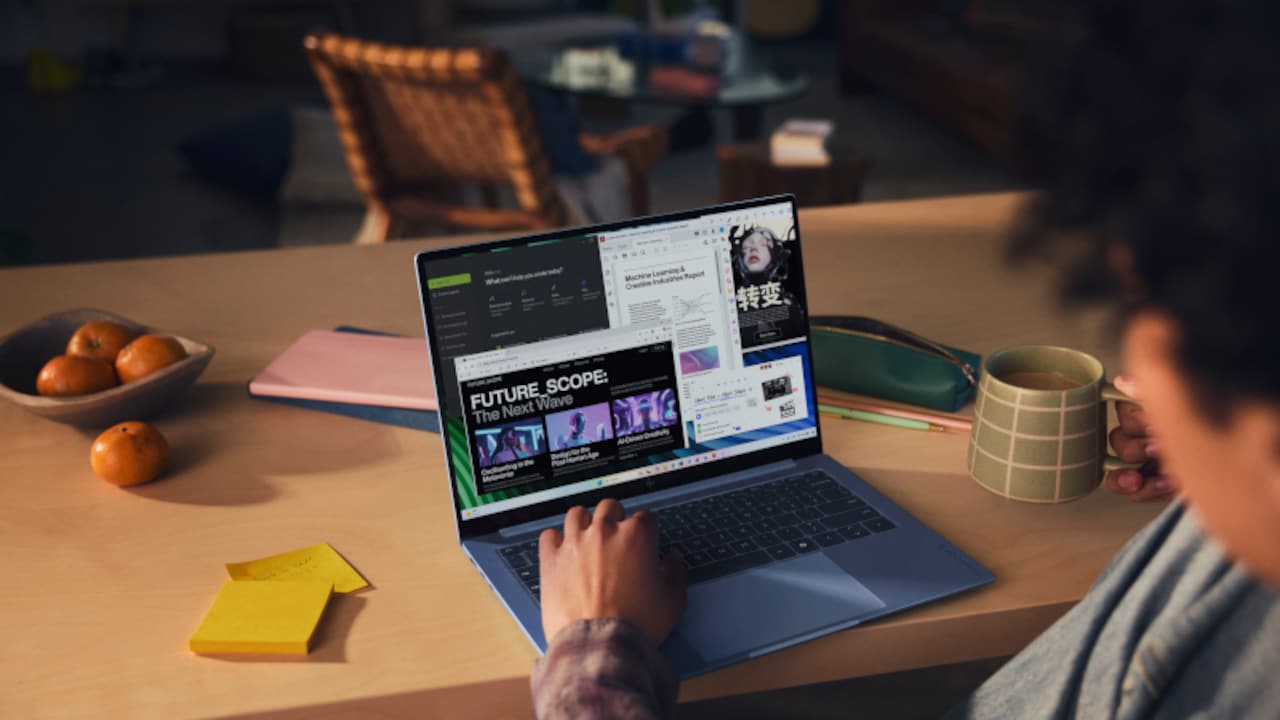
Student life today extends well beyond lecture halls and classrooms. As a result, choosing a student laptop is no longer just about academics. Instead, it should act as a powerful tool for learning, creativity, and professional growth. While specs like SSD, RAM, and processor remain important, students today also need portability, reliable battery life, and excellent display quality for their creative pursuits. Here is a more detailed look at the features and specifications that matter when choosing a student laptop and where the new HP OmniBook 5 fits into the picture.
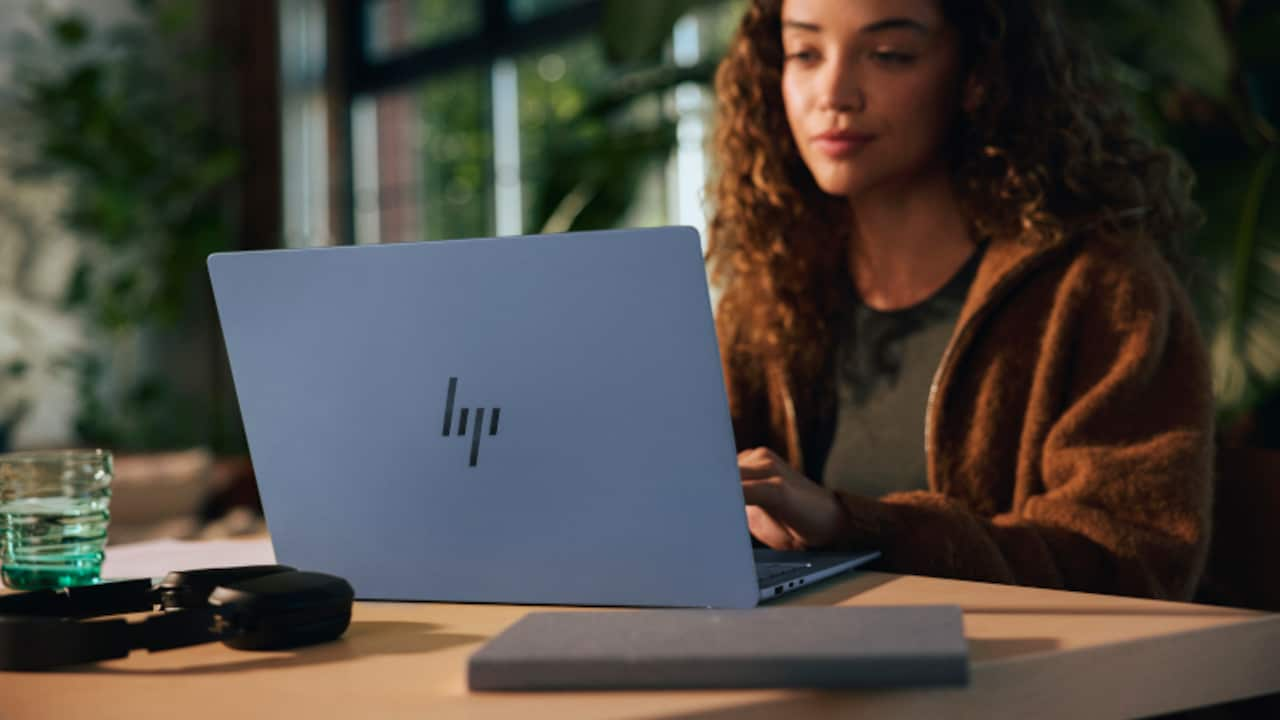
Key features to look for in a student laptop
Photo Credit: HP
What Features Should I Look For In A Student Laptop?
1. Lightweight Design
A laptop weighing around 1.3 to 1.5kg or even less is generally considered a practical choice for students who carry their devices everywhere. The slim profile is easy to fit in backpacks, along with notebooks and other essentials.
2. Reliable Battery Life
According to HP, student laptops need at least 8-10 hours of battery life along with fast charging capability. A typical college day can include back-to-back lectures and independent study sessions. Finding a charging socket can be frustrating, especially when commuting between college, home, and other locations.
3. Comfortable Display
A 14-inch Full HD (1920 x 1080), WUXGA (1920 x 1200), or OLED display offers the best balance between portability and viewing comfort for students. OLED displays offer better colour accuracy, deep blacks and contrast ratios, helpful for design projects or content creation. Additionally, machines with a display brightness of 300 nits or more offer a comfortable viewing experience in different lighting conditions.
4. Sufficient RAM And Storage
For most students in 2026, 16GB RAM and a 256GB to 512GB SSD can be considered a practical starting point. This is because students often work with multiple browser tabs, apps, and media tools, and the RAM decides how smoothly a laptop handles multitasking.
Similarly, storage is equally important. For students focused on visual, creative or content creation tasks, 16GB RAM along with about 512 GB can offer great storage and flexibility. Here is a more detailed breakdown of SSD requirements:
| Use | Required SSD |
|---|---|
| Light everyday use | 250 GB to 500 GB |
| Minimum for most users | 512 GB |
| Gaming and content creation | 2 TB |
| Professional graphic or video work | 4 TB or more |
5. Multiple Connectivity Options
Academics, internships, and freelancing often mean juggling multiple devices and shared spaces. For students who frequently connect external displays, accessories, storage devices, and other peripherals, it is important to consider both wired and wireless connectivity on offer:
| Connectivity Type | Recommended |
|---|---|
| Wi-Fi | Wi-Fi 6E or Wi-Fi 7 |
| Bluetooth | Bluetooth 5.3 or Bluetooth 6 |
| Wired Connections | USB-C/Thunderbolt 4, HDMI, Audio Jack |
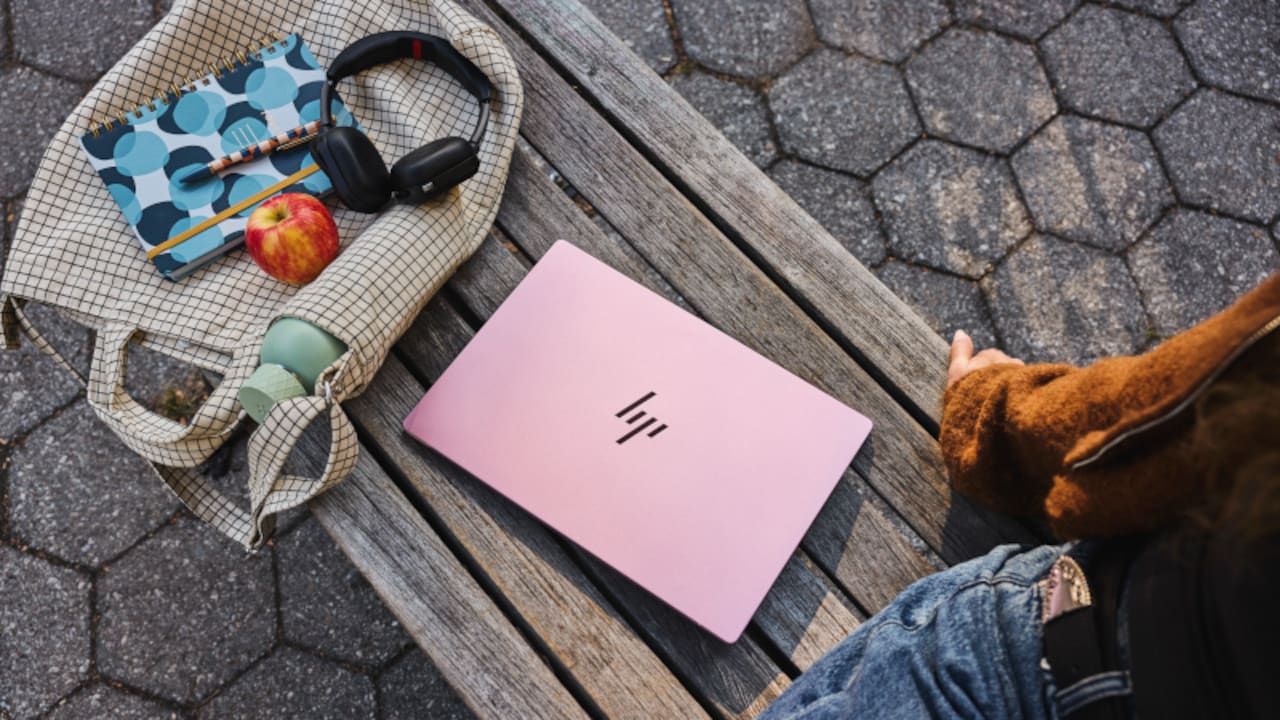
Key specs include lightweight design, comfortable display, and sufficient RAM and storage
Photo Credit: HP
In A Nutshell: What Is The Best Laptop Configuration For Students?
| Component | Recommended Specification |
|---|---|
| Processor | Intel Core 5, Core Ultra 5, AMD Ryzen 5, Ryzen AI, or equivalent |
| RAM |
8GB: Entry-level systems |
| Storage | 256GB - 512GB SSD |
| Display | 14-inch cinematic OLED |
| Battery Life | At least 8-10 hours |
| Connectivity | USB Type-C, USB Type-A, HDMI, Wi-Fi 6E |
Essentially, the best laptop for students in India in 2026 should offer powerful processors like Intel Core 5, Core Ultra 5, or AMD Ryzen 5, at least 16GB RAM, a 512GB SSD, a lightweight 13-15 inch frame with Full HD+ or OLED display, and a minimum 8-10 hours of reliable battery life. This can help students run multiple productivity tools, creation software, everyday apps, and more without lag. It can help them support the multiple roles and tasks they undertake, from academics to internships, upskilling to freelance assignments, and also entertainment. For students seeking a powerful device, the all-new HP OmniBook 5 can be a versatile all-rounder.
Finding The Right Balance With The All-New HP OmniBook 5 Laptop
As student lifestyles continue to evolve, the need for dependable technology increases proportionately. This is where the new HP OmniBook 5 positions itself as a powerful balance of performance, portability, and practicality.
| Parameter | Details |
|---|---|
| CPU | Intel Core 5 Series 3 Processor 320 |
| RAM | 8 GB, 16 GB |
| Storage | 512 GB |
| Display Size | 14-inch cinematic OLED |
| Colour Coverage | 100% DCI-P3 |
| Brightness | 300 nits |
| Battery Life | Up to 42 hours local video playback battery life* |
| Weight | 1.16 kg |
| Ports | 1 HDMI 1.4b, 2 USB Type-C |
| Colours | Soft Honeydew, Peony Pink, Starlit Blue, Smoke Silver |
1. Designed To Reflect Individual Style
Today, students like their gadgets and tech to be an extension of their personal identity, and the new HP OmniBook 5 AI PC is perfectly aligned. With a lightweight, all-metal body that weighs only 1.16 kg, the laptop is sleek, highly portable and looks extremely stylish in the four exciting colour variants: Soft Honeydew, Peony Pink, Starlit Blue, and Smoke Silver.
2. Performance For Everyday Hustle
The new HP OmniBook 5 AI PC is powered by the Intel Core 5 320 processor from the Intel Core 5 Series 3 family. This configuration is designed to support everyday multitasking, productivity and entertainment.
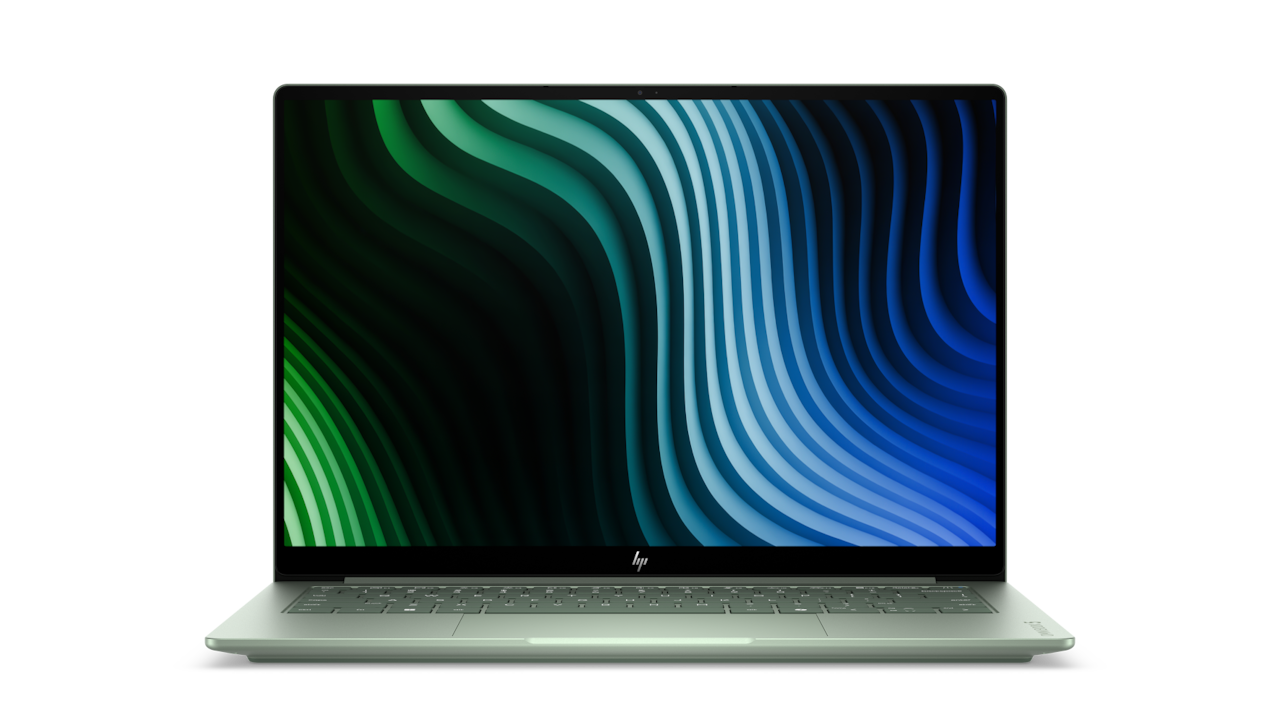
The new HP OmniBook 5 AI PC offers Intel Core 5 320 processor with a stylish design; Photo Credit: HP
3. A Display That Deserves All The Attention
The new HP OmniBook 5 AI PC stands out with its 14-inch cinematic OLED display, featuring a 1920 × 1200 resolution and 100% DCI-P3 colour coverage. This combination helps students enjoy accurate colours and deep contrast for studying, creativity, and entertainment. Add to this the 180-degree hinge for flexibility and collaboration, and you have a winner.
4. Long Battery Life
Hectic schedules and long days demand dependable battery performance, and the new HP OmniBook 5 AI PC doesn't disappoint. The new HP OmniBook 5 AI PC claims up to 42 hours of local video playback battery life*. It comes with a compact GaN wall-mount charger that can charge the battery up to 50% in around 30 minutes.
Who Should Buy The New HP OmniBook 5 AI PC?
Designed as a great first laptop for students on the move, the new HP OmniBook 5 AI PC combines four new colours, a premium 1.16 kg all-metal design, a 14-inch cinematic OLED display and Intel Core 5 Series 3 processing. A 180-degree hinge, pocket-size GaN charger and up to 42 hours local video playback battery life* complement a laptop built for life beyond the classroom.
The new HP OmniBook 5 AI PC is a premium, lightweight, and versatile laptop that can handle academics, internships, entertainment and more without compromise. However, for buyers who value advanced 3D rendering or machine learning projects, a laptop with dedicated graphics capabilities may be a better choice.
The new HP Omnibook 5 AI PC range starts at ₹79,999/- with exciting offers. Book online or at any laptop store near you.
Frequently Asked Questions (FAQs)
1. I want a stylish, colourful laptop that is still powerful enough for college work. What are my options?
Students today want powerful devices that showcase their personality with stylish designs and offer the required features. One such option is the new HP OmniBook 5 AI PC that is available in four attractive colours, including Soft Honeydew, Peony Pink, Starlit Blue, and Smoke Silver. Additionally, it is powered by the Intel Core 5 Series 3 Processor 320, making it a powerful choice.
2. Which is the best laptop for online classes and video meetings?
The best laptop for online classes and video meetings is one that combines reliable performance, long battery life, and easy connectivity. And the new HP OmniBook 5 AI PC is designed to deliver all three in one. It combines up to 42 hours local video playback battery life*, HDMI connectivity, USB Type-C ports, and the Intel Core 5 320 processor.
3. I want a laptop that looks premium and is easy to carry but is still powerful. Any suggestions?
To find a laptop that looks premium, is easy to carry, and feels powerful, it's essential to consider the hardware and multitasking features. The new HP OmniBook 5 AI PC balances style and performance. It features a lightweight 1.16 kg design, all-metal build, four attractive colours, 512GB storage, and Intel Core 5 Series 3 Processor 320.
4. I'm a design student on a tight budget. I need a good screen and decent battery. Which laptop should I get?
For design students, colour accuracy is as important as the RAM and battery. The new HP OmniBook 5 AI PC features a 14-inch cinematic OLED display with 100% DCI-P3 colour coverage, making it suitable for graphic design, content creation, and editing.
5. Which is the best laptop for students who also have side hustles?
Students juggling studies with side hustles need a powerful laptop that can handle basic collaboration tools and multitasking. The new HP OmniBook 5 AI PC can be an excellent choice. It comes with preinstalled Windows 11, MS Office Home 2024, and Microsoft 365 Basic free for 1 year, providing students with essential tools for productivity and collaboration.
6. Which is the best laptop with HDMI port for presentations?
A laptop that offers connectivity options for external displays and projectors is a suitable choice for presentations. One such device is the new HP OmniBook 5 AI PC which features HDMI 1.4b and dual USB Type-C ports for seamless connectivity.
7. I do internships and freelance work on the side. Which laptop can handle both?
For internships and freelance work, look for a laptop that offers portability, productivity, and reliable performance. For instance, the new HP OmniBook 5 AI PC combines the Intel Core 5 Series 3 Processor 320, Windows 11, MS Office 2024, and a Microsoft 365 subscription to support personal and academic projects.
8. Which is the best laptop for students who want to learn coding and build projects?
A reliable processor, sufficient memory, and SSD storage are a few factors that can make a laptop suitable for coding and building projects. The new HP OmniBook 5 AI PC offers the Intel Core 5 320 processor from the Intel Core 5 Series 3 family, 512 GB storage, and 16 GB RAM that prevents the device from slowing down despite multiple browser tabs and background tasks.
*Battery life tested by HP using continuous FHD video playback, 1080p (1920x1080) resolution, 200 nits brightness, system audio level as image default, player audio level at 100%, played full-screen from local storage, headphone attached or through speaker (if no audio jack port), wireless on but not connected. Actual battery life will vary depending on configuration and maximum capacity will naturally decrease with time and usage.
(Disclaimer: This article may include references to or features of products and services made available through affiliate marketing campaigns. NDTV Convergence Limited (“NDTV”) strives to maintain editorial independence while participating in such campaigns. NDTV does not assume responsibility for the performance or claims of any featured products or services.)