Why Some Smart Lights Keep Disconnecting And What To Check Before Buying
Smart lights often disconnect due to weak Wi-Fi, overloaded routers, poor apps, power cuts or bad placement. Know what to check before buying, from 2.4 GHz support to fixture heat, so your smart bulb works smoothly at home.
Why Some Smart Lights Keep Disconnecting And What To Check Before Buying
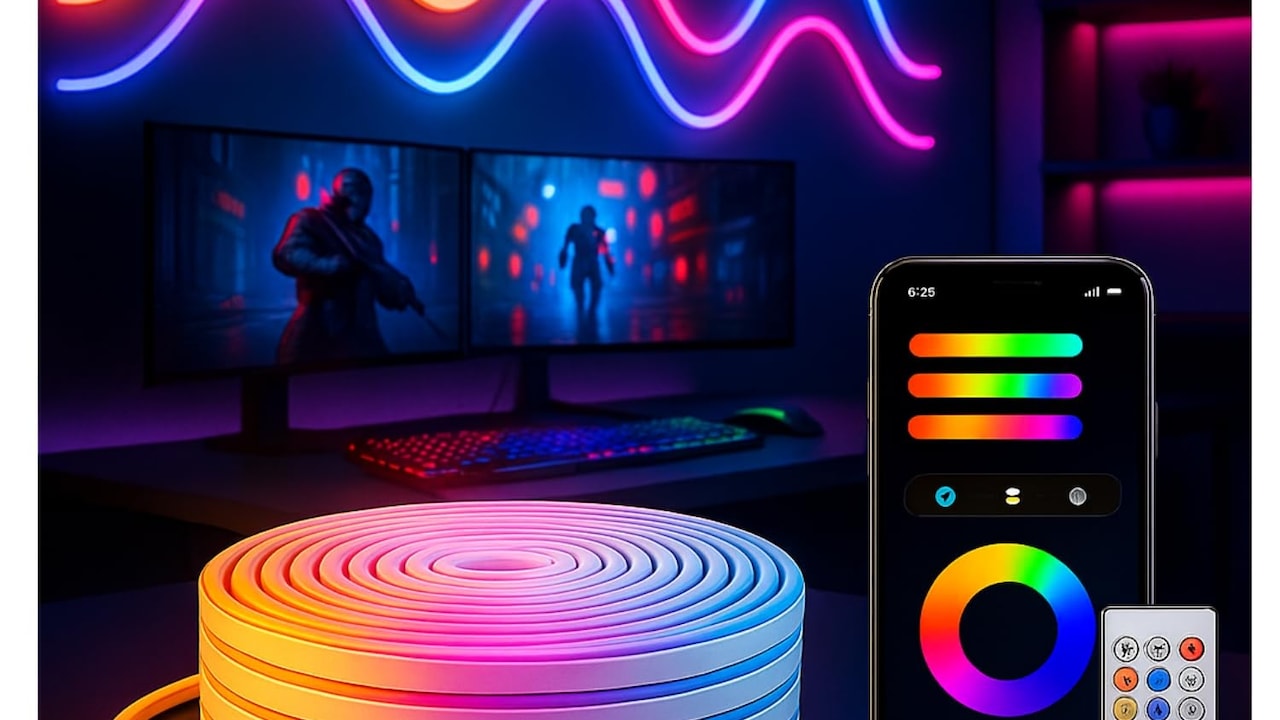
Smart lighting has moved from fancy showroom corners to regular flats, rented rooms, villas, home offices, cafés, and balconies. A colour-changing bulb can make a small bedroom feel like a cinema, a warm white lamp can calm the living room after a long day, and scheduled lights can make a home look occupied during a family trip. But smart lights do not always behave smartly. Some keep dropping offline. Some respond after a delay. Some need constant resetting. The app says “device unavailable” just when guests arrive and someone proudly says, “This light changes colour.” That awkward silence deserves its own soundtrack.
Why Some Smart Lights Keep Disconnecting And What To Check Before Buying
Photo Credit: Amazon
Most disconnection problems come from a mix of weak Wi-Fi, poor placement, overloaded routers, cheap hardware, confusing app ecosystems, and power supply issues. The good news: buyers can avoid many headaches by checking a few things before purchase. A smart bulb should not need daily prayers, router restarts, and emotional support.
Key Reasons Smart Lights Disconnect And What Buyers Should Check
Check The Wi-Fi Band Before Buying
Many smart bulbs work only on 2.4 GHz Wi-Fi, not 5 GHz. This small detail causes a surprisingly large number of problems. Modern routers often show one combined network name for both bands. Phones jump easily between them, but a budget smart bulb may sulk if the setup happens on the wrong band.
The 2.4 GHz band travels farther and passes through walls better, which suits bulbs placed in bedrooms, balconies, kitchens, and corridors. The 5 GHz band offers faster speed, but smart bulbs do not need speed. They need steady reach. A bulb that cannot clearly “hear” the router will disconnect again and again.
Before buying, check the product page and box for 2.4 GHz support. Also check whether the app mentions dual-band routers. In many homes, the router sits near the TV, while the bulb goes into a room behind two thick walls and a steel cupboard. That combination can defeat even a decent bulb. A ₹700 bulb cannot perform magic through concrete, glass, and kitchen masala tins.
Also Read: Stay Prepared This Monsoon: 5 Torchlights Under ₹1,000 You Should Buy From Amazon Home Monsoon Sale
Look At Router Load And Home Layout
A smart bulb does not live alone. It shares Wi-Fi with phones, laptops, smart TVs, CCTV cameras, tablets, speakers, and sometimes a neighbour's borrowed password from five years ago. Older routers can struggle when too many devices connect at once. The result looks random: one bulb disconnects, another responds late, and the app keeps spinning.
Before buying more smart lights, count the connected devices at home. A typical family may already run fifteen or twenty devices without noticing. Add six smart bulbs, two plugs, a camera, and a streaming stick, and the router starts sweating like a commuter stuck at a traffic signal in May.
Home layout matters too. Thick walls, long corridors, false ceilings, metal grills, and closed wooden cabinets weaken signals. A bulb in a balcony or storeroom often suffers first. Buyers planning a full smart lighting setup should consider a better router or mesh system before blaming every bulb. Good lighting begins with good connectivity, not just colourful packaging.
Avoid Very Cheap Bulbs With Weak Chipsets
A tempting ₹399 smart bulb during a festive sale can look like a harmless bargain. Sometimes it works well. Sometimes it behaves like it has commitment issues. Ultra-cheap smart lights often cut costs on Wi-Fi chips, memory, heat management, and firmware support. These parts do not appear in glossy ads, but they decide whether the bulb stays online.
A weak chipset may connect during setup, then fail under normal use. It may disconnect after a power cut, freeze during app updates, or respond only when the phone sits near the router. Poor memory can also make the bulb forget settings or struggle with schedules.
This does not mean every affordable bulb is bad. Many budget options suit small rooms and casual use. But buyers should read recent user reviews carefully, especially those mentioning “offline”, “reset”, “not connecting”, and “after one month”. Ignore only-star ratings that say nothing. A smart bulb should save effort, not become a weekly troubleshooting hobby. Spending a little more often buys steadier performance and fewer evening arguments.
Check App Quality And Update History
The bulb is only half the product. The app controls the rest of the experience. A good app helps with setup, routines, brightness, colour temperature, timers, grouping, voice assistant linking, and firmware updates. A poor app turns a simple bulb into a puzzle with no prize.
Before buying, check the app rating, recent reviews, and update history on the app store. Look for complaints about login issues, server errors, pairing failures, and devices going offline after updates. Some apps ask for too many permissions or push confusing ads. Others work well during setup but fail when the company's cloud servers slow down.
Cloud dependence matters. Many smart bulbs need an internet connection even for basic control through the app. If the internet drops, the physical switch may still work, but smart features may disappear. Buyers who want reliable local control should look for products that support local network operation, hubs, or established ecosystems. A neat-looking bulb loses charm quickly when its app behaves like a government website on deadline day.
Understand Power Cuts And Switch Habits
Power cuts, voltage dips, and frequent wall-switch use can confuse smart lights. Many homes still use the wall switch as the main control, which makes sense after decades of habit. But when someone switches off a smart bulb from the wall, the bulb loses power completely. The app then shows it as offline because the bulb cannot stay connected without electricity.
This creates daily confusion. One person controls the bulb through the phone. Another turns it off from the switchboard. Later, voice control fails. Someone blames the bulb. Someone blames Wi-Fi. The actual issue sits quietly on the wall.
Power cuts can add another layer of drama. Some bulbs reconnect automatically after electricity returns. Others take time. A few reset or flash if power fluctuates too often. Before buying, check reviews for behaviour after outages. In areas with frequent voltage changes, use surge protection where practical and choose brands with stable reconnection feedback. Smart lighting works best when everyone at home understands one rule: keep the switch on and control the light smartly.
Why Some Smart Lights Keep Disconnecting And What To Check Before Buying
Photo Credit: Amazon
Check Compatibility With Voice Assistants
Many buyers pick smart lights because they want voice control. “Turn off the hall light” feels wonderfully lazy in the best way. But not every bulb plays nicely with every assistant. Some support Alexa and Google Assistant. Some support Siri through Apple Home. Some need extra steps, skills, bridges, or region settings.
Before buying, check compatibility clearly. Do not rely only on vague phrases like “voice control supported”. Look for the exact assistant used at home. Also check whether the bulb supports scenes, dimming, colour changes, and room grouping through voice commands. A bulb may switch on and off through an assistant but fail to change colour properly.
Language and accent recognition depend more on the assistant than the bulb, but naming matters. “Bedroom Bulb One” sounds boring, yet it works better than “Mummy Room Light Near Window”. Keep names simple. In a busy home, voice control should feel natural, not like giving instructions to a confused trainee. A compatible bulb with clear naming reduces disconnections, delays, and domestic comedy.
Consider Heat, Fixtures And Ventilation
Smart bulbs contain electronics, not just LEDs. Heat affects those electronics. A bulb trapped inside a closed glass shade, tiny ceiling fixture, or poorly ventilated holder may run hotter than expected. Over time, heat can cause random disconnections, reduced brightness, shorter life, or complete failure.
This problem often appears in decorative fixtures. A smart bulb may work perfectly in an open holder during testing, then start disconnecting once placed inside a fancy enclosed lamp. The bulb has nowhere to release heat. Kitchens and balconies can make matters worse during summer. Add dust, humidity, and long daily usage, and the electronics face a proper endurance test.
Before buying, check the bulb size, wattage, and recommended fixture type. Avoid squeezing large smart bulbs into tight holders. For enclosed fixtures, choose models that mention suitable heat handling or use smart switches instead of smart bulbs. A beautiful lamp should not become a slow cooker for electronics. Good airflow may sound dull, but it often keeps smart lights alive and connected.
Think About Hubs, Matter And Ecosystems
Some smart lights connect directly to Wi-Fi. Others use Zigbee, Bluetooth Mesh, Thread, or a hub. Direct Wi-Fi bulbs suit small setups because they need no extra device. But when a home grows from two bulbs to twenty, Wi-Fi can become crowded. Hub-based systems often handle larger setups better and reduce pressure on the router.
Matter, a newer smart home standard, aims to make devices work across major ecosystems more smoothly. Buyers may see Matter support on newer products. It can help with future compatibility, but it does not magically fix poor Wi-Fi or weak hardware. The basics still matter.
Think of the ecosystem before buying the first bulb. Mixing five brands may look cheap at first, but five apps, five account logins, and five update systems can test anyone's patience. A consistent ecosystem makes rooms, routines, and troubleshooting simpler. For a single rented room, Wi-Fi bulbs may do enough. For a larger home, a hub-based or Matter-ready plan can prevent future chaos and app fatigue.
Read Reviews For Reconnection Behaviour
Most product pages celebrate brightness, colours, app control, and energy savings. Few proudly discuss what happens after the router restarts at midnight. Yet reconnection behaviour decides whether a smart bulb feels reliable. A good bulb reconnects by itself after Wi-Fi returns, power resumes, or the router reboots. A troublesome bulb needs manual resets, app pairing, or repeated switching on and off.
Recent reviews reveal this better than marketing copy. Search within reviews for words like “offline”, “reconnect”, “power cut”, “router”, “reset”, and “pairing”. Give more weight to reviews from people who used the bulb for a few weeks or months. First-day excitement often hides long-term irritation.
Also check whether the company provides firmware updates. Updates can improve stability, fix bugs, and add compatibility. But bad updates can break things too, so recent complaints matter. A smart light should recover gracefully from normal home events. Routers restart, electricity fails, and someone will turn off the main switch during cleaning. The best bulbs handle these moments without demanding a full ceremony.
Match Brightness, Colour And Use Case
Disconnections grab attention, but buying the wrong brightness or colour type causes daily disappointment. A bulb that works reliably but feels too dim in the study still fails its purpose. Check lumens, not just watts. For reading, cooking, or work, brightness matters. For mood lighting, dimming range and warm tones matter more.
Colour bulbs cost more than simple white or tunable white bulbs. Not every room needs sixteen million colours. A bedroom may benefit from warm white at night and cool white in the morning. A living room may enjoy colour scenes during festivals, cricket matches, or movie nights. A kitchen usually needs clear, bright light rather than disco mode.
Before buying, match the bulb to the holder size, room size, and daily routine. Also check whether the bulb remembers its last setting after power returns. Some bulbs restart at full brightness, which can feel brutal at 2 am. The smartest purchase is not the flashiest one. It is the one that suits the room without annoying everyone who uses it.
Why Some Smart Lights Keep Disconnecting And What To Check Before Buying
Photo Credit: Amazon
Products Related To This Article
1. wipro Next Smart Wi-Fi 24W CCT LED Batten
2. Havells Glamax 9W B22 WiFi LED Smart Bulb with Music Sync Function
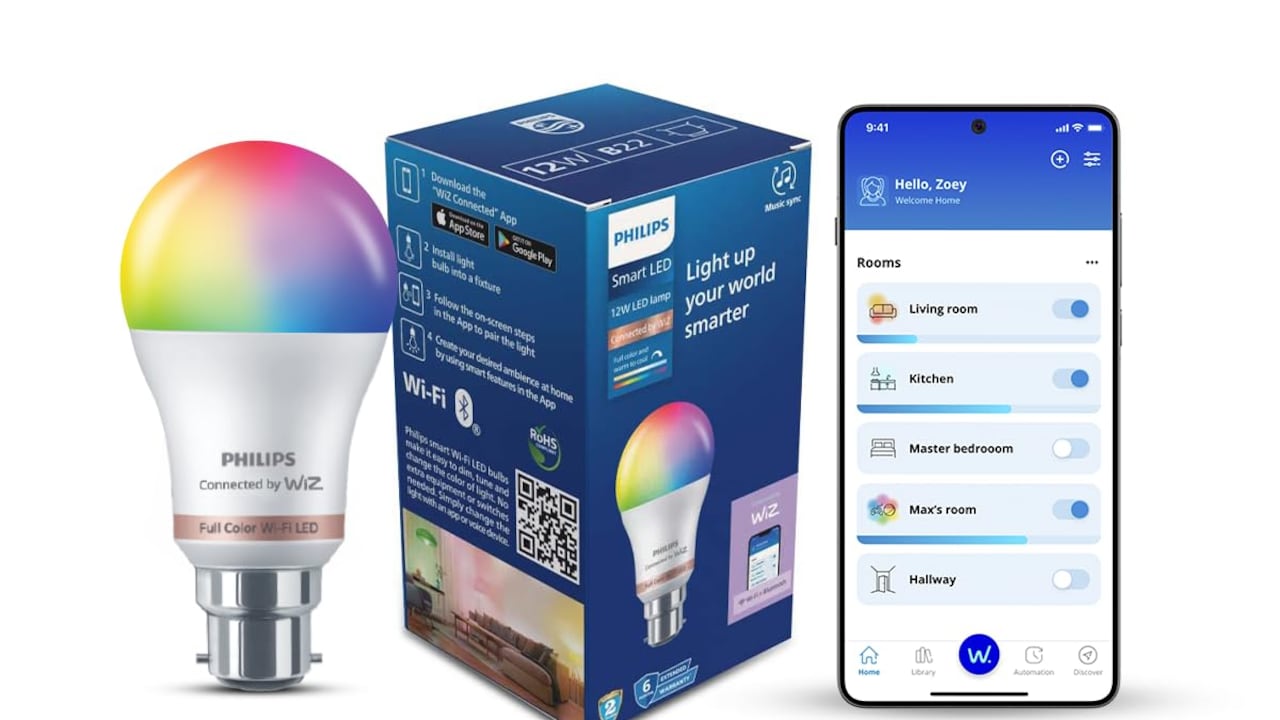
3. PHILIPS WiZ Neo 12W B22 Wi-Fi & Bluetooth LED Smart Bulb with Music Sync
4. One94Store Smart LED Strip Light 5M with App & Remote Control
5. Murphy Noir Net Wall Lamp Pack of 2
6 . One94Store Night Bulb LED Light
7. MERTTURM 160LED Rechargeable Under Cupboard Light
Smart lights disconnect for ordinary reasons, not mysterious ones. Weak Wi-Fi, overloaded routers, cheap chipsets, poor apps, power cuts, wall-switch habits, heat, and messy ecosystems cause most trouble. A little checking before purchase can save plenty of frustration later.
The best smart light for a home is not always the most expensive or the most colourful. It is the one that fits the Wi-Fi setup, room layout, fixture, app preference, and daily habits of the people using it. A family that switches lights from the wall needs a different approach from someone who controls everything through voice commands. A small rented room needs a simpler setup than a three-bedroom flat with smart devices in every corner.
Before buying, look beyond the sale banner. Read real reviews, check 2.4 GHz support, confirm voice assistant compatibility, think about heat, and choose an ecosystem that will not become a digital headache. Smart lighting should feel like a quiet convenience, not a moody relative who disappears during important moments. When chosen carefully, it adds comfort, savings, colour, and a little everyday magic to the home.
(Disclaimer: This article may include references to or features of products and services made available through affiliate marketing campaigns. NDTV Convergence Limited (“NDTV”) strives to maintain editorial independence while participating in such campaigns. NDTV does not assume responsibility for the performance or claims of any featured products or services.)