Does Frequent Formatting Damage A Memory Card? 10 Storage Myths Explained
Does frequent formatting damage a memory card? Discover the truth behind 10 common storage myths, from card lifespan and speed to data loss, safe removal and formatting.

Can Frequent Formatting Harm A Memory Card? 10 Storage Myths Debunked
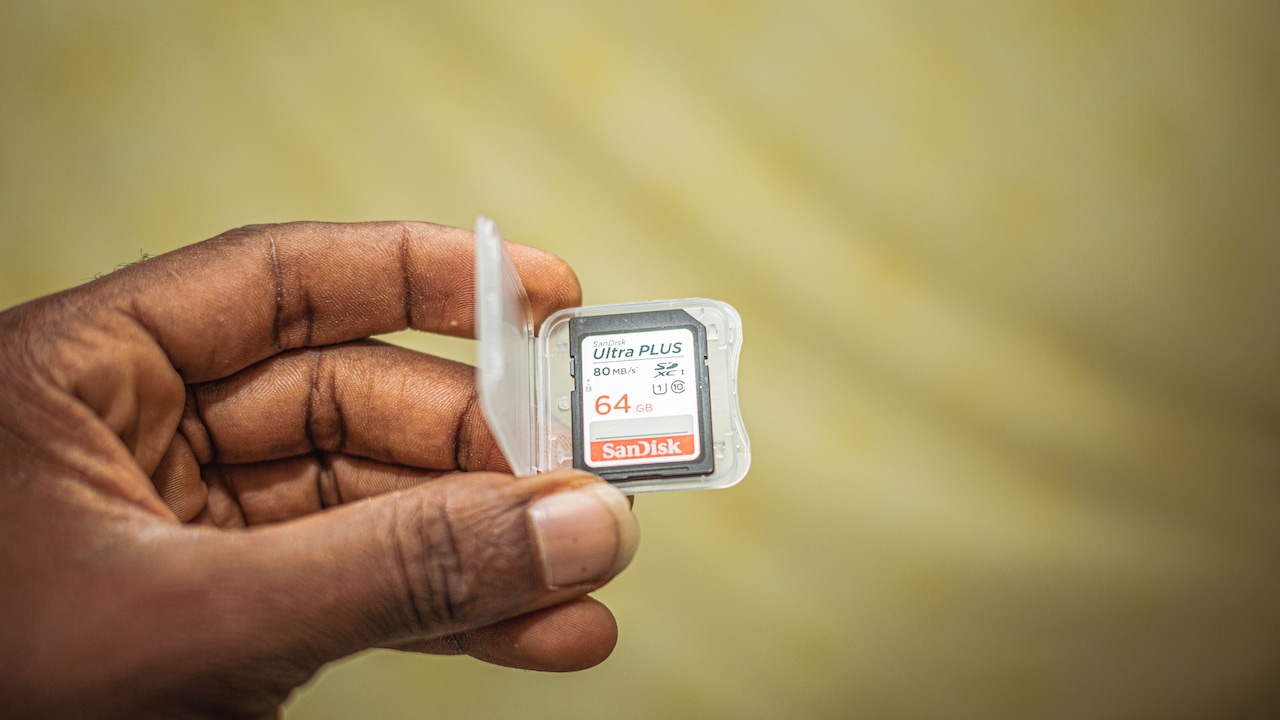
A memory card often gets noticed only when something goes wrong. Perhaps a top camera suddenly announces that the card cannot be read just before a family function. Maybe a phone refuses to save another video despite showing free space. Worse, a card containing hundreds of holiday photographs might decide that one perfectly ordinary Tuesday is the ideal moment to become unreadable. Such moments have helped create plenty of storage folklore. Some people avoid formatting cards for years because they fear wearing them out. Others believe deleting files and formatting are practically the same thing. There is also the comforting idea that branded, expensive cards cannot fail. Flash storage is more complicated than those simple rules suggest. Memory cards do wear with use, but ordinary formatting is rarely the villain. Heat, poor-quality hardware, interrupted writing, counterfeit cards and relentless workloads can matter far more. Here are ten familiar memory-card myths, separated from the facts.
Can Frequent Formatting Harm A Memory Card? 10 Storage Myths Debunked; Photo Credit: Pexels
10 Memory Card Myths You Should Stop Believing
1. Frequent Formatting Quickly Damages A Memory Card
Formatting does involve writing information to a memory card, so it is not completely free of physical wear. Flash memory has a limited number of programme and erase cycles, after all. However, that does not mean routine formatting will quickly destroy a decent card.
A quick format usually rewrites the card's file-system information rather than painstakingly overwriting every storage cell. Compared with continuously recording 4K video, running a dashcam all day or using a card for CCTV footage, occasional formatting creates relatively little wear.
Think of it like changing the index at the front of a large notebook rather than rewriting every page.
Photographers commonly format a card after safely copying and backing up their photographs. That can actually be a cleaner practice than repeatedly deleting individual files across months of use. Formatting in the device that will use the card may also reduce file-system compatibility problems.
There is no reason to format a healthy card every evening for entertainment, of course. Yet doing it periodically is unlikely to send a genuine, good-quality memory card to an early grave.
Also Read: Top 5 Memory Cards For Phones Running Out Of Storage
2. Formatting And Deleting Files Are The Same Thing
Deleting 500 photographs and formatting a card can both leave it looking empty, but the two processes are not identical.
When individual files are deleted, the file system marks their occupied space as available again. The underlying data may remain temporarily recoverable until new information overwrites those areas. Formatting, meanwhile, rebuilds or resets key file-system structures so the device treats the storage area as fresh space.
That distinction becomes useful when a card has spent months moving between a laptop, camera, tablet and phone. Repeated file creation and deletion can leave behind a messy file-system history. A proper format gives the card a cleaner organisational starting point.
However, formatting should not be confused with secure erasure. A quick format does not necessarily destroy every trace of previous files. Anyone selling or giving away a storage card containing private documents should use an appropriate secure-erasure method rather than assuming the Format button makes old information permanently disappear.
In short, deleting files tidies individual rooms. Formatting is closer to replacing the building directory.
3. A Memory Card Should Never Be Formatted
The fear of formatting sometimes creates a rather strange situation: people carefully protect a ₹1,000 memory card from formatting while trusting it with photographs worth far more emotionally.
Formatting is not inherently dangerous. Done correctly, it is a normal part of managing removable storage.
The safer routine starts with copying important files elsewhere and checking that the copy actually opens. Once a backup exists, formatting the card in the camera, recorder or other primary device can help create the file system and folders that device expects.
Problems arise when formatting happens at the wrong moment or without checking what is stored on the card. Selecting the wrong drive on a computer can turn a five-second housekeeping job into a very unpleasant afternoon.
The same caution applies when a card already shows signs of failure. If photographs disappear, files become corrupted or the device repeatedly asks for formatting, do not keep formatting the card in the hope that persistence will cure it. Copy or recover whatever data remains first.
Formatting is maintenance, not medicine for dying flash storage.

Can Frequent Formatting Harm A Memory Card? 10 Storage Myths Debunked; Photo Credit: Pexels
4. Removing A Card Without Ejecting It Always Destroys Data
Pulling a memory card from a device without safely ejecting it does not guarantee instant disaster. Plenty of people have done exactly that and discovered that every file still works. That does not make it a good habit.
The real danger appears when the device is actively writing information. A laptop may still be finishing a file transfer even though the progress window appears complete. A camera may be saving a burst of photographs. A phone may be updating its media database in the background.
Remove the card during one of those operations, and the interrupted write can corrupt a file or, in less fortunate cases, damage file-system information that affects many files.
The risk is similar to switching off a mixer while it is halfway through grinding chutney. The machine itself may survive perfectly well, but the process certainly was not finished as intended.
When using a computer, choose the eject or safely remove option. With cameras and other electronics, switch the device off or follow its removal instructions. Those few extra seconds are cheaper than paying several thousand rupees for professional data recovery.
5. More Storage Capacity Always Means A Better Card
A 512GB card sounds more impressive than a 64GB one, but capacity alone says surprisingly little about quality or suitability. A large, slow memory card may be frustrating in a camera that needs to save high-resolution bursts quickly. A fast but low-endurance card might also be a poor choice for a dashcam that records and overwrites footage for hours every day.
Speed classes, application-performance ratings and video-speed ratings exist because different jobs place different demands on storage. A phone running apps from a card does not behave like a wildlife camera. Neither works like a CCTV recorder.
Capacity can also create a practical risk: keeping months of valuable material on one enormous card increases the amount of data that could disappear in a single failure.
Sometimes two reliable 128GB cards make more sense than one huge card, particularly for important shoots or long journeys. If one develops a problem, everything is not sitting in the same digital basket.
The best card is therefore not necessarily the biggest one on the shop page. It is the card whose capacity, speed and endurance match the job.
6. Expensive Memory Cards Cannot Fail
Paying more can buy better controllers, faster performance, stronger endurance ratings and more consistent quality control. What it cannot buy is immortality. Every memory card is an electronic component, and every electronic component can eventually fail.
Premium storage can still suffer from physical damage, excessive heat, manufacturing defects, electrical problems or simple ageing. Cards used for continuous video recording face particularly demanding workloads because old data gets erased and replaced again and again.
This is why the phrase “the files are on a good memory card” should never be mistaken for “the files are backed up”.
Imagine photographing a wedding and keeping the only copy on a ₹6,000 high-end card for three weeks. The card may be excellent, yet the strategy is still risky. One misplaced camera bag, one damaged connector or one unfortunate failure could erase the value of that extra spending.
Buy reputable storage for reliability and performance, but build backups around the assumption that any card can fail. Good hardware reduces risk. It does not repeal it.

Can Frequent Formatting Harm A Memory Card? 10 Storage Myths Debunked; Photo Credit: Pexels
7. Memory Cards Last Forever If They Are Rarely Used
A card sitting peacefully in a drawer may seem protected from wear because nothing is being written to it. That does not make it an ideal permanent archive.
Flash memory stores information as electrical charge inside memory cells. Over long periods, that charge can gradually become less reliable. Storage conditions, flash quality, previous wear and temperature all influence how well data survives.
For everyday use, this is rarely something to panic about. A card placed in a cupboard for a few months is not likely to wake up one morning with amnesia. Trouble begins when removable flash storage becomes the only archive for important material over many years.
Old family photographs deserve something better than a forgotten microSD card inside a plastic box alongside spare SIM ejector pins and mysterious charging cables.
Keep valuable files in more than one place. A computer or external drive can provide one copy, while another independent backup adds protection against theft, failure or accidental deletion.
A memory card is excellent transportable storage. It is not a time capsule that deserves unconditional trust.
8. Full Cards Become Permanently Slower
A nearly full memory card can sometimes feel slower, particularly when a device needs to manage fragmented free space or when the card's controller has less room to organise writes efficiently. That does not mean filling a card permanently damages its speed.
Once files are transferred elsewhere and the card is properly formatted, performance may return to normal if the card itself remains healthy. The exact behaviour depends on the flash technology, controller, workload and device.
There is still a practical reason to avoid pushing storage to its absolute limit. Cameras need enough free room to save photographs or video safely. Phones also behave badly when storage becomes critically low, although their overall performance involves far more than the removable card alone.
Leaving some breathing space prevents awkward surprises. Nobody wants a “Card Full” warning while a child is cutting a birthday cake or while the final over of a neighbourhood cricket match is being recorded.
If a previously fast card remains unusually slow after backup and formatting, investigate further. Ageing flash, fake capacity or a failing controller may be responsible rather than simple fullness.
9. All Memory Cards With The Same Capacity Perform The Same
Two cards can both say “128GB” on the label and behave like completely different products. Capacity tells you how much data the card is designed to hold. It says little about how quickly it can read information, how consistently it can write large video files or how well it handles thousands of small operations.
This matters because manufacturers and standards use several performance markings. A card suitable for ordinary photographs may struggle with high-bitrate 4K video. Another designed for applications may handle small random reads and writes better. High-endurance models are built with continuous recording workloads such as dashcams and security cameras in mind.
The device also matters. Buying an extremely fast card for hardware that supports only modest speeds may deliver little noticeable benefit. It is rather like taking a superbike into evening traffic: impressive machinery, limited opportunity.
Check what the camera, phone or recorder supports before spending extra money. Matching the specification to the workload usually brings more value than choosing the card with the most dramatic numbers printed across the front.
10. If A Card Works Once, It Must Be Genuine
Counterfeit storage is one of the nastier memory-card problems because fake cards can appear perfectly normal at first. A card labelled 256GB may allow files to be copied and even report the advertised capacity to a phone or computer. The deception becomes obvious only after the genuine physical storage fills up. New files may then overwrite older ones, disappear or become corrupted.
By that stage, somebody may already have trusted the card with weeks of photographs. Suspiciously low prices deserve caution. If a high-capacity premium card normally sells for several thousand rupees and an unknown marketplace seller suddenly offers it for ₹499, miraculous generosity is probably not the explanation.
Packaging alone cannot provide complete reassurance because counterfeiters imitate labels surprisingly well. Buying from established retailers or authorised sellers reduces the risk. Testing a new card's actual capacity before trusting it with important data adds another useful safeguard. A card that successfully stores ten photographs has proved only that it can store ten photographs. It has not automatically proved its full capacity, endurance or authenticity.
Products Related To This Article
1. SANDISK 128GB Extreme GO microSDXC UHS-I Card, 5K & 4K UHD Video
2. Trueview Memory Card Grade UHS-3 Class 10, Up to 70 Mbps Reading
3. CP PLUS 256GB microSDXC Memory Card Grade UHS-3 Class 10
4. Samsung PRO Endurance 128GB MicroSDXC Memory Card
5. Amazon Basics 128 GB Micro SD Card with Adapter
6. HP 64GB MicroSD Memory Card
7. SanDisk 64GB High Endurance Video MicroSDXC Card with Adapter
So, does frequent formatting damage a memory card? Technically, every write and erase operation contributes something to flash wear. In normal use, however, occasional formatting is unlikely to be what kills a good-quality card. Continuous recording, heavy write workloads, heat, physical damage, counterfeit hardware and ordinary ageing are usually far more important concerns. The larger lesson is that memory cards deserve neither fear nor blind faith.
Format them when there is a sensible reason. Eject them properly. Match the card to the device and workload. Treat unbelievably cheap high-capacity deals with suspicion. Most importantly, never allow a tiny piece of flash storage to hold the only copy of something irreplaceable. Memory cards are wonderfully convenient. One can carry thousands of photographs on something smaller than a postage stamp. That convenience can make storage feel almost magical. It is still electronics, though. And electronics occasionally choose the worst possible moment to remind everyone of that fact.
(Disclaimer: This article may include references to or features of products and services made available through affiliate marketing campaigns. NDTV Convergence Limited (“NDTV”) strives to maintain editorial independence while participating in such campaigns. NDTV does not assume responsibility for the performance or claims of any featured products or services.)