10 Reasons Bike Phone Mounts Shake Too Much And How To Improve Stability
A loose bike phone mount can make every ride frustrating. Discover 10 common reasons behind excessive shaking and simple ways to improve stability, reduce vibration, and keep your phone secure on rough roads.
10 Reasons Bike Phone Mounts Shake Too Much And How To Improve Stability
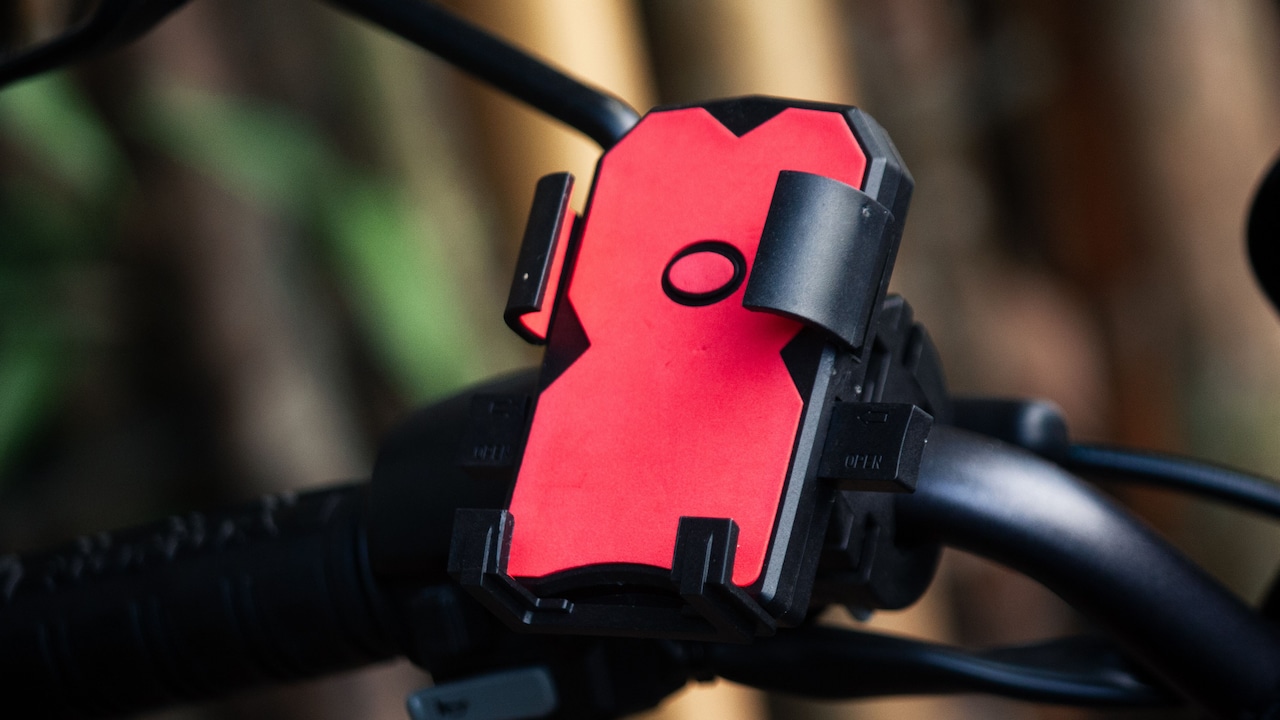
A phone mounted neatly on a bike handlebar looks like a small convenience until the road decides to test it. One pothole later, the screen begins dancing like it has heard a wedding DJ. For riders who use their phones for navigation, calls or checking the route during a long journey, excessive shaking is more than irritating. It can make the screen difficult to read and loosen the mount over time. Constant vibration may also place unnecessary stress on the phone, particularly its camera components. The frustrating part is that a shaky mount does not always mean the product itself is poor. Sometimes the problem comes from installation, road conditions, riding speed or even the handlebar design. A seemingly tiny adjustment can make a surprisingly large difference.
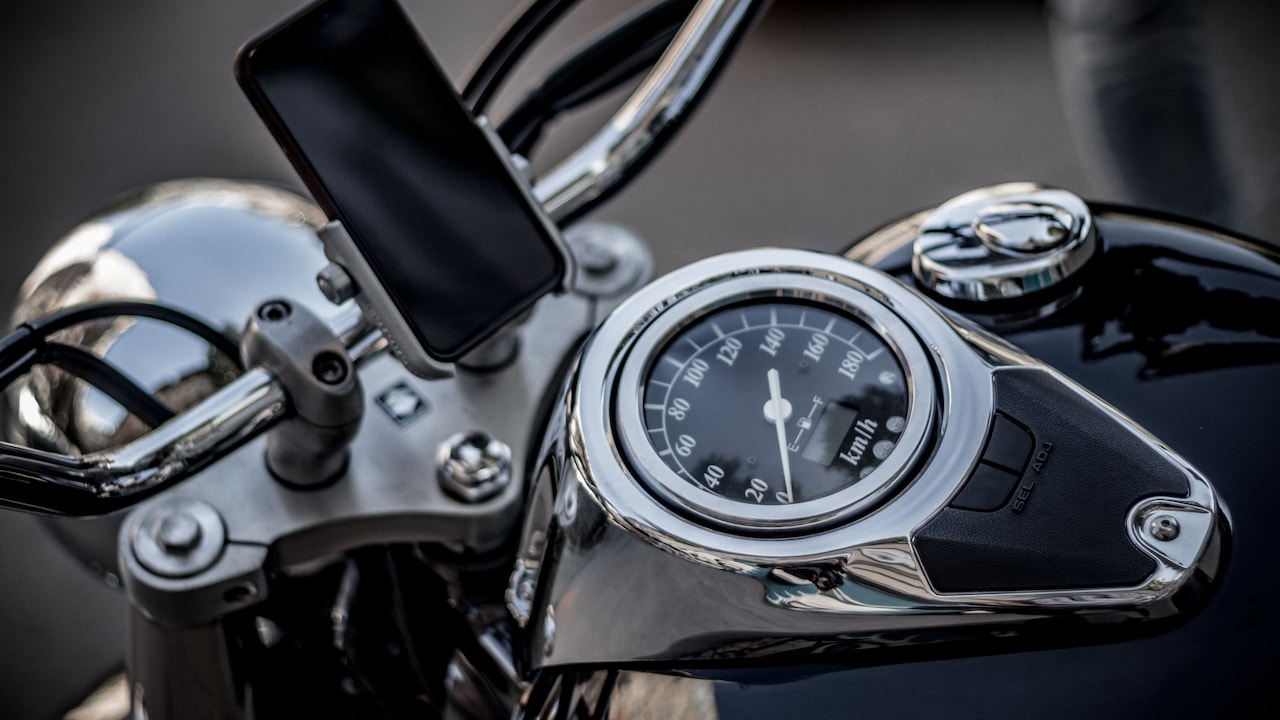
Why Does Your Bike Phone Mount Shake? 10 Causes And Easy Fixes
Photo Credit: Pexels
Before replacing a perfectly usable mount or spending another ₹1,000 on accessories, it helps to understand where the movement comes from. The following ten reasons cover the most common causes of excessive phone mount vibration and, more importantly, what can be done about them.
Why Your Bike Phone Mount Keeps Shaking And What You Can Do About It
1. The Handlebar Clamp Is Not Tight Enough
A slightly loose clamp can create a surprising amount of movement. The phone may look secure while the bike stands still, yet once the engine starts or the wheels hit an uneven road, the entire mount can begin rotating or trembling.
This often happens when riders tighten the clamp just enough to stop it sliding by hand. Road vibration, however, produces repeated forces that a casual hand test cannot recreate. Over several rides, bolts can also loosen gradually.
Check the clamp before blaming the phone holder itself. Tighten its screws evenly rather than forcing one side excessively. If the mount uses a thumb screw, make sure it sits firmly without overtightening and damaging the threads.
A thin rubber strip between the clamp and handlebar can improve grip considerably. Many mounts include one in the box, but these small inserts have a mysterious habit of disappearing into drawers.
The aim is a firm connection with no twisting movement. Once the mounting base stays completely still, much of the visible phone shake may disappear immediately.
2. The Mount Does Not Match The Handlebar Diameter
Not every handlebar has the same diameter, and not every phone mount fits every bar equally well. A clamp designed for a thicker handlebar may appear attached to a slimmer one while still leaving a tiny gap. That gap becomes movement once the bike starts travelling.
This problem often appears on bicycles, scooters and motorcycles with unusual bar sections or aftermarket handlebars. Riders sometimes compensate by tightening the clamp far beyond its intended limit. That may work briefly, but it can damage the clamp or create uneven pressure.
The better solution involves using the correct rubber spacer or adaptor sleeve. These inserts fill the difference between the clamp and handlebar while also absorbing some vibration.
Before buying a mount, measure the handlebar section where it will sit. A basic measuring tape or calliper can save plenty of frustration later.
If the mount has already been purchased, check whether additional spacer sizes are available. A properly matched clamp should sit snugly around the bar without rocking, sliding or requiring heroic levels of tightening.
3. The Phone Is Too Heavy For The Mount
Modern smartphones have grown considerably larger. Add a thick protective case, camera bump and perhaps a wallet attachment, and the phone sitting on the handlebar can become surprisingly heavy.
Every mount has a practical load limit, even when the packaging does not make that limit obvious. A lightweight plastic holder may manage a compact phone comfortably but struggle with a large flagship device. Once the bike travels over broken surfaces, the extra weight acts like a small lever, exaggerating every movement.
Watch what happens when the phone shakes. If the clamp remains fixed but the upper holder bends or flexes, weight may be the real issue.
Removing an unnecessarily bulky case can sometimes help. More importantly, choose a mount built for the phone's size and weight. Metal-bodied mounts or reinforced locking systems generally offer greater rigidity than thin flexible arms.
Saving ₹300 on a lightweight mount may seem clever at checkout. Watching a ₹70,000 phone bounce above a pothole tends to change that calculation rather quickly.
4. The Mounting Arm Is Too Long
Adjustable arms sound convenient because they allow riders to position the phone exactly where they want it. The downside appears when that arm extends too far from the handlebar.
Think of a ruler hanging over the edge of a table. Tap the short exposed section and it barely moves. Extend most of the ruler beyond the table and the same tap produces dramatic bouncing. Long phone mount arms behave in much the same way.
The farther the phone sits from the mounting point, the easier it becomes for road vibration to create movement. Ball joints, extension arms and multiple adjustment points can amplify the effect.
Try shortening the mount as much as possible. Position the phone closer to the handlebar or central clamp without blocking controls or the instrument cluster.
A compact arrangement may look less dramatic, but it usually feels far more stable. Fewer joints also mean fewer places where looseness can develop.
When choosing between maximum adjustability and solid construction, everyday riders often benefit more from the latter. Navigation remains useful only when the screen stays clear enough to read.
5. Rough Roads Are Sending Too Much Vibration Through The Bike
Sometimes the mount is not the main problem. The road underneath it is.
Broken tarmac, speed breakers, construction patches and sudden potholes send sharp vibrations through the wheels, frame and handlebars. A rigidly attached phone naturally receives some of that movement.
This becomes particularly noticeable on bikes with stiff suspension settings or bicycles running high tyre pressures. Even a strong mount cannot completely eliminate vibration when the entire handlebar is shaking.
A vibration-damping module can help. These accessories sit between the clamp and phone holder, using rubber components or mechanical movement to reduce the amount of high-frequency vibration reaching the device.
Riding technique matters too. Slowing down before rough sections reduces impact dramatically. Maintaining appropriate tyre pressure and keeping the suspension in good condition can also make the ride smoother.
No phone holder can negotiate a pothole on the rider's behalf. If the road resembles the surface of the moon, slightly reduced speed usually protects the mount, phone and spine at the same time.
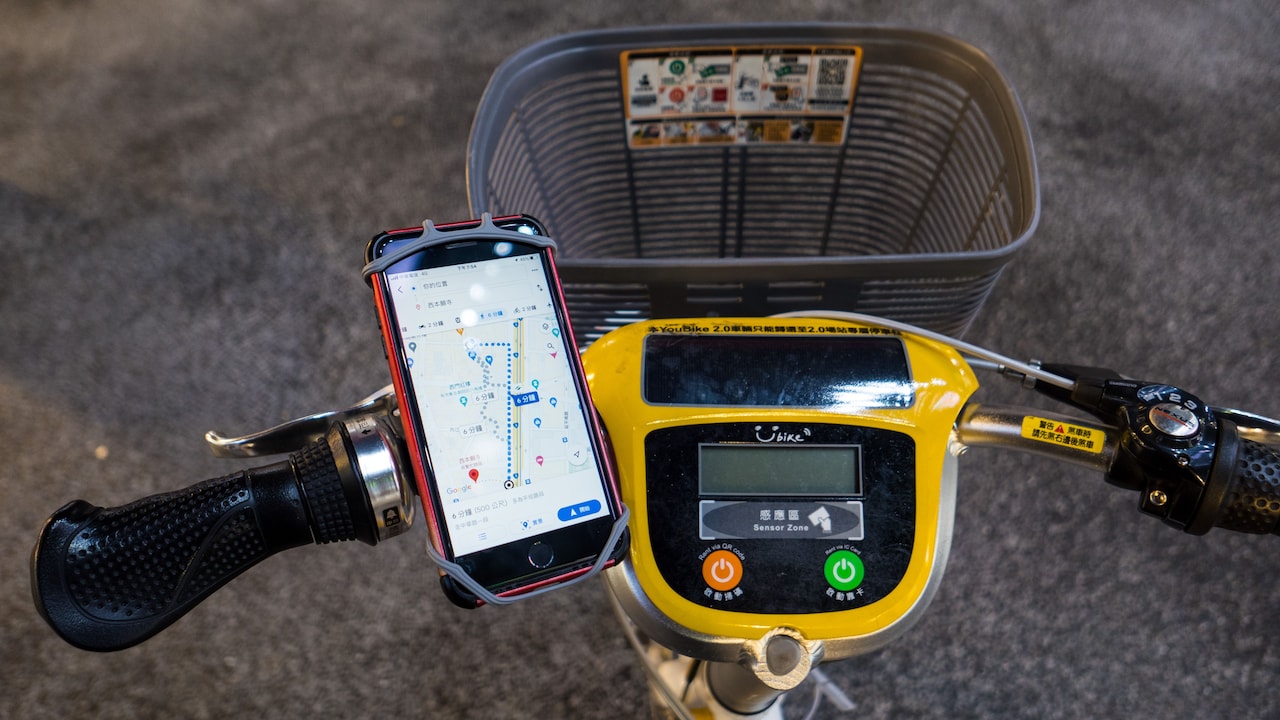
Why Does Your Bike Phone Mount Shake? 10 Causes And Easy Fixes
Photo Credit: Pexels
6. The Phone Holder Has Worn-Out Rubber Pads
Those tiny rubber pads inside a phone mount do far more work than their size suggests. They improve grip, protect the phone from scratches and reduce direct vibration between the device and holder.
Over time, rubber can flatten, harden, crack or peel away. Once that happens, the phone may have enough room to move slightly inside the holder. Even a millimetre of play can look dramatic when the screen vibrates continuously.
Inspect the contact areas where the mount touches the phone. If the pads feel unusually smooth or compressed, replacement may restore stability.
Some mounts offer spare pads, while others can accept thin anti-slip rubber strips cut to size. Avoid packing the holder with excessively thick material because it may prevent the locking mechanism from closing properly.
Clean the rubber occasionally as well. Dust, sweat and grime can make once-grippy surfaces surprisingly slippery.
A mount does not always need replacing simply because it feels loose. Sometimes a ₹100 piece of rubber can revive a holder that seemed destined for the rubbish bin.
Also Read: Magnetic Mobile Phone Holders For Cars: 10 Mount Features That Make Driving Safer
7. The Adjustment Joints Have Become Loose
Many phone mounts rely on ball joints, hinges or rotating sections. These make it easy to switch between portrait and landscape orientation, but each moving part also creates another potential source of shaking.
Repeated adjustment can gradually loosen these joints. Road vibration accelerates the process. Eventually, the phone begins nodding forward, rotating slightly or wobbling even though the handlebar clamp remains perfectly secure.
Check every adjustment point separately. Hold the base firmly and gently move the phone holder. Any movement between the joints deserves attention.
Tighten the locking rings or screws according to the mount's design. Avoid forcing plastic threads because once they strip, achieving proper tension becomes difficult.
If the ball joint itself feels worn, replacing that component may prove cheaper than buying an entirely new setup.
It also helps to stop adjusting the phone unnecessarily. Finding a comfortable viewing angle and leaving it there reduces wear.
A mount with six clever adjustment points may look impressive in an online listing. On a bumpy commute, however, simplicity often wins the stability contest.
8. The Mount Is Positioned On A High-Vibration Area
Where the phone mount sits can matter almost as much as how tightly it sits.
Different sections of a handlebar experience different levels of vibration. On motorcycles and scooters, certain areas may receive stronger engine vibrations. On bicycles, sections close to long unsupported ends can flex more noticeably over rough surfaces.
If the mount shakes despite being properly tightened, try moving it a few centimetres. A position nearer the centre of the handlebar often provides greater rigidity.
The best location should also avoid interfering with switches, brake levers, mirrors and cables. Visibility matters, but placing the phone directly in the rider's central line of sight can become distracting.
Experimenting with position costs nothing and can reveal whether the vibration comes from the mounting location rather than the mount itself.
Sometimes riders spend money replacing clamps, cases and dampers when the easiest fix involves shifting the holder slightly to the left.
A stable mounting point gives every other component a better chance of doing its job.
9. The Locking Mechanism Does Not Grip The Phone Properly
A mount can stay perfectly fixed to the bike while the phone rattles inside it. In that case, the problem lies with the locking mechanism rather than the handlebar connection.
Spring-loaded arms may lose tension over time. Corner grips may not match the phone's shape. Some mounts struggle with unusually thick cases, while others leave too much space around slim devices.
Place the phone inside the holder while the bike remains parked. Try moving it gently from side to side. Any noticeable play indicates that the phone is not being held firmly enough.
Adjustable mounts should be tightened until all contact points sit securely against the device. Four-corner locking designs need proper alignment so each corner shares the load.
A safety strap can provide useful backup, especially on rough journeys, although it should not compensate for a badly fitting holder.
Choose a mount whose dimensions closely match the phone rather than relying only on broad claims such as "fits all smartphones". One-size-fits-all solutions have a difficult enough job with clothing; phones are not much kinder.
10. The Mount Lacks Proper Vibration Damping
Some phone mounts focus almost entirely on holding the device securely. They may succeed at preventing the phone from falling while doing very little to reduce vibration reaching it.
That distinction matters. A phone can remain firmly locked in place yet still experience continuous high-frequency shaking from the engine or road.
Premium mounts often include damping systems using silicone, rubber or specially designed isolation modules. These components allow controlled movement between the bike and phone, reducing the harshest vibrations before they reach the device.
This feature deserves particular attention when using expensive phones with sophisticated camera hardware. Modern optical image stabilisation systems contain delicate moving components, so reducing unnecessary vibration makes practical sense.
If an existing mount supports a compatible vibration dampener, adding one may offer a worthwhile upgrade without replacing the entire system.
However, damping should not make the phone feel floppy. A good setup reduces harsh buzzing while keeping the display stable enough for navigation.
Think of it as suspension for the phone: not glamorous, perhaps, but greatly appreciated after a long ride.

Why Does Your Bike Phone Mount Shake? 10 Causes And Easy Fixes
Photo Credit: Pexels
Products Related To This Article
1. WeCool B1 Silicone Mobile Holder for Bikes Or Bike Mobile Holder for Maps
2. BOBO BM4 Jaw-Grip Waterproof Bike/Motorcycle/Scooter Mobile Phone Holder Mount
3. GRAND PITSTOP Mobile Holder for Bikes
4. EDYELL Motorcycle Phone Mount Holder with Charger & 30W Type C
5. STRIFF MoRide1 Bike Phone Mount
6. Kratos B4 Mobile Holder for Bike with One Click Locking
7. Anti Vibration Damper with Quick Release 360° Rotation Waterproof Bike
A shaking bike phone mount can turn a useful accessory into a constant distraction, but the cause is often easier to fix than it first appears. Loose clamps, incorrect handlebar sizing, worn rubber pads, long mounting arms and weak locking mechanisms can all create unwanted movement.
Start with the simple checks. Tighten the base, inspect the joints and confirm that the phone fits properly. Then consider the mounting position, road conditions and whether additional vibration damping would help.
Most importantly, avoid treating every wobble as proof that an expensive replacement is necessary. A small spacer, fresh rubber pad or better mounting position may solve the problem for a fraction of the cost.
The ideal phone mount should quietly do its job while the rider concentrates on the road. Once properly fitted, it should keep navigation visible without making the screen perform its own version of bhangra at every speed breaker.
(Disclaimer: This article may include references to or features of products and services made available through affiliate marketing campaigns. NDTV Convergence Limited (“NDTV”) strives to maintain editorial independence while participating in such campaigns. NDTV does not assume responsibility for the performance or claims of any featured products or services.)