10 Reasons Wireless Earbuds Sound Delayed During Videos, Games And Streaming
Wireless earbuds can lag during videos, games and streaming due to Bluetooth limits, codecs, interference, device performance and audio processing. Here are 10 common reasons behind the delay.
Wireless Earbuds Sound Delayed? 10 Reasons Behind Audio Lag
Wireless earbuds have become everyday companions. They slip into a pocket, connect without a cable and make everything from morning commutes to late-night streaming far more convenient. Yet convenience sometimes arrives with a small technical catch. Imagine watching a comedy scene where the actor's lips move and the punchline reaches your ears a moment later. Or picture playing a fast-paced shooting game where the opponent fires, the screen flashes and the sound follows afterwards. Even a tiny delay can make an otherwise smooth experience feel oddly disconnected.
10 Reasons Wireless Earbuds Sound Delayed During Videos, Games And Streaming
Photo Credit: Pexels
This problem is known as audio latency. In simple terms, latency is the time taken for sound to travel from the phone, laptop, television or gaming device to the earbuds. Unlike wired earphones, wireless models need to process and transmit audio digitally before you hear it.
Sometimes the delay barely registers. At other times, it becomes impossible to ignore. The cause is not always the earbuds themselves, either. The Bluetooth version, audio codec, device performance, app design and surrounding wireless activity can all play a part. Here are ten reasons that familiar audio lag can creep into videos, games and streaming.
Why Wireless Earbuds Fall Out Of Sync With What's On Screen
1. Bluetooth Transmission Naturally Takes Time
Bluetooth feels instant, but several processes happen before sound reaches your ears. A phone or laptop first prepares the audio signal, compresses it and sends the data wirelessly. The earbuds then receive that information, decode it and turn it back into sound.
Each stage takes a little time. Add those tiny delays together and the result becomes audio latency.
For music, this usually causes no real trouble. A song can begin a fraction of a second later without ruining anything. Video is less forgiving because your eyes provide a reference point. When someone closes a car door on screen, your brain expects the thud at almost exactly the same moment.
Games make the difference even clearer. Imagine playing a battle royale during a crowded evening commute. An opponent appears, fires and moves away before the gunshot arrives through the earbuds. That small delay may suddenly feel much larger.
Bluetooth technology has improved considerably over the years, but wireless transmission still involves more processing than a direct wired connection. That basic technical journey remains one of the biggest reasons wireless earbuds can sound slightly behind the action.
2. Older Bluetooth Versions Can Increase Latency
Not every Bluetooth connection works at the same speed. Older smartphones, laptops, televisions and earbuds may rely on earlier Bluetooth standards that handle wireless communication less efficiently than newer hardware.
The important part is that both devices matter. Buying a new pair of earbuds does not automatically guarantee the best possible connection if they are paired with an ageing laptop. Likewise, a modern phone cannot unlock capabilities that older earbuds simply do not support.
Think of it like driving on a newly built expressway but entering it through a narrow old lane. The faster road exists, yet one part of the journey still slows everything down.
Newer Bluetooth generations generally bring improvements in connection stability, efficiency and wireless performance. Manufacturers also combine these improvements with better chipsets and smarter audio processing.
That does not mean every old Bluetooth device will produce terrible latency. Plenty remain perfectly usable for films and casual videos. Problems become more noticeable when timing matters, especially during competitive games or live content.
If the delay appears mainly when earbuds connect to an older television, budget laptop or previous-generation phone, the Bluetooth hardware on that device could be contributing to the problem.
Also Read: Top 5 True Wireless Earbuds For Your Next Workout Under ₹2500
3. The Audio Codec May Be Adding Extra Delay
Wireless audio does not simply float through the air in its original form. Before transmission, it usually gets compressed using an audio codec. The earbuds must then decode that information before playing it.
Different codecs handle this process differently. Some prioritise sound quality, compatibility or efficiency, while others focus more heavily on reducing latency.
A codec that produces lovely detail while listening to a playlist may not necessarily feel as responsive during a mobile game. The additional processing can create a gap between what happens on screen and what reaches your ears.
There is another complication: the phone and earbuds must support the same codec. A premium pair may advertise advanced low-latency capabilities, but those features cannot help if the connected device falls back to a more basic option.
This is why two people using the same earbuds can report very different experiences. One may connect them to a newer flagship phone, while another uses an older handset with different codec support.
For everyday music, codec latency often disappears into the background. During films, gaming and live streaming, however, those extra milliseconds can turn into the irritating feeling that every sound is chasing the picture.
4. Gaming Demands Much Faster Audio Response
Gaming exposes Bluetooth latency more ruthlessly than almost any other activity. Videos usually follow a predictable timeline, so software can sometimes delay the picture slightly to keep it synchronised with the sound. Interactive games cannot always use the same trick.
Your actions happen in real time.
Tap the screen to fire in a shooting game and the visual response may appear immediately. The sound, however, still has to travel through the Bluetooth processing chain. Even a modest delay becomes noticeable because your brain already knows exactly when the sound should occur.
Rhythm games are even less forgiving. Missing a beat because the audio reaches the earbuds late can make good timing feel strangely useless. Competitive racing, fighting and battle royale titles can create similar frustrations.
That explains why many earbuds now include a gaming or low-latency mode. Such modes usually reduce the amount of buffering or processing to make sound arrive faster.
There may be a trade-off. Battery efficiency, connection stability or audio quality can sometimes change slightly when latency gets prioritised.
For someone settling in for a casual puzzle game, none of this may matter. During an intense multiplayer match with friends, even a tiny delay can feel like the technology has joined the opposing team.
10 Reasons Wireless Earbuds Sound Delayed During Videos, Games And Streaming
5. Video Apps Do Not Always Handle Synchronisation Equally
Sometimes the earbuds are not the main culprit at all. The app playing the video can have a major influence on whether audio and visuals stay aligned.
Popular streaming services often use audio-video synchronisation techniques to compensate for Bluetooth latency. The application knows that wireless sound may arrive slightly late, so it can adjust video playback to make the two appear more closely matched.
The experience can change when an app handles that compensation poorly.
A film might look perfectly synchronised in one streaming service but noticeably delayed in another video player. Short-video apps, social media platforms, browsers and downloaded media players can all behave differently depending on their software design.
Updates can change the situation as well. An app that previously worked without trouble may develop synchronisation issues after an update, while a later patch may quietly fix them.
That inconsistency often makes Bluetooth lag confusing. The same phone and earbuds can behave beautifully at breakfast while watching a web series, then look strangely out of step during an evening video on another app.
If latency appears only inside one particular application, the software deserves suspicion before the earbuds end up unfairly blamed.
6. Too Many Background Tasks Can Slow The Device
Wireless audio processing needs computing resources, and a heavily loaded device may struggle to keep everything running smoothly.
Picture a phone streaming a live match while several apps remain open in the background. Messages keep arriving, cloud photos are syncing, a large update is downloading and navigation continues running. The processor suddenly has plenty on its plate.
Modern phones handle multitasking impressively, but older or entry-level devices can show strain. When system resources become stretched, audio processing and playback timing may suffer.
Heat can make matters worse. Phones sometimes reduce processor performance when temperatures rise, a process designed to protect the hardware. Anyone who has streamed video outdoors on a hot afternoon knows how quickly a device can turn into a pocket-sized hand warmer.
Laptops face similar problems when dozens of browser tabs, video calls, downloads and background programs compete for resources.
Latency caused by system load may come and go rather than remaining constant. The earbuds could work normally one moment and lag the next.
Closing unnecessary applications, restarting the device or stopping heavy downloads can sometimes improve synchronisation without changing a single Bluetooth setting.
7. Wireless Interference Can Disrupt The Connection
Bluetooth does not have the airwaves entirely to itself. It operates in wireless frequencies also used by several everyday devices, which means interference can occasionally complicate the connection.
A crowded home can become a miniature wireless traffic junction. Wi-Fi routers, smart televisions, wireless keyboards, speakers, watches and other Bluetooth accessories may all be communicating nearby.
Most of the time, modern devices manage this traffic remarkably well. In particularly congested environments, however, Bluetooth packets can encounter interference. The system may need to resend information or use additional buffering to maintain smooth playback. That can contribute to delay.
The effect might become noticeable in a busy office, packed railway station, airport lounge or household filled with connected gadgets. One room may produce flawless audio while another creates occasional lag or stuttering.
Distance also plays a role. Leaving the phone on a desk and walking through several walls can weaken the connection, forcing Bluetooth to work harder to maintain stable playback.
Interference does not always produce obvious audio delay. Sometimes it causes brief drop-outs or crackling instead. Still, an unstable wireless environment can encourage devices to increase buffering, and extra buffering often means extra latency.
8. Battery-Saving Features May Affect Performance
That innocent-looking battery saver can occasionally change more than screen brightness.
Phones, laptops and even wireless earbuds use power-management systems to extend battery life. These features may reduce processor activity, restrict background performance or change how aggressively wireless hardware operates.
Usually, the effect is sensible and barely noticeable. When audio timing is already close to the edge, however, additional power-saving behaviour can make latency easier to spot.
Earbuds themselves may also alter performance as their batteries run low. Some models reduce certain processing features, while others behave less consistently when power drops towards the final few percentage points.
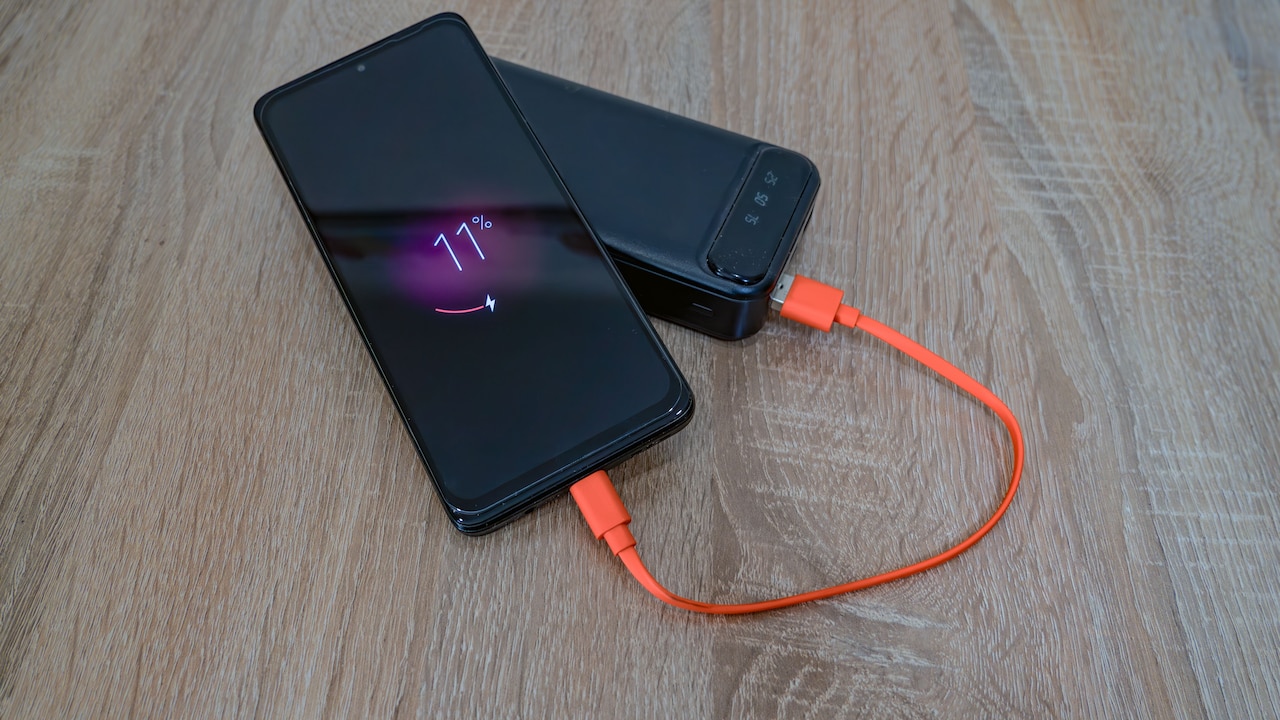
Imagine trying to finish the last episode of a thriller during a long train journey with both phone and earbuds clinging to 8% battery. Every device involved is trying to conserve energy, while the viewer simply wants the dialogue and lips to remain on speaking terms.
Charging both devices and temporarily disabling aggressive battery-saving modes can help determine whether power management contributes to the delay.
It will not solve every latency problem, but it is an easy factor to overlook, especially when the same earbuds seem smoother at the start of the day than they do late at night.
9. Extra Sound Processing Can Create More Latency
Modern earbuds often come packed with clever audio features. Active noise cancellation, spatial audio, virtual surround sound, equaliser effects and personalised hearing profiles can make listening far more immersive.
Those enhancements require processing.
When an earbud receives audio, it may do much more than simply play it. The internal processor can analyse environmental noise, adjust frequencies, create a wider virtual soundstage or manipulate channels to produce a three-dimensional effect.
Every calculation takes time, even when the delay is measured in tiny fractions of a second.
For music, the extra processing can easily be worth it. Deep bass during a workout or strong noise cancellation on a noisy metro journey can matter far more than a barely measurable delay.
Gaming presents a different calculation. Fast response may matter more than cinematic processing.
This is why gaming modes sometimes disable or simplify certain audio enhancements. Reducing the number of processing stages helps sound reach the listener sooner.
If latency feels especially noticeable while spatial audio, elaborate EQ settings or other enhancements are active, switching them off temporarily can reveal whether processing is adding to the problem. Sometimes simpler audio really is faster audio.
10 Reasons Wireless Earbuds Sound Delayed During Videos, Games And Streaming
Photo Credit: Pexels
10. The Earbuds May Simply Have High Built-In Latency
Some wireless earbuds are naturally faster than others. Price alone does not always predict latency, either.
A pair costing ₹12,000 may deliver excellent music quality and superb noise cancellation yet perform only moderately during gaming. Meanwhile, a ₹3,000 model designed specifically around low-latency gaming might feel more responsive in certain titles.
The difference comes down to design priorities.
Manufacturers choose chipsets, buffering methods, codecs, antennas and software according to the experience they want to provide. Earbuds aimed at music lovers may prioritise detailed sound and stable playback. Gaming-focused models often sacrifice some processing flexibility to shorten response times.
Firmware matters too. Poorly optimised software inside the earbuds can create unnecessary delay. Manufacturers sometimes improve latency through firmware updates, though the hardware still places limits on what software can achieve.
This is why specifications such as “gaming mode” or advertised latency figures deserve attention when buying earbuds mainly for games or video.
No amount of phone tweaking can completely transform hardware that was never designed for particularly quick audio transmission. Sometimes the delay is not a fault, glitch or bad setting. It is simply part of how that particular pair of earbuds works.
Products Related To This Article
1. Sony WF-1000XM6 The Best Noise Cancelling Wireless Earbuds
2. boAt 2026 Launch Airdopes Plus 224
3. GOBOULT Mustang Sprint in Ear Earbuds with 60H Playtime
4. OnePlus Nord Buds 3r TWS Earbuds up to 54 Hours Playback
5. Noise Master Buds 2 with Sound by Bose (2026)
6. Kratos TW02 Ear Buds Wireless with 60H Playtime
7. Philips TAT1269 Bluetooth Truly Wireless in Ear Earbuds with mic
Wireless earbuds may look wonderfully simple from the outside, yet a surprising amount of technology is working between pressing play and hearing the result. Bluetooth transmission, codecs, app synchronisation, processing effects, wireless congestion and even battery-saving behaviour can all add tiny amounts of delay.
The good news is that audio latency does not always mean the earbuds are defective. Sometimes changing an app, enabling gaming mode, reducing extra sound processing, closing demanding background tasks or updating device software can noticeably improve the experience.
Context matters too. A slight delay that disappears completely while listening to music may become painfully obvious during a multiplayer game. Streaming services might disguise the same latency through clever synchronisation, while another app leaves it exposed.
For buyers who spend hours gaming or watching fast-paced content, low-latency support deserves as much attention as battery life, bass and noise cancellation. Those missing milliseconds rarely look exciting on a product box, but they can make the difference between wireless audio that feels seamless and sound that always seems half a step behind.
(Disclaimer: This article may include references to or features of products and services made available through affiliate marketing campaigns. NDTV Convergence Limited (“NDTV”) strives to maintain editorial independence while participating in such campaigns. NDTV does not assume responsibility for the performance or claims of any featured products or services.)