How Laptop Stands Improve Airflow: The Science of a Faster Workspace
Laptop stands do more than improve posture. By lifting devices off the desk, they enhance airflow, reduce heat buildup, and prevent performance slowdowns, helping laptops run faster, quieter, and more efficiently during long work sessions.
Do Laptop Stands Really Help With Cooling? The Science Behind Better Airflow And Speed.
Modern work rarely happens at a single desk. Laptops travel everywhere, from crowded café tables to late-night study corners and kitchen counters turned into temporary offices. Their portability makes them indispensable, yet that compact design also traps heat.
When a laptop overheats, performance slows. Internal components throttle speed to protect themselves, causing lag that interrupts work and creativity. Many people assume software or aging hardware causes this slowdown. In reality, the problem often begins with poor airflow.
Laptop stands offer a deceptively simple solution. By lifting the device and creating space beneath it, they allow heat to escape and cooler air to circulate. The result feels subtle at first: quieter fans, smoother multitasking, and fewer frustrating pauses.
The science behind this improvement blends basic physics with thoughtful design. Airflow patterns, thermal dissipation, and ergonomic positioning all play a role. Understanding these elements reveals why a small stand can transform a cluttered, overheated workstation into a faster and more comfortable environment.
How Laptop Stands Improve Airflow: The Science of a Faster Workspace; Photo Credit: Pexels
Why Elevation And Airflow Matter In Modern Workspaces
The Hidden Enemy Inside Every Laptop: Heat
Heat behaves like an invisible traffic jam inside a laptop. Every processor calculation, graphics render, and background task produces thermal energy. Without an escape route, that heat builds quickly in the confined space of a slim machine.
Laptop manufacturers design cooling systems with tiny fans and heat pipes. These components push warm air out through vents along the sides or rear. Yet the process depends on airflow around the laptop itself.
Place a laptop directly on a table, bed, or cushion, and airflow suffers. The bottom panel sits flush against the surface, trapping heat beneath the device. Soft surfaces worsen the situation by blocking vents entirely.
The processor reacts quickly. Once temperatures rise beyond safe limits, the system reduces clock speed to prevent damage. This process, known as thermal throttling, slows down performance.
A familiar scenario unfolds during long work sessions. A laptop runs smoothly during the first hour, then gradually begins to lag. The fan becomes louder, yet performance drops.
Heat, not software, often drives that slowdown. Understanding this hidden enemy reveals why airflow matters far more than most users realise.
Why Flat Surfaces Choke Laptop Ventilation
Tables appear harmless, yet they create a silent barrier to airflow. Most laptops draw cool air through vents on the underside. When the machine rests flat, those vents struggle to breathe.
Even a solid wooden desk creates a problem. The gap between the laptop base and the surface remains almost nonexistent. Air stagnates in this tight space, allowing heat to accumulate beneath the device.
The effect intensifies on softer surfaces. Beds, cushions, and fabric surfaces sink around the laptop body. Vents disappear under folds of cloth, blocking airflow entirely.
A common late-night scene illustrates the issue perfectly. Someone finishes dinner, opens a laptop on the bed, and begins streaming a show or editing documents. Within minutes, the underside feels warm. Soon after, the fan spins loudly.
The device fights a losing battle against trapped heat.
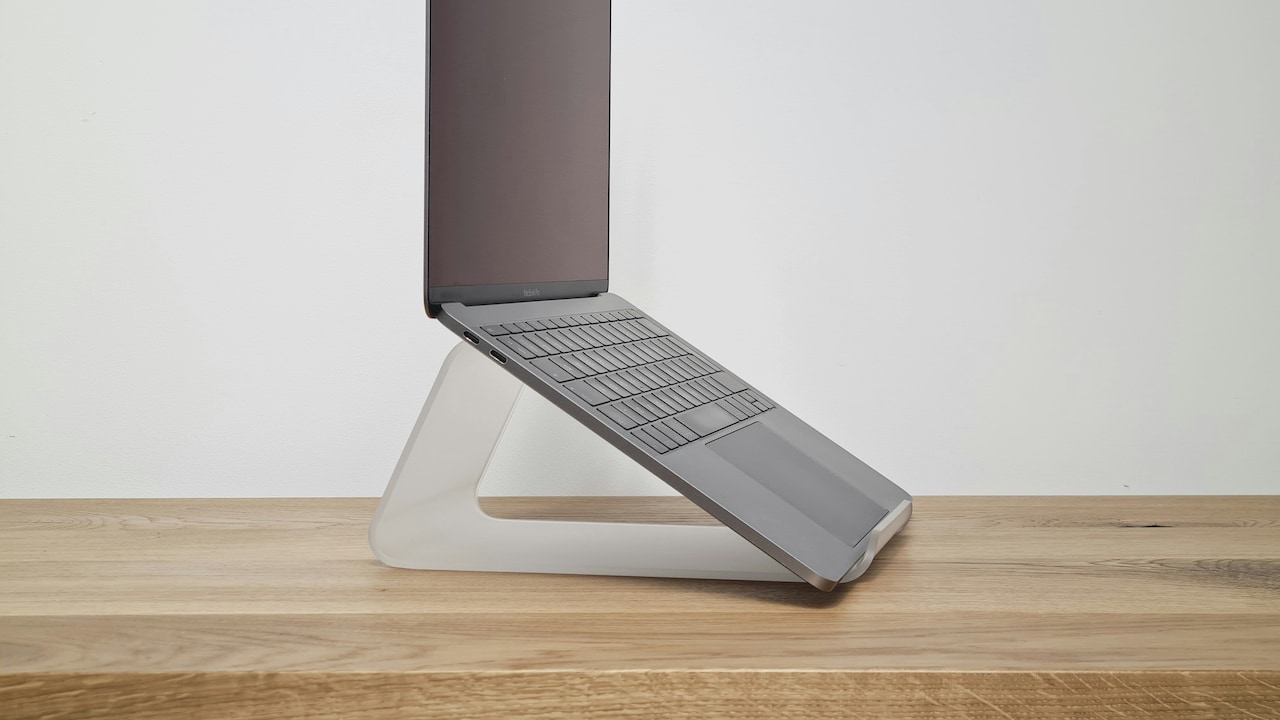
Laptop stands break this cycle. By raising the laptop even a few centimetres above the surface, they create a channel where cool air flows freely. That simple gap acts like a breathing space for the machine.
Also Read: Top 5 Ergonomic Foldable Laptop Stands In 2025 to Reduce Neck and Back Pain
The Physics Of Airflow: Why Elevation Matters
Airflow follows simple physical principles. Warm air rises, while cooler air sinks. Laptop stands use this natural behaviour to improve cooling.
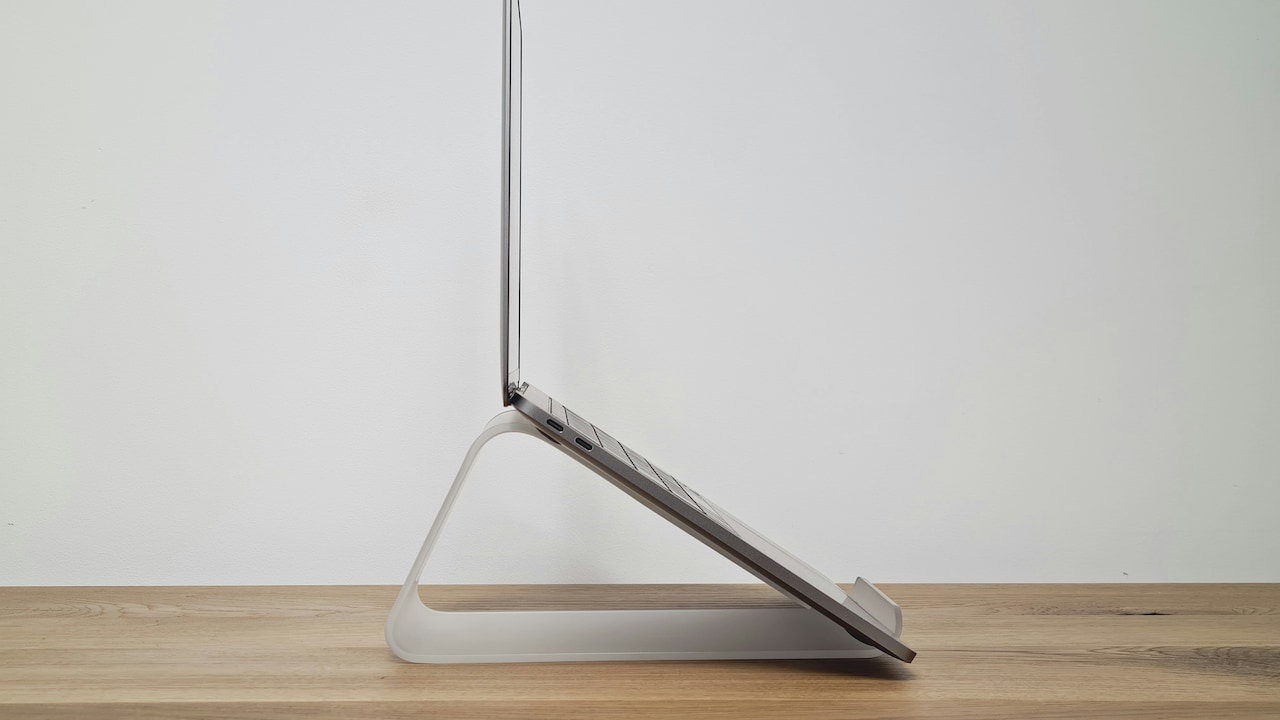
When a laptop sits elevated, the warm air produced by internal components escapes downward and outward. At the same time, cooler air flows underneath the device, replacing the rising heat.
This continuous exchange forms a natural convection cycle. Air circulates around the laptop rather than stagnating beneath it.
The difference becomes noticeable during demanding tasks such as video editing or heavy spreadsheet work. Elevated laptops often maintain lower internal temperatures compared to those placed directly on a desk.
Think of the process like opening windows in a room during summer. Fresh air flows through the space, pushing out the warm air trapped inside.
Laptop stands create that same circulation on a smaller scale. The improvement may seem modest, yet even a few degrees of cooling can prevent thermal throttling.
That small shift allows processors to run at full speed for longer periods.
Thermal Throttling: When Heat Slows Performance
Thermal throttling acts as a built-in safety mechanism. Modern processors monitor their own temperature constantly. When heat crosses a certain threshold, the chip deliberately reduces its speed.
This protective response prevents damage, yet it comes at a cost: performance drops immediately.
During a video call, throttling might cause brief audio glitches. While compiling code or exporting a presentation, tasks may take noticeably longer.
Laptop stands help delay or prevent this slowdown. Improved airflow keeps internal temperatures lower, allowing processors to maintain their designed speeds.
Many users notice a difference during everyday multitasking. A browser with twenty tabs, a spreadsheet open, and a video playing in the background pushes a laptop's cooling system hard.
With better airflow, the processor handles these tasks more comfortably. Fans spin less aggressively, and the system remains stable.
The result feels less like a dramatic upgrade and more like a smooth, consistent workspace that refuses to stall.
How Laptop Stands Improve Airflow: The Science of a Faster Workspace; Photo Credit: Pexels
Materials That Help Cooling Work Better
Laptop stands rely on more than elevation alone. The materials used in their construction also influence heat dissipation.
Aluminium stands have become particularly popular for this reason. Aluminium conducts heat efficiently, allowing it to absorb and spread warmth away from the laptop's base.
This process works much like a large heat sink. Instead of heat concentrating beneath the laptop, it spreads across the stand's surface, where it disperses into the surrounding air.
Plastic stands provide elevation but lack the same thermal conductivity. They improve airflow but contribute little to heat transfer.
Design matters as well. Stands with open frames or perforated surfaces encourage airflow from multiple directions. Solid platforms restrict circulation and reduce cooling efficiency.
The best designs strike a balance between stability and ventilation. A well-designed stand feels sturdy yet airy, allowing heat to escape freely.
Choosing the right material transforms the stand from a simple accessory into a functional part of the cooling system.
Ergonomics And Airflow: An Unexpected Partnership
Laptop stands often receive praise for ergonomic benefits. Raising the screen closer to eye level reduces neck strain and encourages better posture during long work sessions.
Yet ergonomics and airflow share an interesting connection.
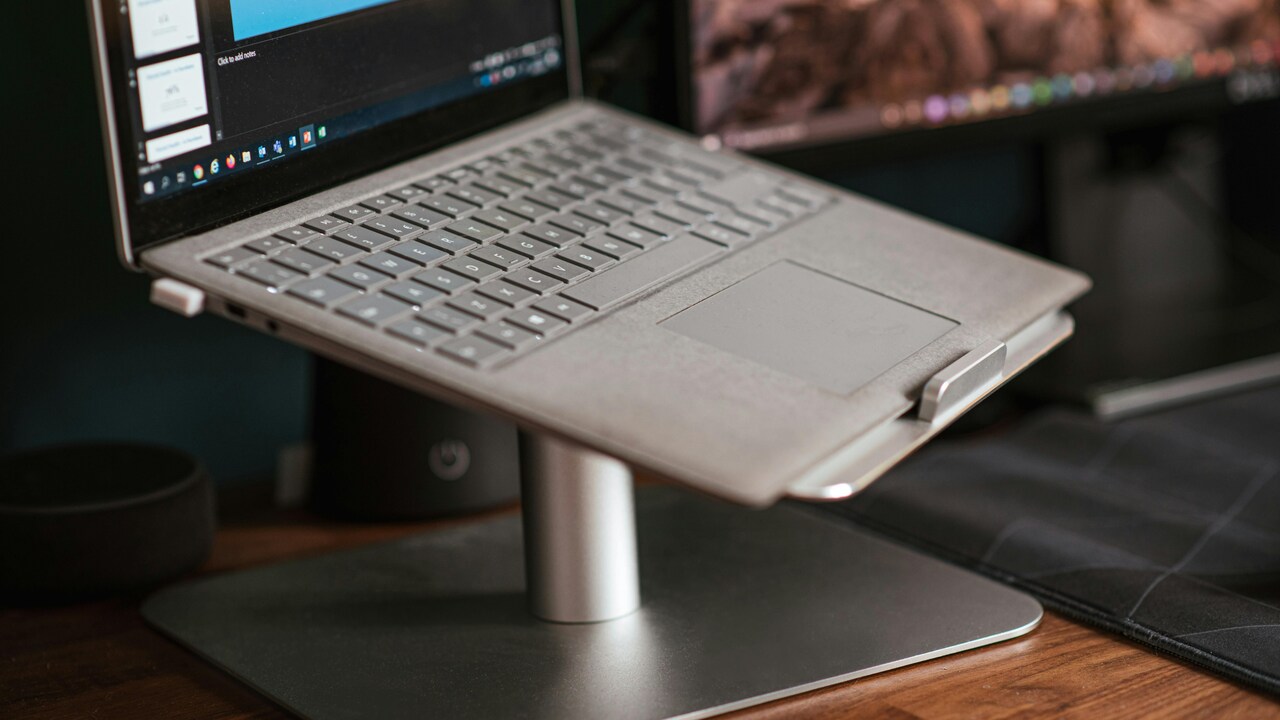
When a laptop sits at an angle on a stand, the keyboard tilts slightly. This angle increases the space beneath the device, allowing airflow to move more freely.
The result benefits both the user and the machine.
Comfort improves because the screen aligns better with natural viewing angles. Meanwhile, the cooling system gains additional ventilation.
Consider a long workday spent editing documents or attending virtual meetings. A laptop placed flat forces the neck downward. Shoulders hunch gradually.
A stand lifts the screen, encouraging a more upright posture. At the same time, the laptop receives improved airflow.
The workspace suddenly feels calmer and more organised, without the background noise of an overworked cooling fan.
How Laptop Stands Improve Airflow: The Science of a Faster Workspace; Photo Credit: Pexels
Small Design Changes That Create Big Cooling Gains
Laptop stand designers pay close attention to small details. Minor structural adjustments often produce significant improvements in airflow.
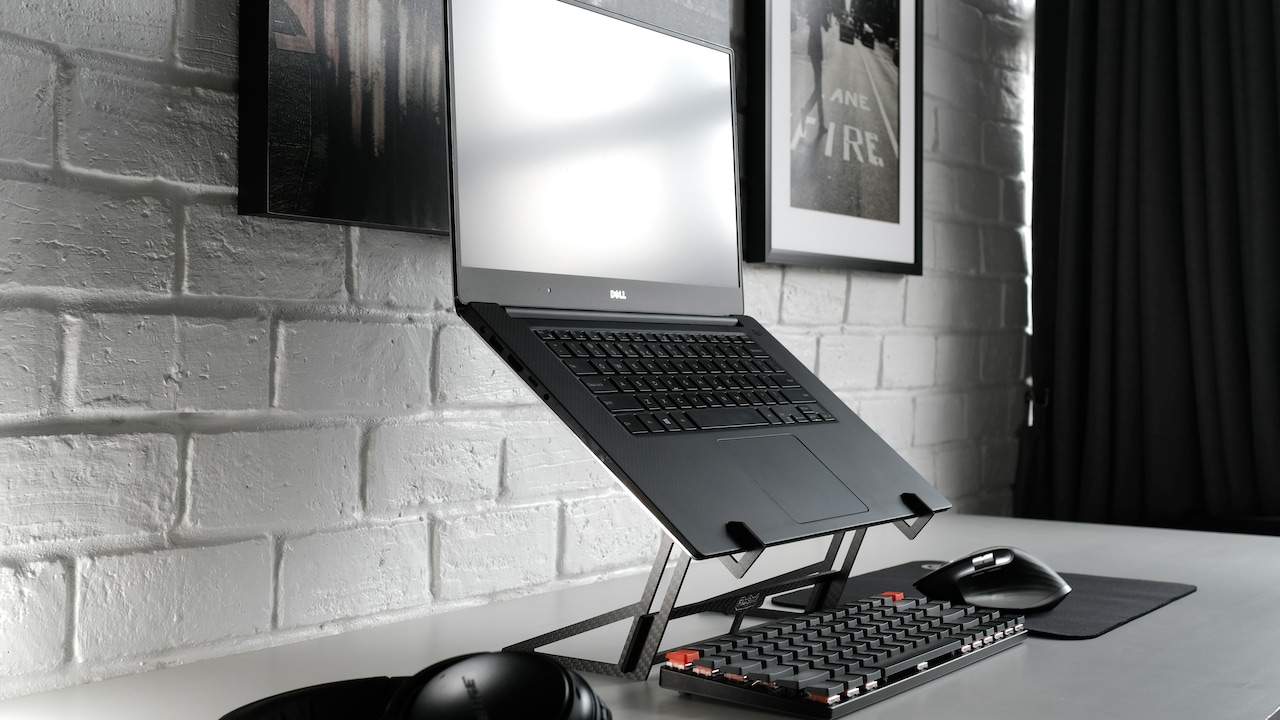
Open triangular frames, for instance, maximise the empty space beneath a laptop. Air moves freely from all directions rather than through narrow channels.
Some stands incorporate curved edges that guide airflow around the base of the laptop. Others rely on mesh surfaces that allow air to pass directly upward.
Height also matters. Even a lift of five centimetres dramatically improves ventilation. Taller stands increase airflow further, though stability must remain a priority.
Modern designs often combine portability with airflow efficiency. Foldable stands slip easily into backpacks yet create enough elevation to support proper cooling.
The beauty of these solutions lies in their simplicity. No cables, no software updates, and no complex installation. Just thoughtful design that works quietly in the background.
Real-World Workspaces And Heat Challenges
Workspaces vary widely, and many environments challenge laptop cooling systems.
Consider the bustling café where laptops share tables with coffee cups and notebooks. Air circulation often suffers in crowded corners with limited ventilation.
Then there are compact home desks where a laptop sits beside a monitor, chargers, and stacks of paperwork. Clutter traps warm air around the device.
Laptop stands help restore balance in these scenarios. By lifting the laptop above surrounding objects, they allow air to move freely again.
Students preparing for exams often study for hours at a stretch. A laptop placed directly on a desk grows warmer as the night progresses. Fans grow louder, and concentration slips.
A stand quietly improves airflow, keeping the device cooler during those long sessions.
Such small changes make workspaces feel more reliable and less frustrating.
The Cost Of Heat Versus The Cost Of Prevention
Overheating does more than slow performance. Prolonged heat gradually affects internal components, including batteries and storage drives.
High temperatures accelerate battery degradation. Over time, a battery that once lasted six hours may struggle to reach four.
Repairing or replacing components becomes expensive. A battery replacement may cost around ₹3,000 to ₹8,000, depending on the laptop model. More serious repairs climb much higher.
Laptop stands, by contrast, remain relatively affordable. Many reliable options fall within the ₹700 to ₹2,500 range.
This small investment helps maintain lower temperatures, extending the life of internal components.
Preventive care often proves more economical than repairs. A stand works quietly day after day, reducing heat stress without demanding attention.
In that sense, it functions less like an accessory and more like insurance for a hardworking laptop.
Products Related To This Article
1. PLIXIO Adjustable Laptop Stand with 360° Rotating Base Tabletop Ergonomic Foldable Portable Holder Compatible for MacBook
2. STRIFF Laptop Tabletop Stand
3. Portronics My Buddy K11 Metal Laptop Stand with 360° Rotation
4. Sounce HyperLift Aluminium Laptop Stand
5. Dyazo 6 Angles Adjustable Aluminum Ergonomic Foldable Portable Tabletop Laptop
Laptop stands rarely attract the spotlight in discussions about productivity tools. Yet their quiet contribution to airflow and cooling reveals a deeper impact on performance.
By lifting a laptop above the desk, they unlock the natural physics of air circulation. Warm air escapes, cool air flows in, and internal temperatures stabilise.
This improved airflow reduces thermal throttling, allowing processors to maintain speed during demanding tasks. Fans operate more quietly, and work continues without the frustration of sudden slowdowns.
At the same time, ergonomic benefits improve comfort during long hours at the keyboard. A stand supports both the machine and the person using it.
In a world where digital work fills much of the day, small adjustments to a workspace can make a meaningful difference. Laptop stands embody that principle perfectly.
A modest piece of aluminium or steel quietly reshapes airflow, performance, and comfort, proving that sometimes the simplest tools deliver the smartest solutions.
(Disclaimer: This article may include references to or features of products and services made available through affiliate marketing campaigns. NDTV Convergence Limited (“NDTV”) strives to maintain editorial independence while participating in such campaigns. NDTV does not assume responsibility for the performance or claims of any featured products or services.)