E-Reader vs Tablet for Reading: Which Saves Your Eyes More?
E-readers are easier on the eyes for long reading, thanks to e-ink and low glare. Tablets suit colour-rich PDFs and comics, but need careful brightness settings.

E-Reader or Tablet: Which Device Reduces Eye Strain While Reading?
A good book can make time disappear. One chapter after dinner becomes five, and suddenly the clock shows 1:17 am. The story may feel magical, but the eyes often file a complaint the next morning. Dryness, heaviness, blurred text, and that familiar forehead pinch can turn reading into a small punishment. This is where the e-reader versus tablet debate matters. Tablets do everything: books, films, emails, shopping, cricket scores, and the occasional family video call where someone asks why the camera points at the ceiling. E-readers do one main thing: reading. That simplicity gives them a quiet advantage.

E-Reader vs Tablet for Reading: Which Saves Your Eyes More?
Photo Credit: Pexels
Still, the answer is not as plain as “buy an e-reader and save your eyes”. A device does not protect vision by magic. Screen technology, brightness, reading distance, room light, font size, and breaks all play a role. A ₹10,000 e-reader used badly can still strain the eyes. A tablet used carefully can feel comfortable for short reading sessions.
So, which device saves your eyes more? For long-form reading, an e-reader usually wins. For colourful magazines, PDFs, comics, and study material, a tablet may serve better. The real trick lies in knowing where each one shines, where it tires the eyes, and how to read without turning bedtime into a staring contest with a glowing rectangle.
E-Reader vs Tablet: Key Factors That Affect Eye Comfort
Screen Technology Makes The Biggest Difference
The main difference sits right on the surface. Most e-readers use e-ink screens, while tablets use LCD or OLED displays. E-ink tries to imitate printed paper. It reflects light, so the screen looks clearer when external light falls on it. That is why reading on an e-reader near a window feels calm and natural, almost like reading a paperback bought from a station bookstall.
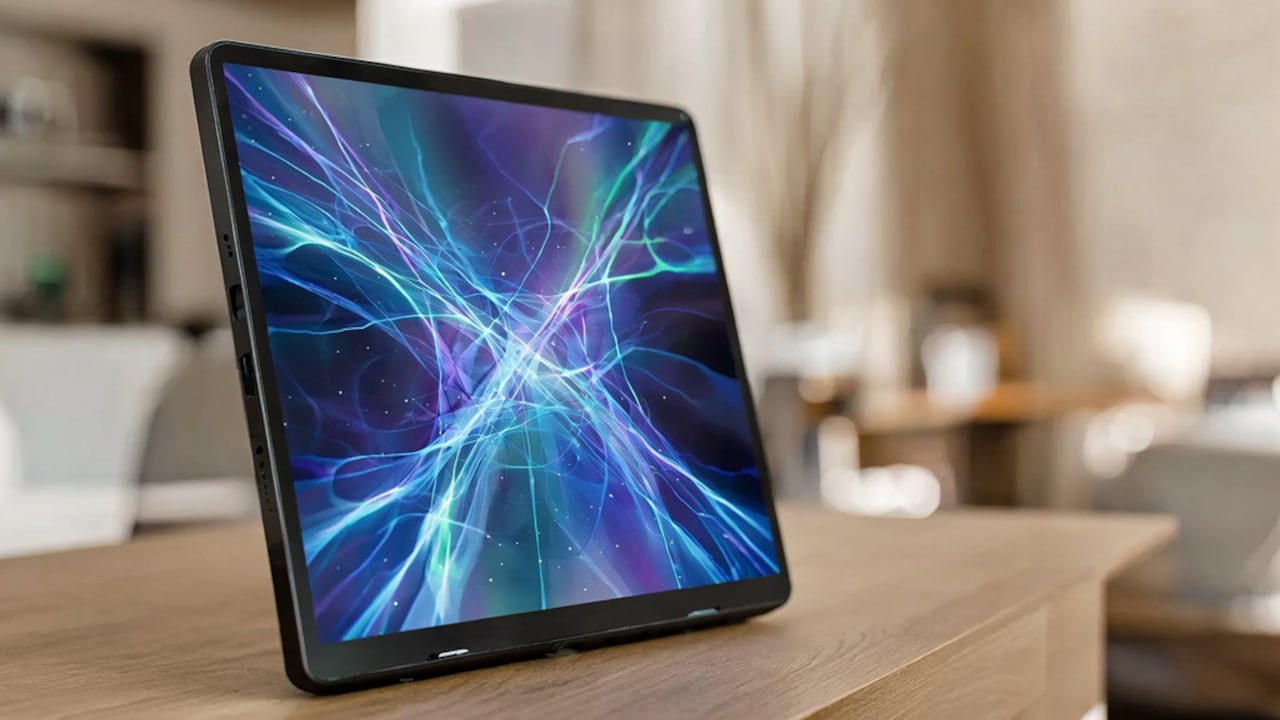
A tablet works differently. It shines light directly into the eyes. This makes colours look rich and videos look lively, but long reading sessions can feel harsher. The eyes keep handling brightness, reflections, colour changes, and screen glare. After an hour, even a gripping thriller may start looking like office work.
E-ink also changes the page only when needed. Once the words appear, the screen stays still. Tablets refresh constantly, even when the page looks static. Many readers never notice this, but the eyes may still feel the difference over time.
For plain novels, essays, and long articles, e-ink feels gentler. For animated content, colour charts, or textbooks with diagrams, tablets have the upper hand. The question is not which screen looks more exciting. It is which screen lets the eyes relax for longer.
Brightness And Glare Can Make Or Break Comfort
Brightness often causes more trouble than people realise. Many readers open a tablet at night with the brightness still set for daytime. The room stays dim, the screen glows like a sweet shop sign, and the eyes do all the adjusting. That contrast can lead to strain, watering, and a tired feeling around the temples.
E-readers handle brightness in a calmer way. Basic models depend on room light, just like paper. Many newer models include front lights, which spread light across the screen rather than blasting it from behind. This makes night reading easier. The glow feels softer, especially when kept low.
Tablets can also reduce brightness, use warm tones, and switch to dark mode. These settings help, but they do not fully change the nature of the screen. A tablet still produces light directly. In a dark bedroom, it can feel intense even at low brightness.
Glare adds another layer. Tablet glass often reflects tube lights, ceiling fans, windows, and sometimes the reader's own sleepy face. E-reader screens usually come with a matte finish, so reflections stay mild. This helps during commutes, balcony reading, or afternoon reading under bright light.
For eye comfort, the best screen is not the brightest one. It is the one that blends with the surrounding light. E-readers usually manage that balance with less fuss.
Blue Light Is Not The Whole Villain
Blue light has become the celebrity villain of screen discussions. It gets blamed for tired eyes, poor sleep, headaches, and half the problems of modern life. The truth feels more nuanced. Blue light from screens can affect sleep patterns, especially at night, because it may signal wakefulness to the brain. But eye strain does not come from blue light alone.
Tablets emit more blue-rich light because they use backlit displays. Reading on a tablet late at night can keep the mind alert, particularly when notifications keep popping up like nosy neighbours. Even with a warm filter, the screen still encourages wakefulness because it belongs to a device built for activity.
E-readers produce far less disruptive light, especially non-lit models. Even front-lit models often feel calmer because the lighting system differs from a tablet's backlight. Many e-readers also offer warm lighting, which helps during bedtime reading.
Yet a person can still strain the eyes on an e-reader by reading too long without blinking or choosing tiny font sizes. Blue light matters, but it does not tell the full story. Reading comfort comes from a combination of screen type, brightness, distance, and habits.
For night reading, an e-reader offers a quieter experience. It does not shout at the brain. It simply says, “Here is the next page.”
Also Read: Top 10 Story Books For Children To Grab At Affordable Price From Amazon
Font Size And Text Clarity Matter More Than Pride
Many readers keep font sizes small because they want the page to look neat. Some treat larger text like a personal defeat. There is no award for squinting through a novel. The eyes prefer clarity over elegance.
Both tablets and e-readers allow adjustable fonts, margins, and spacing. This makes digital reading better than many printed books with cramped text. A comfortable font size can reduce strain quickly. Wider line spacing also helps because the eyes do not need to fight through dense blocks of text.
E-readers often make text look crisp in a paper-like way. The letters sit calmly on the screen. Tablets can look sharper in a technical sense because of higher resolution, but brightness and glare may cancel out that advantage during long reading.
For study material, tablets offer zooming, highlighting, colour notes, and split-screen features. A student preparing with PDFs may prefer a tablet because it handles diagrams and handwritten notes smoothly. But for reading a 400-page novel or a long biography, an e-reader keeps the experience less tiring.
The best rule is simple: enlarge the text until the face relaxes. If the forehead tightens, the font is too small. If the device comes closer to the nose with every paragraph, the eyes are negotiating terms.

E-Reader vs Tablet for Reading: Which Saves Your Eyes More?
Photo Credit: Pexels
Reading In Sunlight Tells The Real Story
Sunlight exposes the difference between these devices better than any showroom display. Take a tablet outdoors, and the screen often turns into a mirror. Brightness goes up, battery drains faster, and the reader starts tilting the device like a puzzle. The eyes work harder because the screen fights the environment.
An e-reader enjoys sunlight. The brighter the surroundings, the clearer the e-ink page usually looks. This makes it ideal for balconies, terraces, train platforms, college lawns, and long waits outside coaching centres or clinics. The experience feels close to reading a paperback in natural light.
This matters because harsh glare can create unnecessary eye fatigue. When the screen reflects too much light, the eyes keep adjusting. The reader may not notice the effort at first, but discomfort builds slowly. By the time the chapter ends, the eyes feel sandy.
Tablets do better indoors, especially in controlled lighting. They suit evening reading on a sofa or browsing a colourful recipe book in the kitchen. But under strong daylight, e-readers clearly feel easier.
For people who read while travelling during the day, an e-reader can feel like a small luxury. No glare gymnastics. No brightness battles. Just text that behaves.
Bedtime Reading Changes The Winner
Many reading decisions happen at night. The house quietens, dinner plates dry in the rack, and the book finally gets attention. This is also when screens can disturb the eyes and sleep.
A tablet brings temptation along with text. One minute, the reader opens an e-book. The next minute, a message appears, then a sale alert, then a video recommendation, then a quick check of something that somehow becomes twenty minutes. The eyes do not just read. They chase changing colours, icons, and moving content.
An e-reader protects attention by being boring in the best way. It does not invite endless scrolling. It turns pages, stores books, and leaves the reader alone. That lack of drama helps the brain settle down.
For bedtime, warm lighting and low brightness matter. E-readers with adjustable warm light offer a softer experience. Tablets can use night shift modes, but their glow still feels more stimulating for many people.
A printed book remains the gentlest bedtime choice, provided the room has good light. But between an e-reader and a tablet, the e-reader usually wins for sleep-friendly reading. It gives the story space to breathe and gives the eyes less to argue with.
Dry Eyes Come From Habits, Not Just Devices
Screens often reduce blinking. A person reading deeply may stare for long stretches without realising it. Fewer blinks mean less moisture on the eye surface. This causes dryness, burning, and that gritty feeling that makes people rub their eyes and regret it instantly.
Tablets can worsen this because they encourage multitasking. Reading mixes with scrolling, tapping, replying, and switching apps. The eyes remain busy. E-readers slow the pace down. Page turns happen less often, and the screen stays visually stable. This may encourage a more relaxed rhythm.
Still, device choice alone cannot solve dry eyes. Good habits matter. Every so often, the gaze should move away from the screen and rest on something far away. A window, a tree, or even the opposite wall can help. Blinking consciously also sounds silly but works surprisingly well.
Room airflow matters too. A fan aimed straight at the face can dry the eyes during reading. Air-conditioning can do the same. Many readers blame the screen when the real culprit sits spinning above them.
E-readers reduce one source of strain, but they do not replace sensible reading habits. Eyes appreciate both good technology and basic kindness.
Tablets Win When Reading Means More Than Words
Not all reading means plain black text on a white page. Some people read graphic novels, magazines, cookbooks, academic PDFs, newspapers, children's books, and exam material packed with charts. In these cases, tablets often perform better.
Colour matters. A recipe book with bright photos, a business report with graphs, or a comic with detailed panels feels flat on most e-readers. Tablets show colour, layout, and images beautifully. They also handle pinch-to-zoom, annotations, dictionary apps, translation tools, and quick searches. For students and professionals, these features can save time.
A tablet also suits people who read in short bursts. Ten minutes with the news, a few pages of a PDF, or a quick article during lunch will not punish the eyes if brightness and posture stay sensible. The problem begins when a tablet becomes the main device for long, uninterrupted reading.
Cost also enters the picture. A decent tablet may start around ₹12,000 and climb quickly. E-readers also vary, often sitting in a similar or higher range depending on features. So the choice should follow usage. Buying a tablet only for novels may feel excessive. Buying an e-reader for colourful study PDFs may disappoint.
The eyes prefer the right tool for the right content.
Battery Life Affects Reading Behaviour Too
Battery life may not sound connected to eye comfort, but it changes how people read. Tablets drain faster, especially at high brightness. This nudges readers to sit near chargers, increase screen anxiety, or read while the device heats slightly. Heat and brightness can make the whole experience feel less pleasant.
E-readers usually last for days or even weeks on a single charge, depending on use. That freedom changes the mood. A reader can carry it on a trip, leave the charger behind, and read without watching the battery icon like a tense cricket chase. Less fuss often means more relaxed reading.
Long battery life also helps during power cuts, train journeys, and family trips where every plug point becomes a diplomatic issue. An e-reader quietly survives these situations. A tablet, meanwhile, may compete with streaming, games, work calls, and maps.
This matters because comfortable reading is not only about the eye muscles. It is also about the reading environment. A calm device encourages calm habits. A multipurpose device demands management.
For people who read daily, battery life makes an e-reader feel dependable. It waits like a patient bookmark. No drama, no rush, no desperate search for a charger behind the sofa.
Distraction Can Tire The Eyes And The Mind
Eye strain does not always begin in the eyes. Sometimes it begins in the mind. Tablets invite constant switching. A reader may move from a novel to social media, then to shopping, then to messages, then back to the book with half the attention missing. This mental hopping creates fatigue.
E-readers reduce that noise. Their slower screens and limited apps may seem old-fashioned, but that limitation works like a gatekeeper. It keeps reading separate from the rest of digital life. The eyes follow one type of content, and the mind settles into one rhythm.
This can improve reading stamina. Many people who struggle to finish books on tablets find that e-readers help them read longer without feeling scattered. The device does not perform tricks. It simply removes the circus.
A tablet can still work well for disciplined readers. Turning off notifications, using reading mode, and keeping the device away from distracting apps can help. But that requires effort. E-readers build focus into the experience.
When the goal is deep reading, fewer distractions mean less visual jumping and less mental clutter. The eyes may not understand notifications, but they definitely feel the chaos.
Posture And Reading Distance Should Not Be Ignored
A device can have the finest screen in the world, but poor posture will still cause discomfort. Many people read with the device too close, neck bent, shoulders curled, and wrists tense. After thirty minutes, the eyes hurt, the neck protests, and the book gets blamed unfairly.
E-readers tend to be lighter than tablets, which helps during long reading sessions. A lighter device puts less strain on the hands and allows a more natural reading distance. Tablets, especially larger ones, can feel heavy after a while. The reader may shift positions often, bringing the screen closer and changing the viewing angle.
Good reading distance matters. The screen should sit far enough for the eyes to focus comfortably, usually around the distance used for a paperback. The neck should not fold like a question mark. A cushion, stand, or simple change in seating can make reading feel far better.
Lighting should also support posture. If the room light feels poor, readers often lean closer without noticing. That creates strain even on an e-reader.
Eye comfort comes from a small partnership: device, light, distance, and body position. Ignore one partner, and the whole arrangement starts complaining.

E-Reader vs Tablet for Reading: Which Saves Your Eyes More?
Photo Credit: Pexels
Products Related To This Article
1. Kobo Clara BW | eReader | 6” Glare-Free Touchscreen with ComfortLight PRO
2. Lenovo Idea Tab Smartchoice with Pen
3. All-new Amazon Kindle Paperwhite
4. Redmi Pad 2, WiFi Active Pen Support
5. Kobo Libra Colour | eReader | 7” Glare-Free Colour E Ink Kaleido™ 3 Display
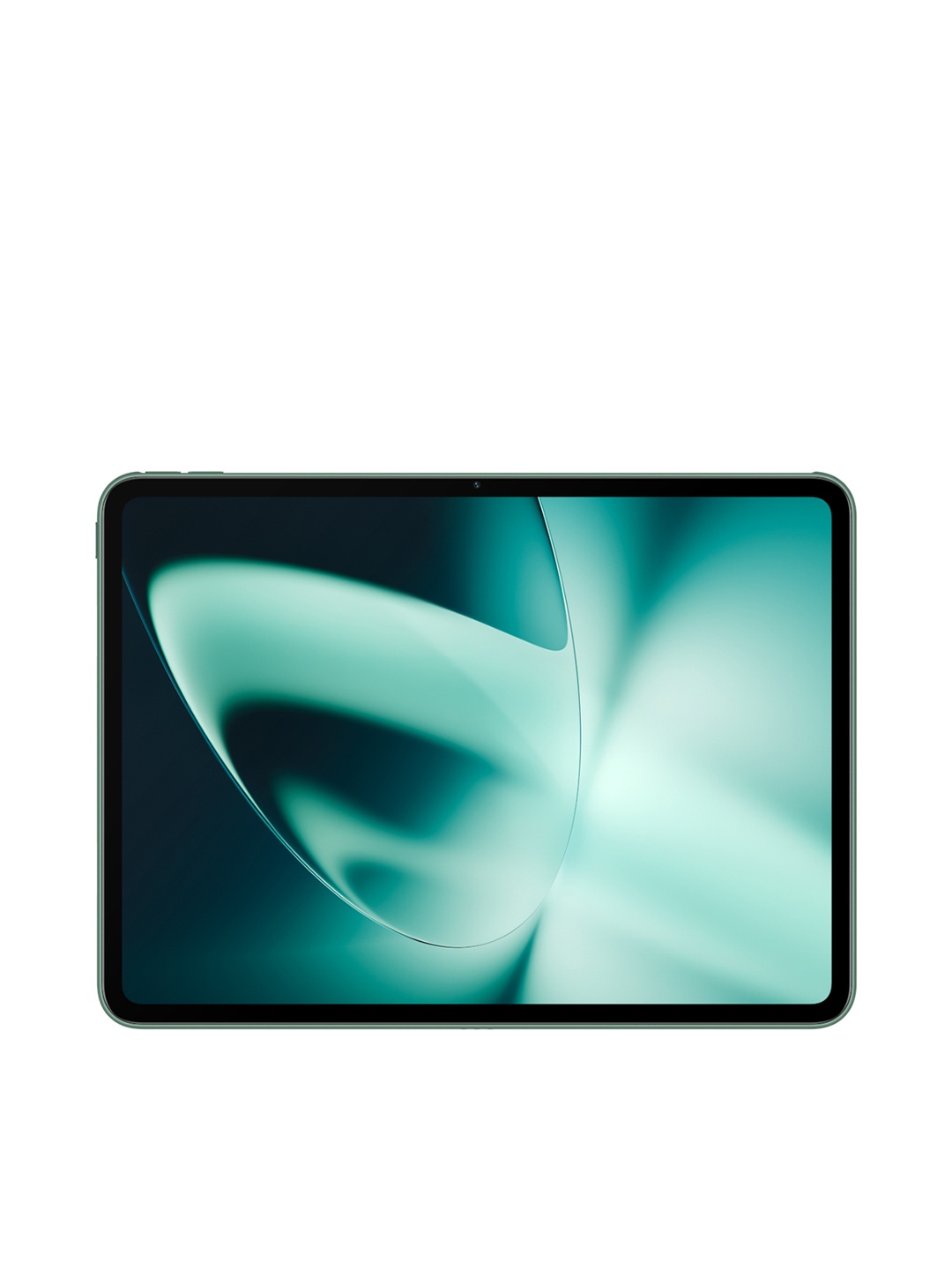
6. OnePlus Pad Lite with Biggest Battery in Segment 9340 mAh
For long reading sessions, an e-reader usually saves the eyes more than a tablet. Its e-ink screen, matte surface, lower glare, calmer lighting, and distraction-free nature make it kinder for novels, essays, biographies, and any book that asks for patience. It feels closer to paper and less like a screen demanding attention.
A tablet still deserves respect. It works better for colourful material, PDFs, magazines, comics, textbooks, and reading mixed with notes or research. Used in short sessions with low brightness, warm display settings, and sensible breaks, it can serve well. The trouble starts when it becomes a late-night reading lamp, entertainment hub, and notification machine all at once.
The wisest choice depends on the reading habit. A person who reads two novels a month may find an e-reader worth every rupee. A student juggling PDFs, lectures, diagrams, and notes may need a tablet. A casual reader can use either, provided the screen settings behave.
In the end, the eyes do not care about brand names or shiny features. They care about comfort. Choose the device that matches the reading, adjust the light, enlarge the font, blink often, and take breaks. The best screen is the one that lets the story continue without making the eyes ask for leave.
(Disclaimer: This article may include references to or features of products and services made available through affiliate marketing campaigns. NDTV Convergence Limited (“NDTV”) strives to maintain editorial independence while participating in such campaigns. NDTV does not assume responsibility for the performance or claims of any featured products or services.)