What Is Mouse Polling Rate? How 125Hz vs 1000Hz Affects Smoothness And Lag
Polling rate controls how often your mouse reports movement to your PC. If it’s too low or unstable, your cursor can feel delayed, floaty, or jittery, especially in games and design work.
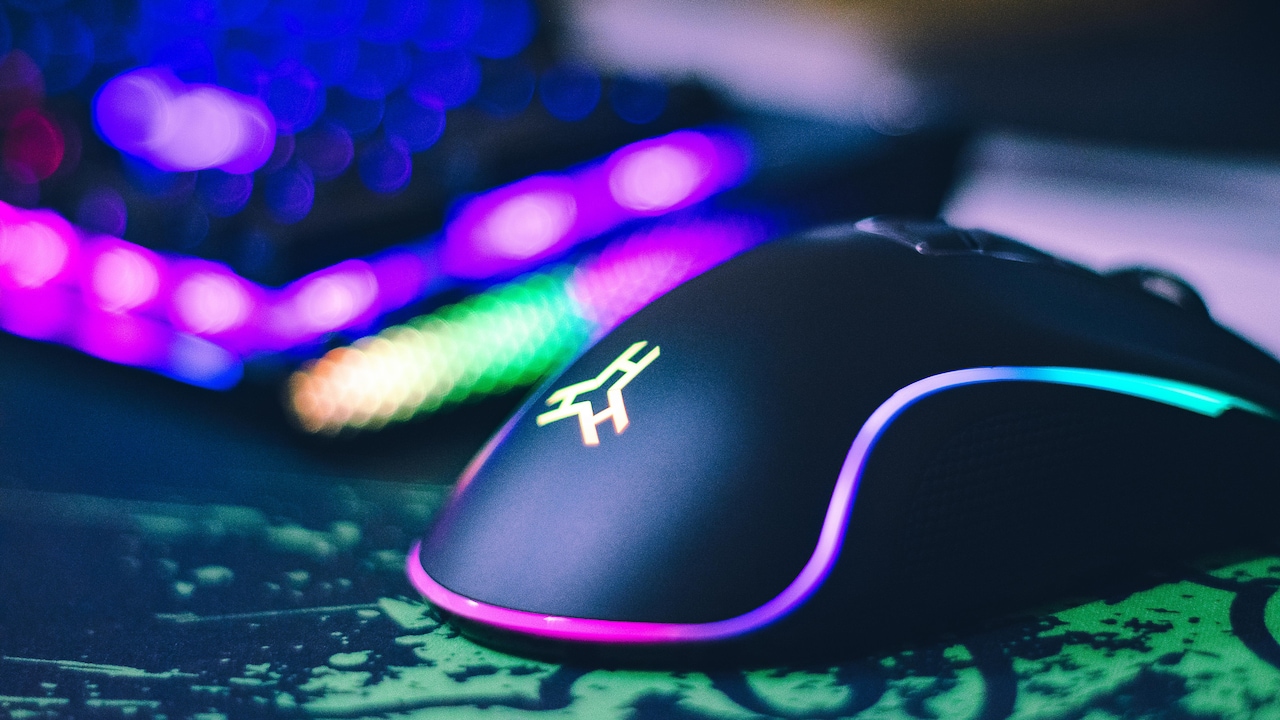
Know All About What Polling Rate Is And Why Does It Make Your Mouse Feel 'Off'.
A mouse is supposed to be the simplest thing on a desk. Plug it in, move it around, click a few times, and get on with life. Yet somehow, it can still ruin a perfectly good evening. One moment, everything feels fine, and the next, the cursor starts behaving like it's had too much chai. It doesn't freeze. It doesn't stop. It just feels slightly delayed, slightly floaty, slightly wrong.
Most people blame the usual suspects. Maybe the mouse is old. Maybe the surface is bad. Maybe the PC is struggling. Or maybe the universe simply hates productivity.
But there's a sneaky culprit that doesn't get enough attention: polling rate. It's not as famous as DPI. It's not as flashy as RGB lighting. Yet it has a real impact on how “connected” the mouse feels, especially in games, creative work, and even regular browsing.
Polling rate is basically how often the mouse reports its position to the computer. Think of it as the frequency of updates. If those updates come too slowly, movements feel delayed. If they come too fast for a system to handle cleanly, things can feel jittery. Either way, the result is the same: the mouse feels off.
And once that feeling gets into the brain, it's hard to ignore.

What Is Mouse Polling Rate? How 125Hz vs 1000Hz Affects Smoothness And Lag
Photo Credit: Pexels
Top 10 Polling Rate Truths That Fix the “Off” Feeling
1) Polling Rate Is The Mouse's “Reporting Schedule”
Polling rate sounds like something that belongs in a government office. In reality, it's closer to a timetable. A mouse doesn't continuously stream movement to a computer in one endless flow. Instead, it checks in at regular intervals and says, “Here's where I am now.”
That check-in frequency is the polling rate, measured in Hertz (Hz). A 125 Hz polling rate means the mouse reports its position 125 times per second. A 500 Hz mouse reports 500 times per second. A 1000 Hz mouse reports 1000 times per second.
Now here's the important part: a higher polling rate reduces the time between updates. At 125 Hz, the mouse updates roughly every 8 milliseconds. At 1000 Hz, it updates every 1 millisecond. That may sound tiny, but the human brain is annoyingly good at noticing inconsistencies when it comes to movement.
This is why a mouse can feel “fine” while scrolling through emails but feel oddly sluggish in a fast shooter or during quick flicks in a design tool. It's not imagination. It's timing. The mouse is simply talking to the PC less often than it could.
And yes, once that becomes noticeable, it can drive anyone slightly mad.
2) The “Off” Feeling Often Comes From Uneven Motion, Not Lag
When people say a mouse feels off, they often mean it feels inconsistent. It's not always slow. It's not always fast. It's more like it refuses to match hand movement perfectly. That mismatch creates a strange sense of friction, even when the mouse is gliding smoothly on the surface.
Polling rate plays a role because it affects how often the computer receives fresh movement data. If updates come less frequently, the cursor movement becomes a series of tiny steps rather than a fluid stream. The brain doesn't see the steps, but it senses the rhythm.
This is especially noticeable when moving the mouse slowly. The cursor may look like it's skipping slightly, even though it's technically working. In gaming, it can show up as aim that feels “sticky” or micro-stutters during tracking.
Another fun twist is that the off feeling can also happen when the polling rate is too high for a particular setup. Not everyone's system handles high-frequency input perfectly. If the USB controller or drivers behave oddly, a high polling rate can cause jitter or inconsistent timing.
So yes, the same setting can feel amazing on one machine and irritating on another. Technology has a sense of humour like that.
3) Polling Rate And Dpi Are Not The Same Thing, And That Confusion Causes Chaos
DPI gets all the attention. People love talking about it like it's the secret ingredient to becoming a gaming god. Polling rate, meanwhile, sits quietly in the corner like the sensible friend nobody listens to.
DPI is how sensitive the mouse is. It decides how far the cursor moves when the hand moves a certain distance. Higher DPI means the cursor moves more with less physical movement.
Polling rate is how often the mouse reports movement. It decides how frequently those movements get communicated to the computer.
A mouse can have high DPI and low polling rate. That creates a weird combo: fast movement but fewer updates. It can feel twitchy and imprecise at the same time, which is honestly an impressive level of annoyance.
On the other hand, a mouse with moderate DPI and a high polling rate can feel controlled and smooth, because the PC receives frequent updates and can track motion more accurately.
This confusion is why many people buy a mouse that looks powerful on paper, then wonder why it feels strange in real use. The box screams “16,000 DPI!” but quietly ignores the fact that the polling rate might be stuck at 125 Hz by default.
And yes, some mice do ship like that. Life is unfair.
4) Why 125 Hz Can Feel Fine For Office Work But Awful For Gaming
A polling rate of 125 Hz used to be standard. It still works perfectly well for basic tasks. Clicking icons, writing documents, and browsing websites don't demand ultra-fast, ultra-precise motion updates. The cursor doesn't need to react in 1 millisecond to highlight a paragraph.
But games are different. Games demand rapid, precise, continuous tracking. The moment-to-moment movement matters. That's why 125 Hz can feel “floaty” in shooters or competitive games. It's not because the mouse is broken. It's because the computer is receiving movement updates every 8 milliseconds, and in gaming terms, that's a long time.
Even outside gaming, creative work can expose it. Try using a graphics tablet-style workflow with a mouse: photo editing, video timeline scrubbing, or detailed selection work. Low polling can make the pointer feel like it's trailing behind the hand.
This is also why someone might upgrade their monitor to 144 Hz or 165 Hz and suddenly notice the mouse feels off. The screen is refreshing more often, so the gaps in mouse updates become more obvious. The eyes start catching what they previously ignored.
It's like switching from a ceiling fan to an air conditioner and suddenly noticing every tiny noise.
5) Higher Polling Rates Can Feel Smoother, But They Are Not Magic
A jump from 125 Hz to 500 Hz or 1000 Hz often feels instantly better. Cursor movement becomes more consistent. Tracking feels cleaner. Flicks feel more responsive. For many people, it's one of those rare tech tweaks that actually delivers.
But it's not magic. It won't fix a cheap sensor, a poor surface, or a mouse with dodgy feet. It also won't turn bad aim into pro-level accuracy overnight. That part still requires practice, sleep, and maybe fewer late-night “one more match” decisions.
There's also a point where a higher polling rate gives diminishing returns. The difference between 500 Hz and 1000 Hz is noticeable for some, but not for everyone. The difference between 1000 Hz and 2000 Hz or 4000 Hz is even more niche.
It depends on the person, the display, and the system. Someone using a 60 Hz monitor and doing mostly office work may not feel a huge change beyond 500 Hz. Someone playing competitive shooters on a high refresh rate screen might appreciate 1000 Hz or more.
The key is to treat polling rate like seasoning. Enough improves the dish. Too much can ruin it.
6) The Hidden Cost: Higher Polling Can Increase CPU Work (A Little)
Here's the part nobody wants to hear: higher polling rates can slightly increase CPU usage. Not dramatically, but it exists. The mouse sends more frequent updates, and the system has to process them.
On a modern PC, 1000 Hz is usually fine. On older machines, or laptops running power-saving modes, very high polling rates can sometimes cause odd behaviour. That might include inconsistent frame pacing in games, small stutters, or input timing issues.
It's not that the CPU cannot handle it. It's that the whole chain has to behave nicely: USB controller, drivers, power management settings, and sometimes even background software.
This is where the “my mouse feels weird only sometimes” stories come from. The mouse itself is not changing. The system is. Maybe a heavy browser tab is open. Maybe Windows is doing something in the background. Maybe the laptop is running on battery and has decided to act like it's saving electricity for the next century.
This doesn't mean higher polling is bad. It just means it's not free. Like buying a fancy blender and then realising the kitchen wiring is ancient.
7) Wireless Mice And Polling Rate: The Modern Surprise
Wireless mice used to be the punchline. They were slow, unreliable, and made gaming feel like playing through a time machine. That era is mostly gone.
Modern wireless gaming mice can run at 1000 Hz and feel as responsive as wired ones. Some even go beyond that. The tech has improved massively, and the delay differences are often so small that they don't matter in real use.
But wireless adds one more variable: signal stability. A wireless mouse with a high polling rate still needs a clean connection. If the receiver is far away, blocked by metal, or sitting behind a CPU cabinet like it's hiding from responsibilities, performance can drop.
This is why manufacturers tell people to use the USB extender and place the receiver close to the mouse. It's not marketing drama. It genuinely helps.
There's also battery life. Higher polling rates can drain the battery faster. So a wireless mouse running at 1000 Hz might need charging more often than one running at 500 Hz.
That trade-off is personal. Some people want peak responsiveness. Others want fewer charging interruptions. Nobody wants the mouse dying mid-match, especially when the team is already shouting.
8) Usb Ports, Hubs, And The Curse Of The “Wrong Slot”
Sometimes the mouse feels off for a reason that sounds ridiculous: the USB port.
Not all USB ports behave the same. Front panel ports, cheap hubs, and poorly shielded cables can introduce tiny timing issues. That matters more when polling rate is high, because the mouse is sending more frequent updates.
Plugging a mouse into a dodgy hub can cause inconsistent polling. That inconsistency is worse than simply using a lower polling rate. The cursor may feel jittery. Tracking might feel unstable. And the worst part is that it can come and go, which makes it harder to diagnose.
Many people have experienced this without realising it. The mouse feels fine on one day, then feels strange the next. Then it magically improves after moving the dongle. The natural conclusion is “ghosts.” The real answer is “USB.”
The simplest fix is often the most boring. Plug the mouse directly into a reliable port. If it's wireless, keep the receiver close. If it's wired, avoid cheap extension cables.
It's not glamorous, but neither is spending ₹3,500 on a mouse and then sabotaging it with a ₹150 hub.
9) How To Choose The Right Polling Rate Without Overthinking It
Polling rate can become a rabbit hole. There are charts, debates, and passionate arguments that make it feel like a life decision. It isn't.
For most people, 1000 Hz is the sweet spot. It offers responsive movement, smooth tracking, and good consistency. It also works well with high refresh rate monitors and modern systems.
If a mouse feels jittery at 1000 Hz, dropping to 500 Hz is often a clean fix. Many people cannot tell the difference between the two in daily use, but the stability can be improved on certain setups.
For older PCs, laptops on battery, or systems that stutter, 500 Hz is a sensible option. It still feels significantly better than 125 Hz.
125 Hz is not “wrong.” It's simply older. It can still be perfectly fine for basic work, especially on low-end machines. But once someone experiences 500 Hz or 1000 Hz, going back can feel like switching from a smooth highway to a bumpy road.
The best approach is simple: try 1000 Hz, and if anything feels odd, step down. No drama. No over-analysis. Just vibes and practicality.

What is Polling Rate and Why Does It Make Your Mouse Feel "Off"
Photo Credit: Unsplash
10) The Real Reason Polling Rate Matters: Trust
At the heart of it, the polling rate is not about numbers. It's about trust.
When the mouse feels right, the brain stops thinking about it. The hand moves, the cursor follows, and everything feels natural. The tool disappears. Work becomes smoother. Games feel more responsive. Even scrolling through a long document feels less tiring.
When the polling rate is too low or inconsistent, that trust breaks. The brain starts second-guessing. Was that a misclick? Did the cursor skip? Was that flick late? Suddenly, a simple movement becomes a small mental argument.
That's the real “off” feeling. It's not always visible. It's emotional. It's the sense that the device is not fully in sync with the person using it.
And in a world where so much already demands attention, nobody needs a mouse adding extra friction. Especially when the fix can be as simple as changing a setting.
A good mouse should feel like an extension of the hand, not a stubborn roommate. Polling rate is one of the key factors that decides which one it becomes.
Products Related To This Article
1. Logitech MX Master 3S with Free Adobe Subscription
2. Portronics Toad One Bluetooth Mouse with 2.4 GHz & BT 5.3 Dual Wireless
3. EvoFox Starter Series Spectre USB Wired Gaming Mouse with Upto 3600 DPI Gaming Sensor
4. Ant Esports Virtus100 Wired RGB Gaming Mouse
5. cimetech Dual Mode (BT 5.1+2.4G) Wireless Mouse with LED Lights
Polling rate is one of those tech details that sounds boring until it starts messing with daily life. It controls how often the mouse updates the computer, and that timing affects how smooth, responsive, and trustworthy the cursor feels.
When the polling rate is too low, movement can feel floaty or delayed. When it's too high for a particular setup, it can feel jittery or inconsistent. And when it's set correctly, the mouse stops feeling like a device and starts feeling like a natural extension of the hand.
For most people, 1000 Hz is the ideal starting point, with 500 Hz as a solid fallback if anything feels strange. The goal is not to chase the highest number. The goal is simple: smooth control, consistent movement, and fewer moments where the cursor behaves like it's in a bad mood.
Because honestly, life already has enough things that feel off. The mouse doesn't need to join the list.
(Disclaimer: This article may include references to or features of products and services made available through affiliate marketing campaigns. NDTV Convergence Limited (“NDTV”) strives to maintain editorial independence while participating in such campaigns. NDTV does not assume responsibility for the performance or claims of any featured products or services.)