Why Gaming Headphones Can Cause Fatigue After Long Sessions: Top 10 Tips To Use Gaming Headphones
Gaming headphones can make every match feel sharper, louder and more immersive. But long sessions can also bring ear pain, headaches, sweat and sound fatigue. This is how to use them more comfortably.
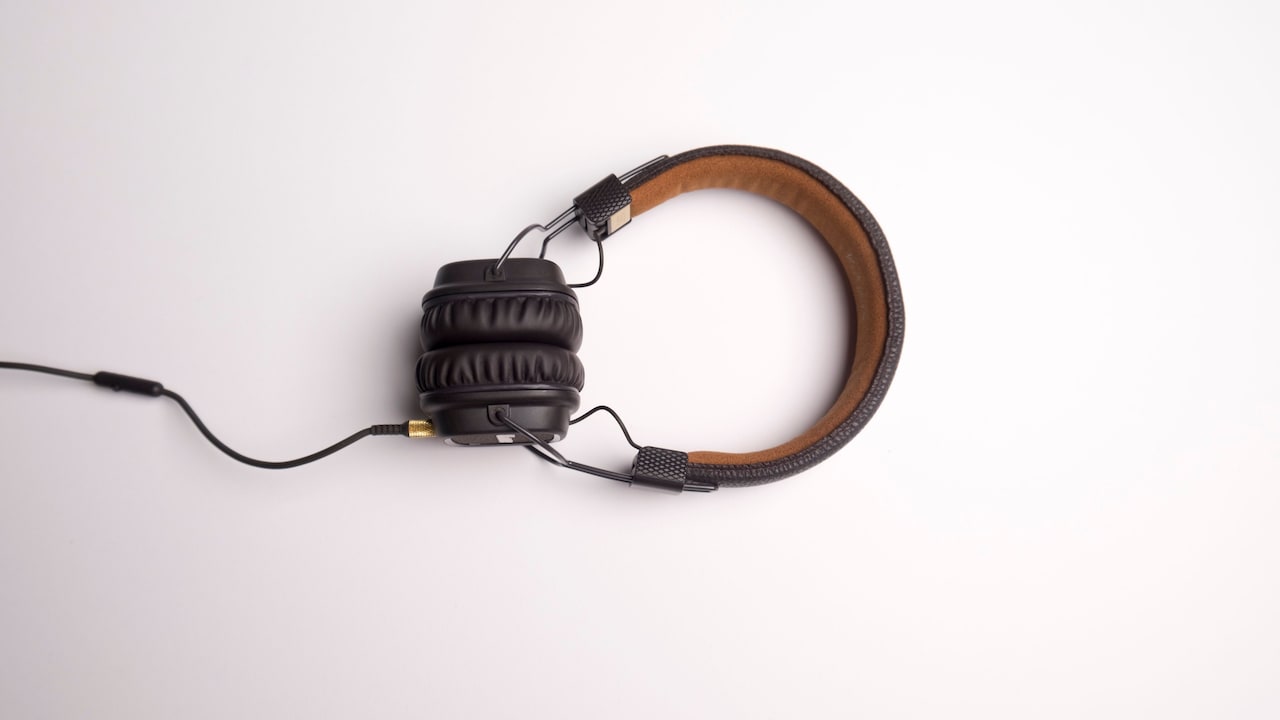
Why Gaming Headphones Cause Fatigue After Long Sessions And How To Fix It
Gaming headphones have become almost as important as the console, keyboard, mouse, or controller. Whether it's a late-night Valorant match, a long FIFA session with friends, a BGMI squad call, or a story-heavy game where every footstep matters, headphones pull the player closer to the action. They make explosions feel bigger, whispers sound clearer, and enemy movement easier to catch before it's too late. But there's a quieter side to all that immersion. After a few hours, even a good pair of gaming headphones can start feeling heavy. The ears may feel warm. The headband may press into the scalp. The sound that felt exciting at the start can begin to feel sharp, tiring, or oddly irritating. Sometimes, the problem isn't the game at all. It's the way the headphones fit, sound, breathe, and sit on the head.
Why Gaming Headphones Can Cause Fatigue After Long Sessions: Top 10 Tips To Use Gaming Headphones
Photo Credit: Pexels
Long gaming sessions are common now, especially during weekends, holidays, online tournaments, or relaxed nights after work. A pair of headphones that feels fine for thirty minutes may not feel the same after four hours. Comfort, volume, clamping force, earcup material, microphone position, and even posture all play a role. The good news is that most of this fatigue can be reduced with small habits and smarter choices.
Smarter Ways To Keep Gaming Headphones Comfortable For Longer Sessions
Choose A Comfortable Fit Before Chasing Big Features
Gaming headphones often come loaded with tempting features. Surround sound, RGB lights, boom microphones, wireless modes, noise cancellation, deep bass, and dramatic packaging can make any headset look like a serious upgrade. But comfort should come before everything else, especially for people who play for long hours.
A headset that squeezes the head too tightly can cause pressure around the temples and jaw. One that sits loosely may keep shifting, forcing constant adjustment. Heavy headphones can also make the neck feel strained after a while. This becomes more noticeable during long sessions, especially when sitting at a desk, gaming on a bed, or leaning forward without back support.
The right fit should feel secure but not punishing. The earcups should cover the ears without folding them awkwardly. The headband should distribute weight evenly instead of creating one painful pressure point on top of the head. Before buying, it helps to check product weight, earcup size, and user reviews that specifically mention comfort during long use. A headset may look powerful, but if it starts feeling like a helmet after one match, it will spend more time on the shelf than on the head.
Keep The Volume At A Sensible Level
Loud sound can feel thrilling during gaming. A roaring engine, a sudden gunshot, a boss fight soundtrack, or a horror game jump scare can create a strong rush. But the ears are not built for endless high-volume exposure. When headphones sit close to the ears, the sound goes directly into the ear canal, making volume control even more important.
Fatigue often starts when the ears work too hard for too long. Sharp treble, booming bass, and constant explosions can make the brain feel overstimulated. After a while, players may notice ringing, dullness, irritation, or a strange need to keep increasing the volume. That's usually a sign to pause, not push further.
A safer habit is to set the volume at a level where dialogue, footsteps, and game effects remain clear without feeling aggressive. Many phones, laptops, and consoles show volume warnings for a reason. It also helps to lower in-game music slightly while keeping important effects and voice chat balanced. Louder doesn't always mean better. In competitive games, cleaner sound often beats sheer volume. A calm ear usually reacts faster than a tired one.
Take Short Breaks Before The Fatigue Hits
Most players take breaks only when the match ends, the battery dies, or someone at home finally calls them for dinner. By then, the damage has usually begun. Headphone fatigue builds slowly. The first signs may be tiny: warm ears, a stiff neck, a slight headache, or the urge to move the earcups again and again.
Short breaks can make a big difference. Removing headphones for even a few minutes lets the ears breathe and gives the head a rest from pressure. During long gaming sessions, a break between matches works better than waiting for complete discomfort. The pause doesn't need to become a full productivity routine. No one needs to do a dramatic wellness reset between rounds. Just take the headset off, stretch the neck, sip water, blink properly, and let the room sound normal again.
This habit also helps focus. Gaming fatigue is not only physical. The brain gets tired from constant sound cues, team chat, background music, and screen action. A short silence can feel surprisingly refreshing. When the headset goes back on, the game often feels clearer. The ears recover, the shoulders relax, and the next match doesn't begin with irritation already sitting in the background.
Watch Out For Heat And Sweat Around The Ears
Warm weather, closed rooms, long sessions, and padded earcups are not always the best combination. Many gaming headphones use leatherette or synthetic cushions because they look premium and help block outside noise. The problem is that they can trap heat. After an hour or two, the ears may feel sweaty, sticky, or blocked.
This is especially common during summer, humid evenings, or rooms without strong ventilation. Sweat around the ears doesn't just feel unpleasant. It can also irritate the skin, make the cushions smell bad, and reduce the life of the headset. For people with sensitive skin, the constant heat and friction may even cause redness or itching.
Breathable fabric earcups can feel more comfortable for long use, though they may let in more outside sound. Some players prefer keeping the fan on low, using air conditioning when available, or wiping the ear cushions after every long session. It also helps to avoid wearing headphones immediately after a workout or a hot commute. Gaming should not feel like wearing earmuffs in May. Keeping the ears cool is one of the simplest ways to make longer sessions more pleasant.
Why Gaming Headphones Can Cause Fatigue After Long Sessions: Top 10 Tips To Use Gaming Headphones
Photo Credit: Pexels
Balance Game Audio And Voice Chat Properly
One of the most tiring parts of gaming headphones is not always the game itself. It's the messy mix of game audio, voice chat, notifications, and background noise. When team members speak loudly, the game effects boom, and the music plays underneath, the ears receive too much information at once.
This becomes worse in competitive games where every sound cue matters. Players often increase the volume to hear footsteps, then get blasted by gunfire or shouting teammates. Over time, that uneven sound level becomes exhausting. The brain keeps jumping between sounds instead of settling into the game.
A better approach is to adjust the audio mix carefully. Voice chat should be clear but not overpowering. Game music can usually be lowered during competitive play. Effects should stay audible without becoming harsh. Many games allow separate sliders for master volume, dialogue, effects, music, and voice chat. Spending five minutes on these settings can save hours of discomfort later.
Noise suppression for the microphone also helps. It reduces the chaos of keyboards, ceiling fans, traffic, and people talking in the next room. Clearer sound means less shouting, fewer repeats, and fewer headaches. Good audio balance feels boring at first, but the ears will quietly thank you later.
Avoid Wearing Headphones Too Tight
A snug headset can feel satisfying when first worn. It blocks outside noise, keeps the earcups in place, and creates that sealed gaming-zone feeling. But too much clamping force can quickly turn comfort into pressure. The sides of the head, jawline, and area around the ears may start aching after a while.
This problem often appears with new headphones. The headband may feel stiff before it loosens slightly with use. Some players ignore this pressure because they assume it is normal. It isn't. A headset should not feel like it's trying to win a wrestling match with the skull.
Adjusting the headband properly can reduce strain. The earcups should sit naturally around the ears, not press them flat. Glasses wearers need extra care because headphone pressure can push the frame arms into the skin. Softer cushions or larger earcups may help in such cases.
It's also wise to avoid sleeping, lying sideways, or resting the head awkwardly while wearing gaming headphones. That extra pressure can bend the earcups and strain the ears. Comfort is not a luxury feature. For long sessions, it's survival gear.
Also Read: From Tripod Stand To Camera Lens: 5 Must-Haves For Solo Travel Vloggers
Clean The Ear Cushions Regularly
Gaming headphones collect more than sound. They pick up sweat, oil, dust, hair products, face cream, and the general chaos of daily life. Over time, dirty ear cushions can feel sticky, smell unpleasant, and irritate the skin. This can make headphones feel uncomfortable even if the design itself is good.
Cleaning does not need to be complicated. A soft, slightly damp cloth can remove surface sweat and dust after use. For leatherette cushions, gentle wiping helps prevent cracking and odour. Fabric cushions may need more careful cleaning, depending on the brand's instructions. The important part is regular maintenance, especially after long sessions or hot days.
The microphone also deserves attention. A boom mic sits close to the mouth, which means it can collect moisture and dust. Keeping it clean improves hygiene and may also help voice clarity. Nobody wants to sound like they're speaking through a dusty curtain during a squad call.
Storage matters too. Leaving headphones on the floor, bed, or under a pile of clothes can damage the cushions and collect more dirt. A simple stand or a safe corner on the desk can keep them in better shape. Clean headphones feel fresher, last longer, and make long sessions less irritating.
Why Gaming Headphones Can Cause Fatigue After Long Sessions: Top 10 Tips To Use Gaming Headphones
Photo Credit: Pexels
Give Your Ears Some Open-Air Time
Closed-back gaming headphones are popular because they block outside noise and create a strong sense of immersion. They work well when the house is noisy, traffic sounds keep coming in, or someone is watching TV nearby. But the same sealed design can also make the ears feel trapped after long use.
Open-air time helps reset that feeling. After a long match, removing the headset and letting the ears adjust to natural room sound can reduce pressure and tiredness. This also prevents the odd blocked sensation that sometimes comes from wearing tight headphones for too long.
Players who mostly enjoy casual gaming may even consider open-back headphones, though they are not ideal for noisy homes or shared spaces. They allow more airflow and create a more spacious sound, but they also leak audio. That means everyone nearby may hear the game, which is not always welcome during late-night sessions.
For most people, the practical solution is simple. Don't keep headphones on during every small pause. Remove them while waiting in lobbies, updating games, chatting between rounds, or watching cutscenes that don't need intense audio. The ears need breathing room, not constant surround sound drama.
Improve Your Posture While Gaming
Headphone fatigue often gets blamed only on the headset, but posture plays a sneaky role. When the neck bends forward, the shoulders tighten, and the back curls, even lightweight headphones can start feeling heavy. Add a few hours of gaming, and the headband pressure becomes much more noticeable.
Many players sit on beds, plastic chairs, sofas, or dining chairs during gaming sessions. That's common, especially when space is limited. But poor posture can increase neck strain and make the headphone weight feel worse. A screen placed too low or too far away can also force the head into an awkward angle.
The fix does not have to involve an expensive gaming chair. A firm chair, proper back support, and a screen at eye level can help. Feet should rest comfortably on the floor. Shoulders should stay relaxed. The headset cable, if wired, should not tug from one side and pull the head slightly without notice.
Wireless headphones can reduce cable tension, but they still need proper posture. Comfort comes from the full setup, not just the headset. When the body sits better, the headphones feel lighter, the neck complains less, and the game feels easier to enjoy for longer.
Choose Sound Quality Over Excessive Bass
Many gaming headphones advertise powerful bass as if more rumble automatically means better gaming. Deep bass can be fun in racing games, action scenes, and explosions. But too much bass can make long sessions tiring. It may also hide important details such as footsteps, reload sounds, distant movement, or dialogue.
A balanced sound profile usually works better. Clear mids help voices sound natural. Controlled treble helps details stand out without becoming sharp. Bass should add weight, not swallow the whole game. When headphones push every explosion and beat too hard, the ears tire faster.
Some headsets come with equaliser settings through apps or software. These can help tone down harsh frequencies and reduce boominess. A “competitive” or “clear voice” mode may work better for online matches, while a richer mode may suit story games or films. There's no single perfect setting for everyone, but excessive bass rarely helps for long hours.
A good headset should make the game feel detailed, not noisy. The best sound is often the one that disappears into the experience. When audio feels natural, players stop fighting the headset and start focusing on the match.
Know When To Upgrade Or Replace Your Headset
Sometimes, fatigue happens because the headphones are simply not right anymore. Old ear cushions flatten over time. Headbands lose padding. Drivers may sound distorted. Hinges may become loose. A headset that felt comfortable two years ago may now press differently or sound harsher.
Budget headphones can work well, especially for casual gaming, but build quality matters for long sessions. A ₹999 headset may be fine for short calls or occasional play, but it may not offer the comfort, cushioning, or sound balance needed for weekend-long gaming. That does not mean everyone needs a luxury headset. It only means the cheapest option can become expensive if it causes headaches and discomfort.
Before upgrading, check whether replacement ear cushions are available. Sometimes, fresh pads can make an old headset feel almost new. If the cable crackles, the mic fails, or the headband padding has vanished, replacement may make more sense.
When buying a new model, look beyond flashy design. Check weight, comfort reviews, cushion material, warranty, microphone quality, and compatibility with PC, console, and mobile. A good gaming headset should support long play without making the player feel punished for enjoying it.
Products Related To This Article
1. HyperX Cloud II – Wired Gaming Headset for PC
2. Razer BlackShark V2 X Smartchoice Wired Gaming Headset with Mic
3. Havit H2232d Over Ear Wired Gaming Headset with Boom Microphone
4. Logitech G 733 Lightspeed Over Ear Wireless Gaming Headset with Suspension Headband
5. CLAW GH40 Wired RGB Gaming Headset with 50mm Drivers
6. Cosmic Byte GS430 Gaming wired over ear Headphone
7. Noise Airwave Max 5 Wireless Over-Ear Headphones with Adaptive Hybrid ANC
Gaming headphones can make every session richer, sharper, and more exciting, but comfort needs as much attention as sound. Fatigue usually comes from a mix of high volume, heat, pressure, poor fit, messy audio, and long hours without breaks. Small changes can make a big difference. Lower the volume, clean the cushions, adjust the fit, rest the ears, and choose balanced sound over loud drama. The right habits can keep gaming fun without turning every long session into a headache.
(Disclaimer: This article may include references to or features of products and services made available through affiliate marketing campaigns. NDTV Convergence Limited (“NDTV”) strives to maintain editorial independence while participating in such campaigns. NDTV does not assume responsibility for the performance or claims of any featured products or services.)