Top 6 Wireless Keyboards That Improve Typing Comfort For Long Hours
Upgrade your workspace with these six wireless keyboards designed for comfort, quiet typing and seamless multitasking, ideal for long work hours without wrist strain or clutter.

Top Wireless Keyboards In 2026 That Improve Comfort And Productivity
Some gadgets quietly decide whether a workday feels smooth or strangely exhausting, and the keyboard sits right at the centre of that story. After all, nobody notices a keyboard when it feels right. We only notice when wrists start aching, keys sound harsh, or switching between laptop, working on a tablet, and phone turns into a small daily nuisance. That's why the latest wave of wireless keyboards feels especially relevant now. More people split time between spreadsheets, messages, streaming, study notes and late-night browsing, often on more than one screen. So, comfort isn't just a bonus anymore. It's the feature that keeps long typing hours from turning into a chore.
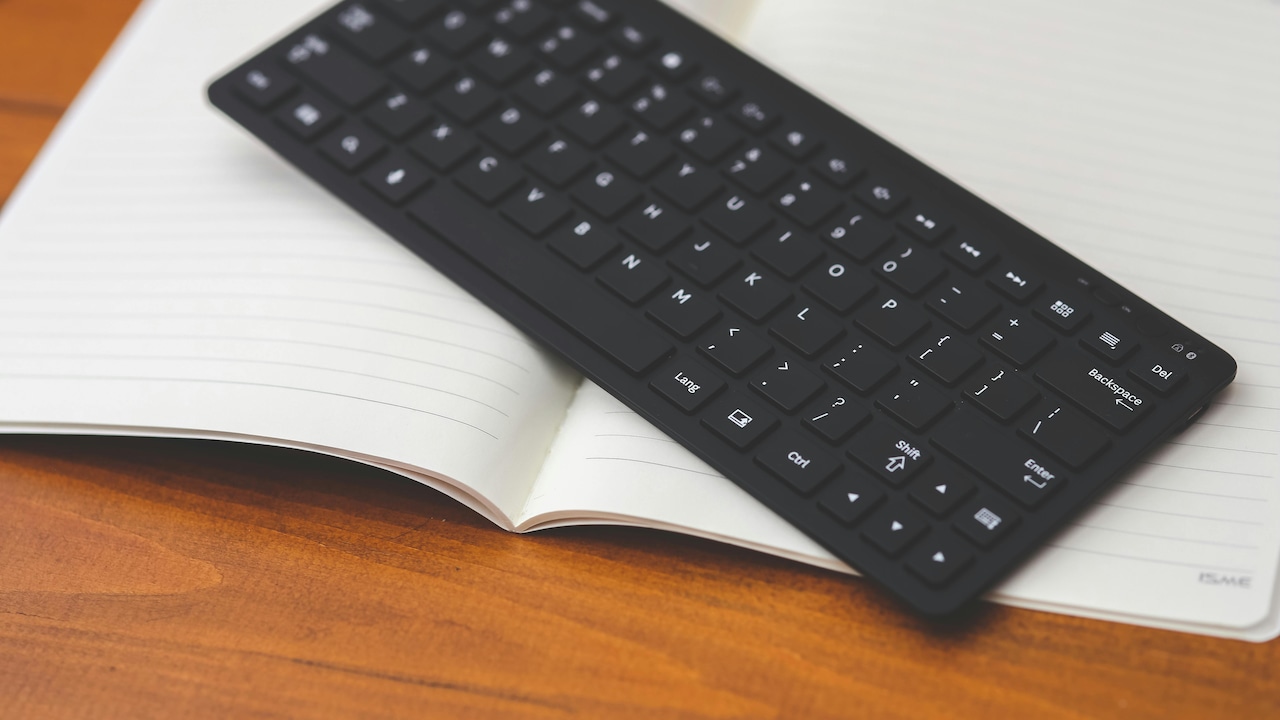
Top Wireless Keyboards In 2026 That Improve Comfort And Productivity; Photo Credit: Pexels
What Makes A Wireless Keyboard Comfortable?
Typing comfort usually comes down to a few simple things: key shape, travel, spacing, typing angle and noise. A low-profile keyboard often feels easier on the fingers during long sessions, while a full-size layout helps those who work with numbers all day. Also, features like multi-device switching, rechargeable batteries and shortcut keys can remove the little annoyances that break concentration. With that in mind, here are six wireless keyboards worth a closer look.
Also Read: 5 Best Wireless Keyboards Under ₹1,500 for Seamless Work-from-Home Setup
Best Wireless Keyboards For Comfortable All-Day Typing
1. Logitech Pebble Keys 2 K380s
Logitech Pebble Keys 2 gets the basics right without trying too hard. It has a slim, light design that slips easily into a backpack or tote, which makes it handy for flexible work setups. The rounded keys give it a softer, less severe feel than many office keyboards, and that gentle design helps during long typing sessions. We also get easy switching between three devices, so moving from laptop to tablet to phone feels quick instead of clumsy. The quiet typing experience, long battery life, and customisable shortcut keys make it a strong choice for anyone who wants comfort with a bit of style.
2. HP K290 Wireless Keyboard
HP K290 keeps things simple, and that's exactly why it will suit many desks. The chiclet-style keys feel familiar straight away, with enough spacing to support steady and accurate typing. For long hours spent on documents, email and routine office tasks, that predictability matters more than flashy extras. It also includes a numpad and useful shortcut combinations for media, volume and quick access functions, which helps cut down on repetitive clicks. The 2.4 GHz wireless connection keeps setup easy through a dongle, so it works well for users who just want a no-fuss keyboard that feels comfortable from day one.
3. Zebronics Companion 116-K
Zebronics Companion 116-K looks built for everyday practicality, and that works in its favour. The full-size 104-key layout gives fingers room to move, while the retractable stand helps create a more relaxed typing angle during longer sessions. That small detail can make a real difference once the workday stretches past the usual hours. The keyboard also includes 12 multimedia keys, UV-coated keycaps and a dedicated ₹ symbol, which feels useful for regular billing, budgeting and spreadsheet work. Add plug-and-play setup and power-saving mode, and this one becomes an easy option for people who want comfort without complication.
4. Portronics Bubble 3.0
Portronics Bubble 3.0 offers the kind of flexibility that busy multi-screen users will appreciate. It supports Bluetooth and 2.4 GHz connectivity, and it can switch across three devices, which makes it useful for anyone juggling a laptop, tablet and phone through the day. The full-size layout with numpad helps with productivity, but the comfort story gets stronger with the dual-angle adjustable stand. That feature lets users find a typing position that feels natural rather than fixed. The rechargeable battery also adds convenience, while the slim body keeps the keyboard from looking bulky on a crowded desk.
5. Amkette Optimus Pro Multi Device
Amkette Optimus Pro feels designed for people who constantly move between tasks and devices. Its biggest strength is the 4-in-1 multi-device support, which allows quick switching between three Bluetooth devices and one USB-connected system. That alone makes the desk feel more organised. But the real comfort feature sits in the scissor keys. They promise a softer, quieter and more laptop-like typing feel, which many users prefer for long writing sessions. The built-in holder for a tablet or phone also deserves credit, because it keeps screens at a more usable angle and reduces the messy desk shuffle that often slows work down.
6. Dell KM3322W
Dell KM3322W comes as a keyboard and mouse combo, yet the keyboard itself still earns attention for comfort-focused everyday use. It uses a plunger-style mechanism that offers responsive feedback without feeling overly stiff, and the familiar spacing should suit users who spend hours on reports, data entry or admin work. Anti-fade and spill-resistant keys add durability, which matters in homes and offices where devices get used hard. The long battery life is another practical win, because fewer battery changes mean less disruption. Also, the broad compatibility across operating systems makes it a safe pick for mixed-device households and shared workstations.
Which One Should You Pick?
The right wireless keyboard depends on how the day actually looks. For portability and neat multi-device use, Logitech Pebble Keys 2 feels especially appealing. For straightforward office work, HP K290 and Zebronics Companion 116-K keep things dependable. Portronics Bubble 3.0 and Amkette Optimus Pro suit users who jump between screens often, while Dell KM3322W works well for those who want a more traditional desk setup with strong everyday reliability.
A comfortable wireless keyboard won't magically shorten the workday, but it can make those long hours feel far less draining. That's the real win here. Whether the priority is quiet keys, a full-size layout, rechargeable convenience or easy device switching, these six keyboards cover different needs without losing sight of typing comfort. And honestly, once a keyboard feels right, everything else on the desk tends to feel easier too. Shop now on Amazon
(Disclaimer: This article may include references to or features of products and services made available through affiliate marketing campaigns. NDTV Convergence Limited (“NDTV”) strives to maintain editorial independence while participating in such campaigns. NDTV does not assume responsibility for the performance or claims of any featured products or services.)