Which Laptop Screen Size Is Healthier for Eyes - 13-inch, 14-inch, and 15.6-inch? A Posture Guide
Does screen size affect eye health and posture? Discover how 13-inch, 14-inch and 15.6-inch laptops change comfort, strain and daily usage. Use these tips to find a healthy laptop size for your eyes.
Best Laptop Screen Size for Eye Health: How 13-inch, 14-inch, and 15.6-inch Impact Posture.
People often hunt for the fastest laptop they can afford, usually comparing processors, RAM and price tags printed boldly across shop displays. Yet, most forget that the humble laptop screen size plays a huge role in comfort. Hours fly by while attending online classes, typing office reports, or binge-watching dramas, and eyes endure a marathon without rest. Posture slips too; shoulders droop, neck tilts forward, and wrists stretch awkwardly on cramped keyboards. The trouble doesn't start with poor discipline; it begins with choosing a laptop screen size unsuitable for daily habits. So, to find out which laptop screen size is healthier for eyes, 13-inch, 14-inch, and 15.6-inch, here is our posture guide.
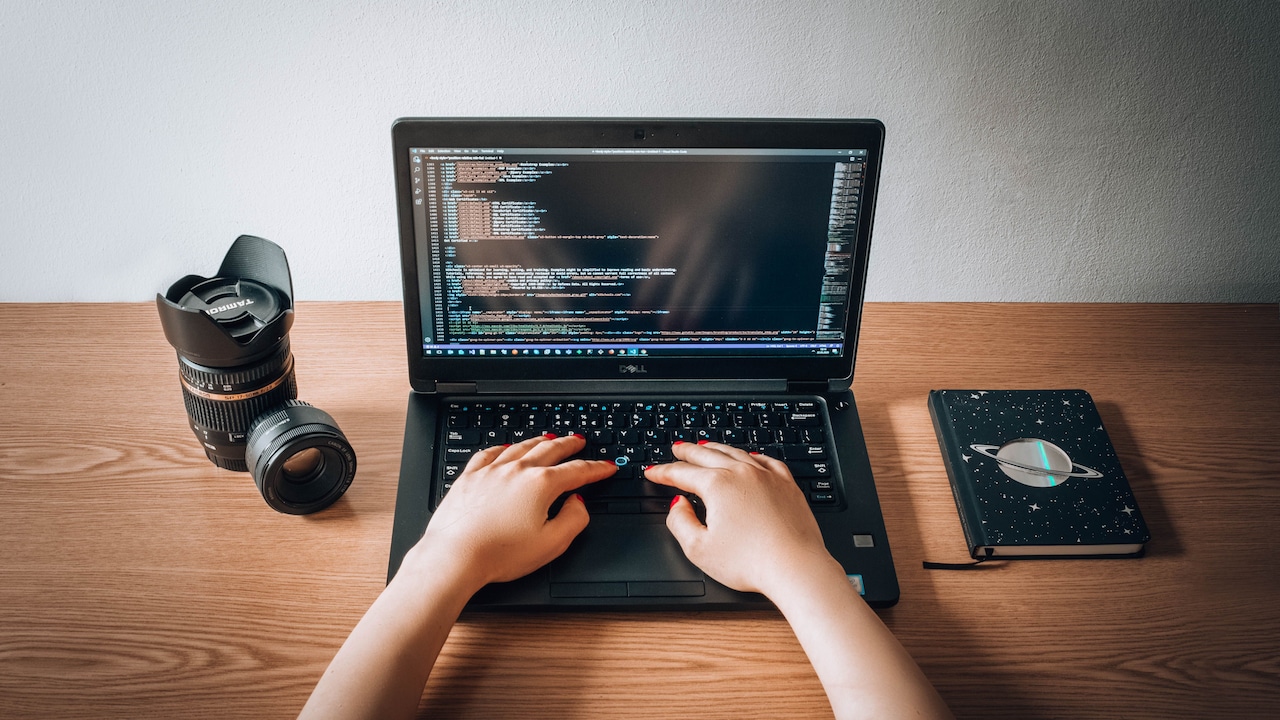
Read all about the right laptop screen size for your eyes; Photo Credit: Unsplash
Whether a compact 13-inch machine, a balanced 14-inch laptop or a broad 15.6-inch display, each size influences how the body sits, how far the eyes focus, and how much strain builds up over time. Picking the right laptop screen size matters as much as choosing the right spectacles. Understanding these differences helps protect both posture and eyesight.
Understanding How Screen Size Shapes Health and Comfort
1. Why Screen Size Matters More Than Resolution
People often talk about HD, Full HD and 4K display clarity, but the size of the screen quietly affects how both clarity and comfort are experienced. A small screen can pack impressive resolution, but shrinking text makes eyes work harder, especially during long reading sessions. A large, lower-resolution display may appear grainy, forcing users to lean forward to read small details clearly. This leaning becomes a silent culprit behind neck strain.
Screen size also determines how far one naturally sits from the laptop. Smaller screens tempt users to move closer, almost like kids peeking into a classroom window to read from the board. Larger screens boost visibility, enabling healthier distance. However, too large a screen without an adjustable height can push the neck upward, creating a different set of problems. So, the relationship between size and comfort isn't a simple “bigger is better”. A balance must be struck, where text remains easily visible without zooming in, and posture stays upright without leaning like a toppled coconut tree.
2. The 13-inch Laptop: Compact Convenience with Hidden Strains
A 13-inch laptop seems perfect at first glance. It slips smoothly into backpacks, weighs less, and suits those who hop between cafés, co-working spaces and classrooms. The compact frame makes it a dream for travellers, especially students juggling books and gadgets. Yet, with this convenience comes a sneaky drawback. The small screen forces the eyes to work harder, especially during long reading and writing tasks. People often end up bending forward subconsciously, nose almost kissing the screen while deciphering spreadsheets or browsing PDFs.
Another issue arises with the keyboard layout. Many compact models reduce key sizes or spacing to fit the smaller body. Typing on such cramped keys for hours can stress fingers, much like squeezing writing into tiny exam margins. Over time, both posture and comfort suffer. For short bursts of work, the 13-inch model shines. For marathon sessions, however, muscles protest. It's ideal only when paired with habits like adjusting display scaling or using an external monitor at home. Without those simple adaptations, the compact champion becomes an eye-strain accomplice.
3. The 14-inch Laptop: The Balanced Middle Path
The 14-inch laptop is often overlooked as a ‘safe average', but this size offers a smart blend of portability and comfort. It's light enough to carry daily without aching shoulders, yet big enough to prevent excessive squinting or leaning in. Text appears comfortably readable, and document editing becomes smoother, especially for people juggling multiple tasks. Many working professionals find this sweet spot practical when switching between office desks and home setups.
Keyboard layouts in this category are typically more spacious compared to 13-inch models, which means fewer typing mishaps during hurried work. More screen area also helps when working with spreadsheets or presentation tools. Video calls feel less cramped, and movie sessions don't require bringing the screen too close. The best part? The 14-inch size keeps posture naturally upright without demanding extra effort. This combination helps prevent strained necks and tight shoulders. For most users, the 14-inch laptop feels like a comfortable seat on a train, not too tiny to squeeze into, nor too large to carry around. It quietly protects the eyes while allowing smooth mobility, making it a dependable companion for students, employees and casual users alike.
4. The 15.6-inch Laptop: Widescreen Comfort with a Trade-Off
The 15.6-inch laptop is the ‘big boss' of displays. Watching films feels immersive, editing photos is delightful and working with multiple windows becomes effortless. People who spend hours analysing charts, writing code or designing visuals appreciate the breathing space this screen offers. Eyes relax more easily because everything stays visible without frequent zooming. The larger display encourages a healthier viewing distance and reduces the temptation to lean forward.
However, the comfort doesn't come without sacrifice. The size makes the laptop heavier, with some models weighing as much as a full school bag filled with books. Carrying it daily can be tiring, particularly for bus or metro travellers already juggling backpacks and lunch boxes. Another challenge is desk space. On a narrow table at home, this laptop can hog all the space, pushing wrists to uncomfortable angles. So, while the 15.6-inch laptop offers luxury for the eyes and professional tasks, it demands a stable workspace. It suits users who mostly work in fixed locations and need visual comfort over portability. Like a spacious sofa, it's delightful if there's room to keep it.
5. How Screen Size Affects Eye Strain
Eye strain doesn't strike suddenly like a cricket injury; it slowly builds through long sessions of focusing at short distances. Small screens push users to zoom in or sit closer, shrinking the viewing distance to under 40 cm. This compels eye muscles to work harder, similar to staring at near objects without a break. Larger screens help maintain safer distances of around 50–70 cm, allowing eyes to relax more between shifts in focus.
Brightness also becomes easier to control on bigger screens. With small displays, even low brightness can feel intense because light is concentrated in a smaller area. Larger screens spread the brightness more evenly. Extended exposure to harsh light, especially during late-night work, leads to headaches, dryness and a gritty sensation in the eye. Frequent blinking reduces when people focus intensely on small text, leading to dryness. So, the screen size indirectly decides how often users blink naturally. Choosing size wisely reduces digital strain and ensures eyes don't feel like sand has been sprinkled inside them after long hours.
Eye strain builds slowly through long sessions of focusing at short distances; Photo Credit: Unsplash
6. Posture Problems Linked to Smaller Screens
A common scene in homes: someone huddled over a laptop on the bed, neck hanging forward like a wilted sunflower. Smaller screens often trigger such posture issues. When text seems distant or unclear, the neck instinctively leans toward the screen. This forward bending increases pressure around the upper spine and shoulders. Even a tilt of a few degrees can multiply the strain dramatically. Over months, this can lead to chronic aches.
Compact laptops also carry compact keyboards. Narrow layouts force arms closer and restrict wrist movement. When wrists stretch to reach keys that are too close, tension builds around the forearms. Worse, people tend to balance tiny laptops on their laps, further bending the neck downward. The body adopts a form similar to reading from a book placed near the feet. Small adjustments like using stands, raising the screen to eye level or connecting an external keyboard can correct posture. Thus, posture problems are not caused by laziness alone; they are shaped by the screen size and layout.
7. Larger Screens and Spinal Alignment
Larger screens naturally sit at a more ergonomic height, reducing the tendency to lean in. When users view bigger content from a comfortable distance, the neck maintains a neutral alignment. Shoulders relax, because arms don't need to stretch awkwardly. This helps people maintain a steady spine posture without much conscious effort. A 15.6-inch screen often encourages sitting upright, similar to reading a newspaper on a proper desk, rather than holding a small pocketbook close to the face.
However, posture depends not just on size but on how the laptop is placed. A large screen placed too low still forces the neck downward. Professional users often benefit from simple accessories like stands that raise the screen to eye level. Even placing a thick book beneath the laptop works effectively. Once the screen height aligns with the face, spinal posture stabilises. Large screens reduce the strain on the neck and shoulders, but they need proper support to reach their true ergonomic potential. Combined with the right seating, they become allies of spinal comfort, minimising stiffness and fatigue.
8. Which Size Is Best for Students?
Students often multitask on laptops, researching, attending online classes, typing notes and streaming shows. Portability matters because they move between classrooms, libraries and home. A heavy laptop becomes a daily burden, especially when paired with textbooks. However, reading from a tiny 13-inch screen during long study hours increases eye fatigue, especially when loading slides filled with tiny fonts. For many students, the 14-inch model offers the best balance. It is light enough to carry and large enough to read comfortably for academic tasks.
A 15.6-inch laptop works well for students studying design, architecture, film editing or gaming-related fields, where visual clarity matters more than portability. Yet carrying it daily may be tough. A 13-inch laptop suits short tasks and frequent travel but requires an external monitor at home for balanced comfort. If a student studies mostly at a desk, a larger screen is sensible; if constantly moving, a medium size fits better. Choosing wisely can protect young eyes that are already spending hours reading digital text.
9. Which Size Works Best for Professionals?
Professionals sitting through long workdays require a laptop that supports healthy posture without sacrificing efficiency. Tasks like coding, documentation, analytics and digital meetings demand a screen large enough to accommodate multiple windows. Here, 14-inch and 15.6-inch laptops shine. The 14-inch screen offers mobility for office commuting, while still presenting documents clearly. The 15.6-inch screen works best in stable desk environments, especially for those who handle heavy visual workloads.
For remote workers, large screens reduce fatigue as they juggle video calls, spreadsheets and presentations. When seated for eight hours, the extra viewing space helps maintain a natural sitting posture. A 13-inch device fits professionals who travel frequently for meetings, but it needs a periodic connection to an external monitor to avoid strain. Ultimately, professionals should check whether their work requires portability or extended screen time. A few extra centimetres of display can save hours of discomfort and prevent issues that silently build up over months of typing and browsing.
10. Budget Considerations: Choosing Smartly Within ₹
Screens alone don't decide price, but larger laptops often cost slightly more because they require bigger bodies and larger batteries. Students and young office-goers working within budgets can still choose wisely. A 14-inch model usually provides the best value, offering balance without demanding extra spending. Even in mid-range brackets like ₹40,000–₹60,000, this size offers strong performance combined with ergonomic comfort.
Those who can afford higher budgets should evaluate needs, not just luxury. Buying a bigger screen without enough GPU or faster RAM may lead to slow multitasking. Similarly, spending less on a 13-inch model might backfire if it strains the eyes, leading to long-term health trouble far more costly than laptop upgrades. Instead of chasing the cheapest available option, prioritising ergonomics can save medical expenses related to posture therapy or eye treatment later. Choosing the right size at the right price feels like buying a good pair of spectacles; comfort today prevents problems tomorrow.
Products Related To This Article
1. Apple 2025 MacBook Air
2. HP 255 G10 Laptop for Home or Work
3. HP 14s Intel Celeron Dual Core N4500 Laptop
4. ASUS Vivobook 15
5. Apple 2025 MacBook Pro Laptop with M5 chip
A laptop screen influences daily health more deeply than most imagine. The eyes adapt to whatever they're given, but sometimes at the cost of dryness, blurred vision and headaches. The body silently adjusts posture, gradually forming habits that either support spine health or strain it. Choosing between 13-inch, 14-inch and 15.6-inch screens is not just a technology decision, but a comfort decision that shapes how people sit, work and relax.
The compact 13-inch laptop is ideal only with careful usage and accessories. The 14-inch model suits most users with its balanced comfort. The 15.6-inch screen rewards those with fixed workspaces and high visual demands. Ultimately, the best laptop is one that respects eyesight and posture while supporting everyday routines. Healthy usage today protects both vision and body for years ahead.
(Disclaimer: This article may include references to or features of products and services made available through affiliate marketing campaigns. NDTV Convergence Limited (“NDTV”) strives to maintain editorial independence while participating in such campaigns. NDTV does not assume responsibility for the performance or claims of any featured products or services.)