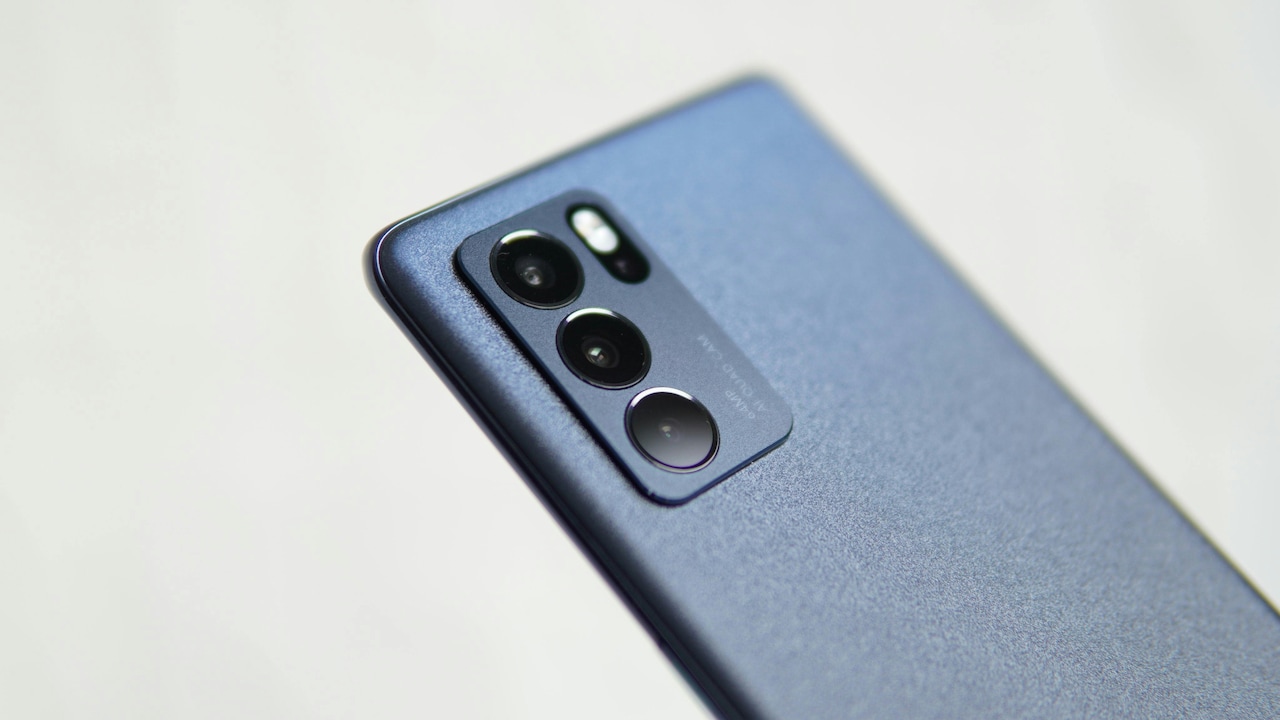
Why Your New Smartphone Feels Slow: Common Mistakes and Hidden Settings To Fix
A brand-new smartphone should feel fast, not frustrating. Hidden settings, background apps, and common setup mistakes can slow it down within days. This is what is hurting performance and how to fix it.

Smartphone Feels Slow Even When New? Know The Mistakes And Hidden Settings Slowing It Down.
Unboxing a new smartphone feels like a small celebration. The screen gleams, the animations glide, and everything responds instantly. Then, almost without warning, things begin to feel off. The phone heats up during simple tasks. The keyboard lags while typing a message. A device bought with hard-earned money, often costing ₹20,000 or more, should not behave like this.
Many assume the problem lies with the brand or the model. Some even regret the purchase. Yet, in most cases, the phone remains perfectly capable. The slowdown usually comes from habits picked up during setup, unnecessary features left running, or hidden settings designed more for show than speed.
Smartphones today arrive packed with features, many of which sound helpful but quietly eat into performance. Add a few everyday mistakes, and even the latest model can struggle. Understanding these small issues can make a big difference. The sections below explore ten common reasons why a new smartphone may feel slow and how to fix them without visiting a service centre or spending extra money.

Smartphone Feels Slow When New? Mistakes And Hidden Settings Slowing It Down
Photo Credit: Pexels
What's Really Slowing Down Your New Smartphone
1. Too Many Apps Installed on Day One
The excitement of a new phone often leads straight to the app store. Banking apps, food delivery, shopping platforms, games, social media, and video streaming apps all get installed within hours. Each app promises convenience, but together they place a heavy load on the system.
Many apps run background processes even when not in use. They check for updates, send notifications, and sync data. This constant activity consumes RAM and processor power. On phones with limited memory, this causes noticeable lag. Switching between apps becomes slower, and the phone may even freeze briefly.
Pre-installed apps add to the problem. These often cannot be removed easily and still consume resources. The phone ends up juggling more tasks than necessary.
A smarter approach helps. Install only essential apps at first. Use the phone for a few days and observe which apps truly matter. Removing rarely used apps can instantly free up resources. A lighter app list allows the phone to breathe and perform as intended.
2. Ignoring Software Updates at Setup
During initial setup, software update notifications often appear. Many skip them in a hurry to start using the phone. This choice can affect performance more than expected.
Early software versions sometimes contain bugs or lack optimisation for certain hardware components. Manufacturers release updates to fix these issues, improve speed, and enhance battery efficiency. Delaying updates leaves the phone running on less polished software.
Some updates also improve how apps interact with the system. Without them, apps may crash or load slowly. Over time, the gap between the phone's software and app requirements widens, leading to lag.
Checking for updates should become a habit, especially during the first week. Installing the latest system update ensures the phone runs on code designed for smooth performance. The process may take some time, but the improvement often feels immediate.
3. Keeping Default Animation Settings
Smartphone animations look beautiful. Apps zoom open, menus slide gracefully, and screens fade smoothly. These effects create a premium feel, but they also slow down how fast actions appear to complete.
Animations take time, even if just a fraction of a second. When used repeatedly throughout the day, that delay adds up. The phone may feel sluggish, even though the hardware works fine.
Most phones allow animation speed adjustments through developer options or accessibility settings. Reducing animation scale or turning off certain effects makes transitions feel instant. The difference surprises many users. Actions feel sharper and more responsive.
This change does not affect functionality. It simply removes visual fluff. For those who value speed over style, tweaking animation settings ranks among the easiest ways to boost perceived performance.
4. Allowing Every App to Run in the Background
Background activity sounds harmless, but it drains performance quietly. Many apps request permission to run at all times. Weather apps refresh data. Social media apps check for new content. Shopping apps push offers.
Each background task consumes RAM and processor cycles. When several apps do this together, the phone slows down. Battery life also suffers, creating a double problem.
Most smartphones provide detailed control over background activity. Limiting background usage for non-essential apps helps significantly. Messaging and email apps may need constant access, but games and shopping apps do not.
Reviewing background permissions once can lead to long-term benefits. The phone feels snappier, runs cooler, and lasts longer on a single charge. Small adjustments here often deliver big improvements.
5. Using Heavy Widgets and Live Wallpapers
Customising a new phone feels fun. Live wallpapers ripple with movement. Widgets display news, weather, and quotes. The home screen looks lively and modern.
Behind the scenes, these features demand resources. Live wallpapers continuously render animations. Widgets refresh data at intervals. Together, they create a constant background load.
On powerful phones, the impact may seem minor at first. Over time, however, performance dips become noticeable. Scrolling stutters. The home screen takes longer to load.
Switching to a static wallpaper reduces this load instantly. Limiting widgets to essential ones keeps the interface clean and fast. A simpler home screen often feels calmer and more efficient. Sometimes, less truly delivers more.
6. Not Managing Storage Early
A new phone usually offers plenty of free storage. This creates a false sense of security. Photos, videos, downloads, and app data accumulate quickly. Within weeks, storage space shrinks.
Low storage affects performance. The system struggles to manage files, cache data, and update apps. Phones may slow down or show warning messages.
Many users overlook storage management until problems appear. Clearing the cache, deleting duplicate photos, and removing unused files help maintain smooth operation. Cloud backups also reduce local storage pressure.
Checking storage usage once a month keeps things under control. A phone with breathing room performs better and feels more reliable over time.
7. Letting Auto-Sync Run Wild
Auto-sync ensures contacts, emails, photos, and app data stay updated. While convenient, syncing too frequently strains the system.
Multiple accounts syncing at once can overwhelm the phone. Background data transfers increase processor usage and drain battery. Performance drops, especially on mid-range devices.
Adjusting sync intervals helps. Some data does not need instant updates. Photos can sync only on Wi-Fi. Emails can refresh every hour instead of every minute.
Customising sync settings strikes a balance between convenience and performance. The phone stays updated without working overtime.
Also Read: How To Choose Best Touchscreen Gloves: Snug Fits For Smartphone Precision
8. Using Power-Hungry Default Settings
Out of the box, many phones prioritise visual quality and connectivity. High screen refresh rates, maximum brightness, constant Bluetooth scanning, and location services remain active.
These features impress during demonstrations but consume significant resources. The phone works harder than necessary, leading to heat and lag.
Lowering screen refresh rate, adjusting brightness, and turning off unused connections reduces system load. Performance often improves alongside battery life.
These changes do not reduce usability. Instead, they align the phone's behaviour with actual needs. Smart adjustments make the device feel faster and more comfortable to use.
Smartphone Feels Slow When New? Mistakes And Hidden Settings Slowing It Down
Photo Credit: Pexels
9. Overloading the Phone with Games and Heavy Apps
Modern games and apps demand serious power. Installing several high-end games on a new phone tests its limits. Even when not actively played, these apps may update or run services.
Heavy apps compete for resources. When combined with everyday tasks, the phone slows down. Heating issues may also appear.
Keeping only actively played games installed helps. Uninstalling or disabling others frees up memory and processing power. Cloud gaming options or lite versions of apps also offer alternatives.
A balanced app selection keeps performance stable. The phone remains responsive for daily tasks without sacrificing entertainment.
10. Expecting the Phone to Learn Without Guidance
Smartphones use adaptive systems to learn usage patterns. They optimise performance based on habits. However, this process takes time and works best with clear patterns.
Constantly installing and removing apps, changing settings, and multitasking heavily during the first few days confuses the system. Optimisation struggles to settle.
Using the phone normally for a week allows it to adapt. Avoiding unnecessary tweaks during this period helps the system fine-tune performance.
Patience pays off. Once the phone understands usage patterns, it allocates resources more efficiently. The result feels smoother and more personalised.
Products Related To This Article
1. Samsung Galaxy S25 Ultra 5G Smartphone with Galaxy AI
2. REDMI Note 15 5G (Glacier Blue, 8GB RAM 128GB Storage)
3. realme NARZO 80 Lite 5G (Crystal Purple, 6GB+128GB)
4. OnePlus 15R
5. Samsung Galaxy M17 5G
A slow new smartphone feels disappointing, especially after a big purchase. Yet, in most cases, the device itself remains capable. The real culprits hide in everyday choices and overlooked settings.
From installing too many apps to keeping flashy animations and unrestricted background activity, small decisions shape performance. The good news lies in how easily these issues can be fixed. No technical expertise or extra spending is required.
A few minutes spent adjusting settings, managing apps, and simplifying the interface can restore that fresh, fast feeling. The phone becomes more responsive, the battery lasts longer, and frustration fades.
A smartphone should work for its owner, not against them. With the right habits, even a mid-range device can feel smooth, reliable and enjoyable long after the excitement of unboxing fades.
(Disclaimer: This article may include references to or features of products and services made available through affiliate marketing campaigns. NDTV Convergence Limited (“NDTV”) strives to maintain editorial independence while participating in such campaigns. NDTV does not assume responsibility for the performance or claims of any featured products or services.)