How To Set Up a Gaming Chair for Long Hours | Posture Tips Gamers Ignore
Long gaming hours should not mean back pain and stiff shoulders. Learn how to set up your gaming chair the right way, with practical posture tips most gamers overlook but desperately need.

Gaming Chair Setup for Long Hours: Posture Tips Every Gamer Must Know to Improve Comfort.
A gaming chair usually arrives with big promises: ergonomic support, premium comfort and marathon-ready design. Yet, after a few weeks, the excitement fades. The chair squeaks, the back hurts, and standing up feels like finishing a five-hour train journey in sleeper class. Sound familiar? The problem rarely lies with the chair itself. Most discomfort comes from poor setup and habits that creep in during intense matches or late-night grind sessions. Gamers often adjust settings once, then forget about them forever. Bodies, however, do not forget. They respond with soreness, fatigue and long-term posture issues.
Setting up a gaming chair for long hours does not require medical expertise or expensive add-ons. It needs awareness, patience and a few smart tweaks. This article explores 10 essential but overlooked posture tips that transform a gaming chair from a fancy seat into a genuine support system.
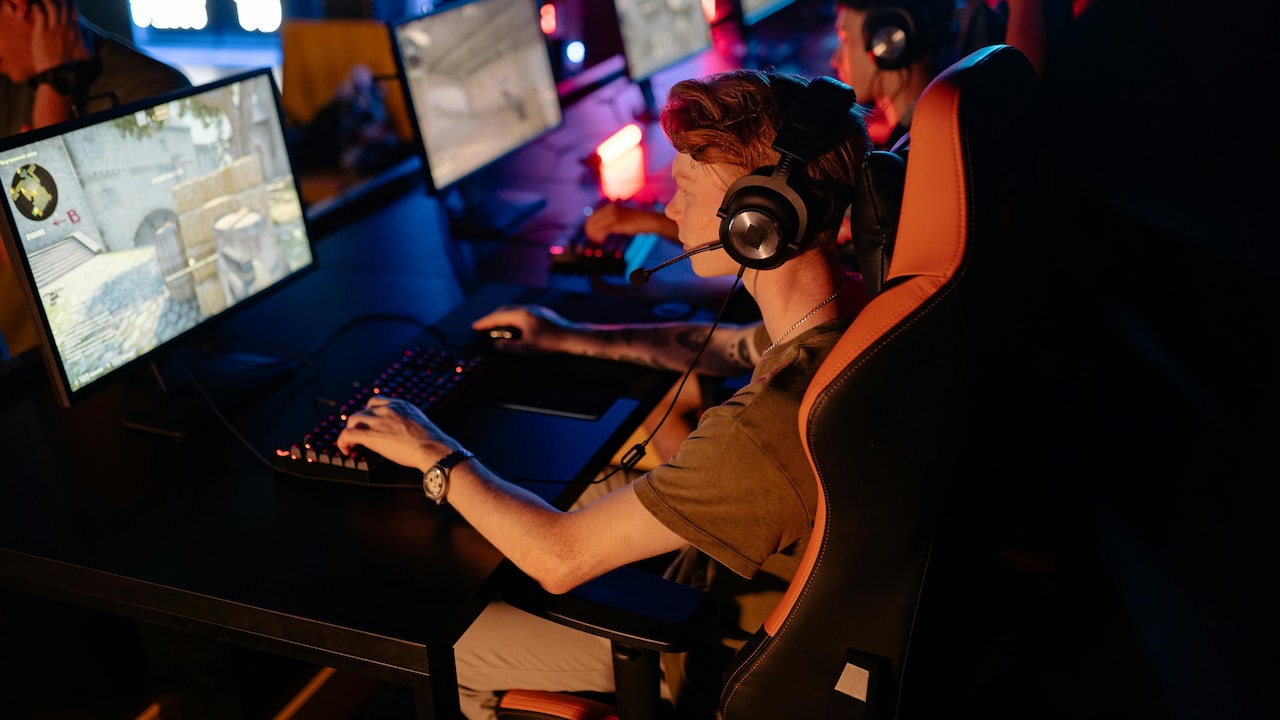
How To Set Up a Gaming Chair for Long Hours | Posture Tips Gamers Ignore
Photo Credit: Pexels
Before You Queue the Next Match, Fix These Chair Mistakes
1. Start With Seat Height, Not the Backrest
Many gamers rush to recline the backrest and ignore the basics. Seat height forms the foundation of good posture. When set correctly, feet rest flat on the floor, thighs sit parallel to the ground, and knees bend at roughly ninety degrees. This position improves blood circulation and reduces pressure on the lower back.
A seat set too high causes dangling legs and numb feet. A seat set too low pushes knees upward and strains hips. Both positions invite discomfort during long sessions. Adjust the height so that the hips sit slightly higher than the knees. This small tilt supports a natural spinal curve.
Desks and monitors often dictate seat height, but chairs should work around the body first. If the desk feels too high after adjusting the chair, consider a footrest or desk risers rather than sacrificing posture. Many gamers ignore this step and compensate by slouching. That habit slowly wrecks alignment and stamina.
A simple rule helps: sit down, place feet flat, relax shoulders and check knee level. If it feels balanced and grounded, the setup works. Comfort starts from the ground up.
2. Keep Feet Firmly Planted, Not Tucked Away
Feet play a silent but critical role in posture. During intense gaming moments, legs often tuck under the chair, wrap around wheels or stretch forward aimlessly. These positions reduce stability and pull the spine out of alignment.
Firmly planted feet provide a stable base for the entire body. They help maintain balance and reduce lower back strain. When feet stay flat, the body distributes weight evenly instead of collapsing into the chair.
Shorter gamers often struggle to reach the floor comfortably. Instead of perching on toes, use a footrest, sturdy box or even a stack of old books. Many underestimate how much this simple fix improves comfort during long sessions.
Avoid resting feet on chair legs or crossbars. These positions twist hips and knees, leading to stiffness over time. Keeping feet parallel and shoulder-width apart encourages better circulation and reduces fatigue.
Strong posture begins where the body meets the ground. Feet deserve more attention than they usually get in gaming setups.
3. Align the Lower Back With Lumbar Support
Lumbar support remains one of the most ignored features of a gaming chair. Some remove the cushion entirely, while others place it randomly. The lower back, however, needs consistent support to maintain its natural inward curve.
Position the lumbar cushion so it rests snugly against the curve just above the hips. This support prevents slouching and reduces pressure on spinal discs. Without it, the lower back rounds out, leading to aches that creep in after an hour or two.
Built-in adjustable lumbar systems work best when fine-tuned. Move them up or down until the spine feels supported, not pushed forward. Too much pressure causes discomfort, while too little defeats the purpose.
For chairs without lumbar support, a small cushion or rolled towel works well. Many gamers underestimate this humble solution, yet it offers immediate relief during long sessions.
A supported lower back keeps posture upright without effort. It also helps maintain focus, as discomfort no longer steals attention during crucial gameplay moments.
Also Read: 7 Hidden Costs of Daily Massage Chairs No One Tells You About
4. Set the Backrest Angle for Focus, Not Laziness
Reclining feels tempting, especially during casual gaming or late-night sessions. However, an overly reclined backrest encourages slouching and neck strain. The ideal angle supports alertness without stiffness.
Aim for a backrest angle between 100 and 110 degrees. This slight recline reduces pressure on the spine while keeping the head aligned over the shoulders. It also helps maintain engagement during competitive play.
Avoid extreme reclines unless taking short breaks. Fully reclined positions shift weight onto the lower spine and neck. Over time, this habit leads to discomfort and reduced endurance.
Backrests should support the entire back, from pelvis to shoulders. Adjust tension settings so the chair responds gently to movement instead of locking the body into one position.
Gaming chairs often market aggressive recline angles, but posture-friendly setups favour moderation. A balanced angle supports both comfort and concentration, especially during long sessions that demand sharp reflexes.
5. Adjust Armrests to Support, Not Shrug
Armrests often cause more harm than good when left unchecked. Set too high, they push shoulders upward and create tension. Set too low, they force arms to hang, straining shoulders and wrists.
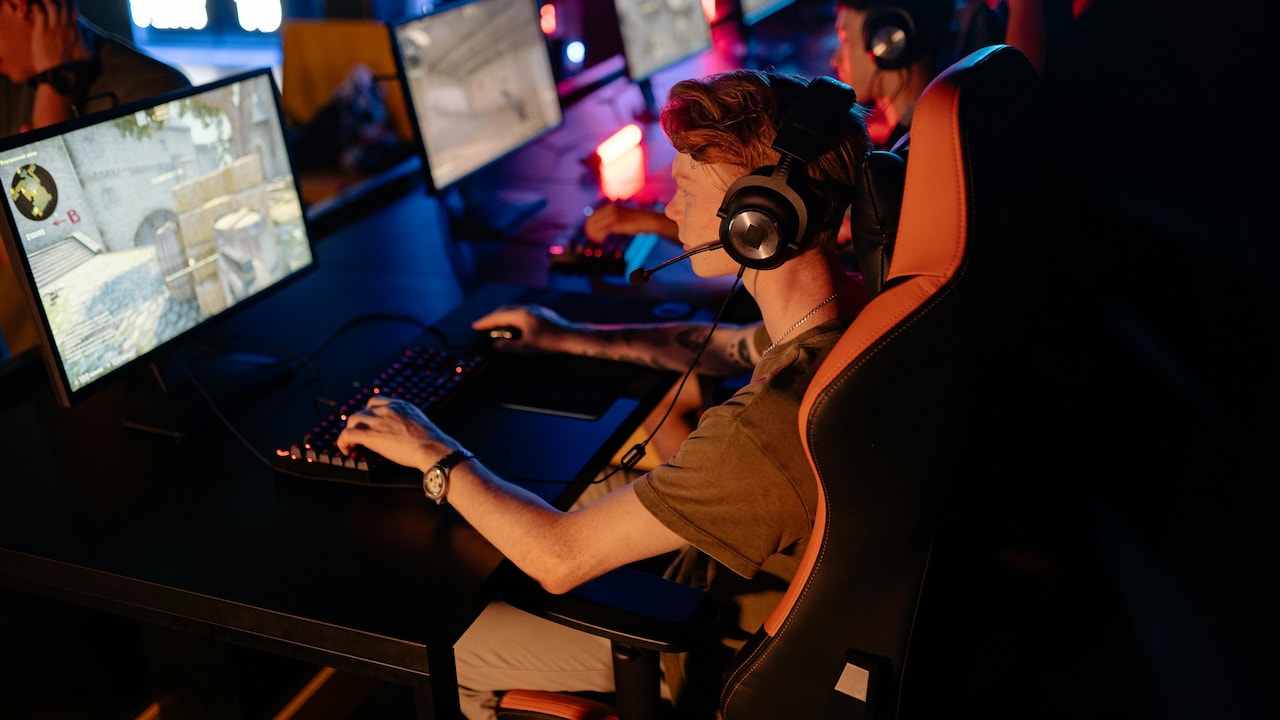
Adjust armrests so elbows rest at roughly ninety degrees, with shoulders relaxed. Forearms should align naturally with the desk or keyboard height. This position reduces strain during extended mouse and keyboard use.
Many gaming chairs offer 3D or 4D armrests. While they seem complicated, small adjustments make a huge difference. Slide them inward to support elbows without blocking movement. Rotate pads slightly if needed to match wrist angles.
Avoid leaning heavily on one armrest during play. This habit twists the spine and creates muscle imbalance. Balanced support encourages symmetrical posture and reduces fatigue.
Well-adjusted armrests feel invisible. They support without demanding attention, allowing hands to move freely and comfortably during intense gameplay.
How To Set Up a Gaming Chair for Long Hours | Posture Tips Gamers Ignore
Photo Credit: Unsplash
6. Position the Headrest to Guide, Not Push
Headrests often sit unused or incorrectly placed. When positioned well, they support the neck during short rests and reduce tension during long sessions. When placed poorly, they push the head forward and strain the neck.
Set the headrest so it touches the base of the skull, not the middle of the head. This position encourages a neutral neck posture. The head should rest gently, without being forced forward.
Avoid using the headrest constantly during active play. It works best during pauses, cutscenes or casual browsing. Leaning back occasionally allows neck muscles to relax without collapsing posture.
For chairs without adjustable headrests, a small cushion or neck pillow offers support. Many gamers use travel pillows with great success, especially during extended sessions.
Neck pain sneaks up quietly. A well-positioned headrest acts as a safety net, preventing strain before it turns into discomfort.
7. Match Chair Height With Desk and Screen
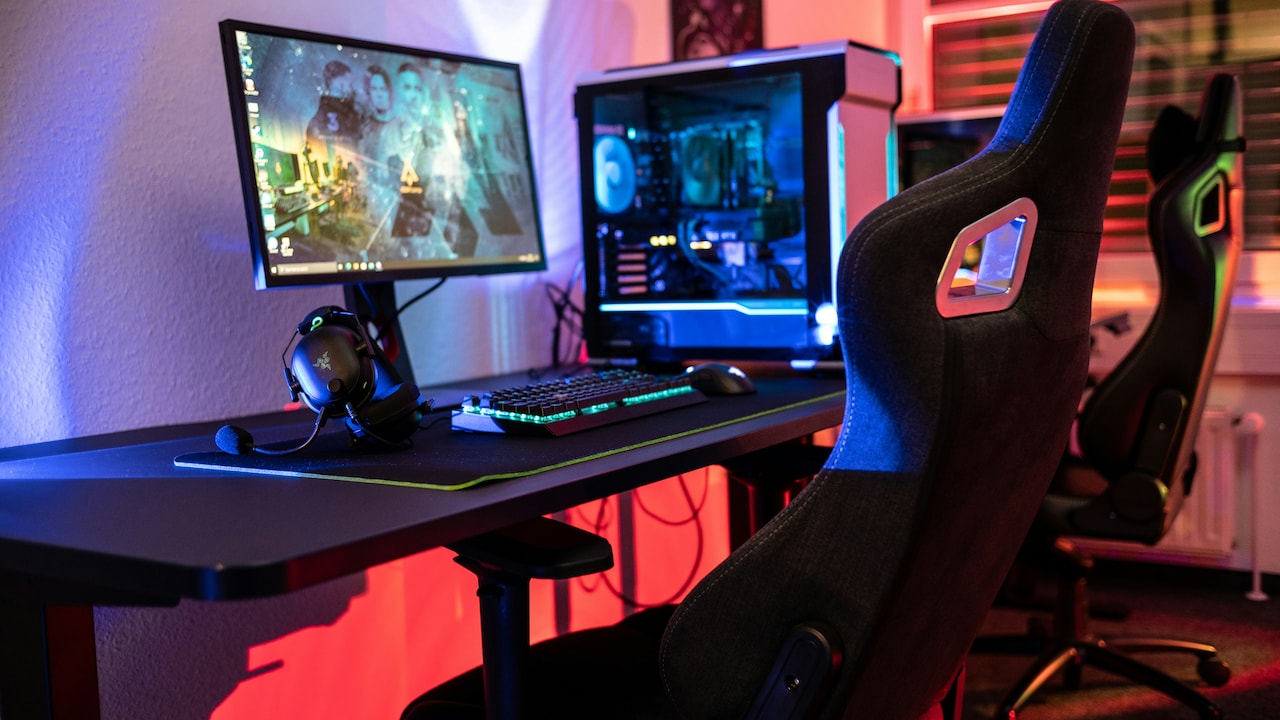
A perfect chair setup fails when the desk and monitor sit at awkward heights. The entire setup needs harmony. When screens sit too high or low, gamers crane their necks unconsciously, leading to strain.
Position the top of the monitor at or slightly below eye level. This placement keeps the neck neutral and reduces tension. For laptops, use a stand and an external keyboard rather than hunching over.
Desk height should allow forearms to rest comfortably while shoulders stay relaxed. If the desk feels too high, raise the chair and use a footrest. If too low, consider desk risers instead of slouching.
Gamers often invest ₹40,000 in a chair but ignore a wobbly desk or mismatched screen height. Comfort comes from the entire ecosystem, not a single item.
A balanced setup encourages upright posture naturally. It reduces the need for constant adjustments and allows longer, more comfortable sessions.
8. Avoid the Edge-Sitting Habit During Intense Play
During clutch moments, many gamers slide forward and perch on the edge of the seat. This position feels alert but quickly strains the lower back and hips. Over time, it becomes a default posture.
Sit fully back in the chair, with hips against the backrest. This position allows lumbar support to do its job. It also distributes weight evenly across the seat.
If alertness drops while sitting back, check screen distance and posture instead of leaning forward. Often, poor visibility causes the urge to creep closer.
Seat depth adjustment helps here. When set correctly, there should be a small gap between the seat edge and the back of the knees. This gap prevents pressure and encourages full-seat sitting.
Edge-sitting feels productive but damages posture silently. Comfort and focus improve when the chair supports the body fully, even during high-pressure gameplay.
9. Take Micro-Breaks Without Leaving the Chair
Long hours demand movement, yet many gamers either forget breaks or take long, disruptive ones. Micro-breaks offer a smarter solution. These short pauses keep the body fresh without breaking immersion.
Every 30 to 45 minutes, lean back, stretch arms overhead or rotate shoulders gently. Roll the neck slowly and flex ankles. These movements improve circulation and reduce stiffness.
Gaming chairs with tilt mechanisms support gentle rocking. Use this feature occasionally to engage core muscles and change posture slightly.
Avoid scrolling on the phone during breaks. That habit often leads to slouching and neck strain. Instead, stand up briefly or look away from screens to rest the eyes.
Micro-breaks add up. They protect posture, reduce fatigue and extend gaming endurance without sacrificing momentum or enjoyment.
10. Listen to Discomfort Before It Becomes Pain
The body sends signals long before pain arrives. A slight ache, numbness or stiffness acts as a warning. Ignoring these signs leads to chronic issues that no chair can fix later.
Adjust posture at the first hint of discomfort. Shift position, check lumbar support or stand briefly. These small responses prevent long-term problems.
Avoid chasing perfection. No posture remains ideal forever. Movement and adjustment matter more than rigid alignment.
Gaming chairs support the body, but habits determine outcomes. Awareness builds comfort over time, not overnight.
Investing in health pays off beyond gaming. Better posture improves focus, energy and even mood. Listening to the body ensures gaming remains a joy, not a physical burden.
How To Set Up a Gaming Chair for Long Hours | Posture Tips Gamers Ignore
Photo Credit: Unsplash
Products Related To This Article
1. Drogo Aura Ergonomic Gaming Chair With Premium PU Leather Fabric
2. Green Soul Monster Ultimate Series T
3. Valor X USA Striker
4. Dr Luxur Weavemonster Ergonomic Gaming Chair for Office Work at Home with Breathable Honeycombed Fabric
5. CELLBELL Konquer Ergonomic Gaming Chair
A gaming chair alone does not guarantee comfort during long hours. Proper setup, thoughtful adjustments and mindful habits make the real difference. Small changes in seat height, lumbar support and armrest positioning transform the gaming experience dramatically. Posture often feels boring compared to flashy RGB lights or high-end gear, yet it plays a crucial role in performance and well-being. Comfort supports focus, and focus wins games.
By applying these overlooked tips, gamers protect their bodies while enjoying longer, more immersive sessions. The goal remains simple: game hard, sit smart and stand up feeling ready for the next match, not like surviving a budget bus ride across states.
(Disclaimer: This article may include references to or features of products and services made available through affiliate marketing campaigns. NDTV Convergence Limited (“NDTV”) strives to maintain editorial independence while participating in such campaigns. NDTV does not assume responsibility for the performance or claims of any featured products or services.)











![Steam Iron Teflon Shoe Cover for ES-300,ST-96 [Only For ES-300 and ST-96 Model Electric Steam Irons]](https://m.media-amazon.com/images/I/51wwkttondL._SL160_.jpg)