Best Keyboard Key Travel: How Tiny Millimetres Improve Typing Comfort
Key travel is the small distance a keyboard key moves when pressed, affecting typing comfort, speed, and sound. Even slight key travel changes impact ergonomics, performance, and long-term comfort.
How Key Travel Affects Typing Comfort, Speed and Finger Health.
Modern life runs on keyboards. From students finishing assignments late at night to professionals juggling emails, presentations and endless spreadsheets, the keyboard becomes a daily companion. Yet, choosing a keyboard often focuses on flashy RGB lights or fancy branding, while the real hero hides beneath each fingertip, key travel.
Key travel refers to the tiny distance a key moves when pressed. It might sound trivial, but those millimetres influence comfort, typing speed, sound and even long-term health. A slight difference can make typing feel cushiony or harsh, relaxed or tiring. In a world where everyone spends hours tapping away, knowing how key travel works is like unlocking a small secret to happier fingers and smooth workdays.

How Key Travel Affects Typing Comfort, Speed and Finger Health
Photo Credit: Pexels
A Closer Look at How Key Travel Shapes Typing
1. What Exactly Is Key Travel and Why Does It Matter?
Key travel is the distance between a key's resting surface and the point where it registers a keystroke. Imagine pressing a button that sinks deeply with a satisfying feel, compared to one that barely moves before responding. That tiny difference changes how comfortable typing feels.
When keys have enough travel, fingers experience gentle cushioning with every tap. The key returns smoothly, reducing strain on joints. Smaller travel often suits compact laptops, but can feel abrupt over long typing sessions. A comfortable travel distance increases accuracy, too. The more the fingers feel movement, the less likely they are to hit the wrong keys. Without enough resistance, keys may register accidental touches.
Comfort isn't a luxury anymore. With online exams, remote work and digital communication increasing daily, typing comfort influences productivity and health. Key travel might appear insignificant, yet it plays a big role in the ease of typing.
2. Ideal Key Travel: A Matter of Millimetres
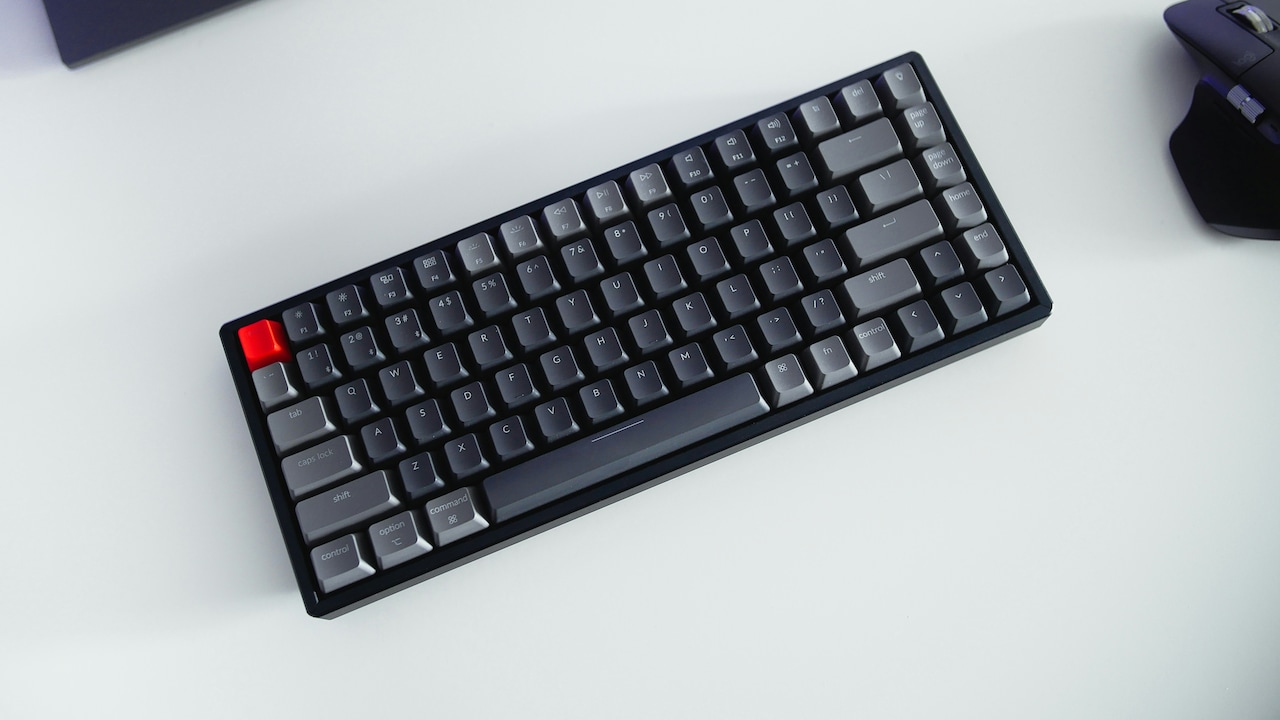
Different keyboards offer varied key travel lengths. Traditional desktop mechanical keyboards usually have around 1.5–2 mm travel, giving a distinct tactile feel. Many laptop keyboards, especially slim models, shrink that to 0.8–1.2 mm. While thin keyboards look good on a sleek laptop, extended typing can feel stiff due to limited feedback.
The ideal range depends on the purpose. Writers, coders and office users often prefer longer travel, as it reduces fatigue during prolonged use. Casual users might not notice much difference, but anyone typing for hours will feel the strain of shallow movement.
Manufacturers try to strike a balance. Some premium thin laptops use specialised switches that offer a satisfying feel even with reduced travel. The goal isn't just depth but delivering a response that feels natural. A perfectly tuned key doesn't need to be deep; it just needs to respond at the right moment. That small adjustment transforms typing into a comfortable and responsive experience.
3. How Key Travel Influences Typing Speed and Accuracy
Typing speed depends on rhythm. When keys move in a predictable and tactile manner, fingers settle into a smooth flow. Longer or medium travel offers a clear physical response, helping the brain register each keystroke. That feedback reduces hesitation and increases typing speed.
Accuracy improves too. The sensation of completing a keystroke helps users avoid pressing too hard or too soft. Shallow keys require less force but sometimes lack tactile feedback, leading to unintentional key presses. On crowded laptop keyboards, it's easy to brush neighbouring keys or miss strokes entirely.
Touch typists benefit the most from well-balanced travel. Whether sending daily reports or coding, a comfortable rhythm keeps thoughts moving freely into words. A poorly designed keyboard interrupts that flow, causing fingers to stumble or repeat strokes. Key travel becomes a subtle coach, encouraging every keystroke to be deliberate yet effortless.
In the long run, good travel doesn't just speed up typing; it builds confidence. When every key press feels intentional, writing feels more expressive and controlled.
Also Read: 5 Best RGB Keyboards Under ₹1000 That Deliver Premium Looks And Performance
4. Key Travel and Finger Health: The Silent Protector
Typing might seem harmless, but constant tapping without support can strain muscles and tendons. In keyboards with shallow travel, fingers repeatedly hit a hard surface with minimal cushioning. Over time, this impact can cause fatigue, soreness or stiffness, especially during heavy typing periods like exam preparation or tight office deadlines.
Longer travel offers smoother resistance and a gentler landing. The act of pressing and releasing becomes natural for the joints. Good keyboards also have controlled force requirements. Too much force is tiring, and too little lacks control.
Another overlooked factor is rhythm disruption. If the fingers do not receive proper tactile feedback, they instinctively press harder to ensure the key registers. That constant extra effort can strain the fingertips, wrists and even the forearm.
Investing in comfortable key travel protects against long-term discomfort. It acts like a cushion for the fingers, helping users type longer without pain. Healthy typing isn't only about posture and breaks, it starts with choosing the right keyboard beneath the hands.
5. Mechanical vs. Membrane Keyboards: Who Wins the Travel Game?
Mechanical keyboards are famous for deeper travel and satisfying clicks. Each key has an individual switch, allowing distinct feel and feedback. Depending on the switch type, tactile, linear or clicky, users get different sensations. Office workers often prefer softer tactile switches, while gamers enjoy quick linear response.
Membrane keyboards, on the other hand, are quieter, lighter and commonly found on laptops. They rely on a pressure pad, which limits travel. They are compact and affordable but may lack satisfying resistance. Extended typing can feel mushy or tiring on low-travel membrane designs.
That doesn't make membrane keyboards inferior, just different. Some high-end models cleverly mimic mechanical feedback without increasing thickness. A good choice depends on preference and work habits. Someone who types reports daily may love mechanical bounce, while a person travelling often may prioritise lightweight and quiet keys.
The travel game is less about winning and more about matching needs. Comfort varies by user, but recognising the difference helps in making the right choice for everyday typing.
How Key Travel Affects Typing Comfort, Speed and Finger Health
Photo Credit: Pexels
6. Laptop Keyboard Travel: The Compact Compromise
Slim laptops dominate the market, especially in educational and office environments. Thin devices look elegant and fit easily into backpacks, but to maintain a sleek design, manufacturers reduce key travel. Many premium laptops attempt to compensate with clever mechanisms that mimic a deeper feel, yet nothing compares to actual movement.
Typing on short travel keys can feel like tapping on a flat plate. Some users adapt over time, while others experience finger fatigue during extended writing sessions. Consider a student preparing a project report late at night or a professional completing a presentation before a meeting. Shallow keys force fingers to work harder with less feedback, making long sessions uncomfortable.
However, not all slim laptops compromise comfort. Some invest in refined scissor switches that add springy feedback, even with limited travel. The real trick is balance, offering tactile response without sacrificing slim design.
Choosing a laptop should go beyond checking RAM or battery. Testing how the keys feel can be just as important as selecting a good processor.
7. Gaming Keyboards and Travel: The Quest for Quick Response
Gamers depend on millisecond reactions. Keyboards for gaming often use shorter actuation points, where the key registers, even if total travel remains long. This offers a sweet combination: deep movement for comfort and early registration for speed.
Mechanical switches are popular in gaming because they provide accuracy and durability. Some switches are designed purely for rapid response, ideal for action sequences where every second counts. Yet, excessive sensitivity can cause accidental actions, such as jumping or firing by mistake.
Comfort plays a major role, too. Gaming sessions can stretch for hours, especially during tournaments or weekend marathons. Proper travel prevents finger fatigue and
ensures consistent performance.
Gamers today buy accessories worth thousands, including fancy mouse pads and RGB lighting. Yet a good travel keyboard can make a real difference, delivering victory through responsive control. In gaming, every keypress is a tactical move, and comfortable travel is part of a winning strategy.
8. Choosing the Right Keyboard: Practical Tips for Everyday Users
Finding the perfect keyboard doesn't require advanced technical knowledge. Start by testing the feel. Keys should offer resistance without being hard. They must return smoothly, without wobbling. Check if keys feel too shallow or require extra effort.
A moderate key travel of 1.2–1.8 mm suits most users. Look for tactile feedback rather than only depth. If typing feels natural and easy for long stretches without discomfort, that's a strong indicator.
Budget matters too. Good options exist even below ₹1,500. Expensive doesn't always mean better; it's about how the keys respond. Try to avoid buying based only on stylish looks or backlight features. A well-balanced keyboard can improve productivity more than extra lighting ever will.
Also consider noise levels. Office spaces or hostels may require quieter keys.
Mechanical keyboards come in silent variants, while membrane models are naturally quieter.
Choosing wisely ensures smoother typing and happier hands.
9. Key Travel Trends: The Future of Typing Comfort
Keyboard trends evolve with technology. With ultra-thin devices becoming popular, companies now experiment with innovative switch designs that offer a deep feel without bulk. Some laptops use butterfly or curved scissor mechanisms; others use magnetic or optical switches to enhance sensitivity even with limited movement.
AI-based typing prediction, improved ergonomics and customisable key responses are shaping the future. Mechanical keyboards are being designed to suit office desks, removing loud clicks while keeping travel intact.
Portable external keyboards are gaining attention too, especially among students and professionals working remotely. Carrying a comfortable foldable keyboard could become as common as owning wireless earphones.
The future seems headed towards custom comfort where users can personalise key pressure, travel depth and sound. Typing may soon feel tailored to individual hands rather than generic factory designs.
10. Why Key Travel Deserves More Attention
Most buyers focus on battery life, display quality or processor power but overlook keyboard comfort. Yet the keyboard affects daily life more directly than many high-end specs. Stress on fingers can slow work, reduce accuracy and cause discomfort. Good travel supports healthy typing, boosts speed and enhances overall experience.
Typing shouldn't feel like hard labour. A comfortable keyboard transforms writing into an enjoyable activity, whether composing an email, coding for long hours or crafting stories. These millimetres create a sense of ease that expensive software cannot provide.
Every press should feel reassuring, not tiring. Key travel might be invisible, but its impact is real, shaping how the digital world feels beneath our hands.
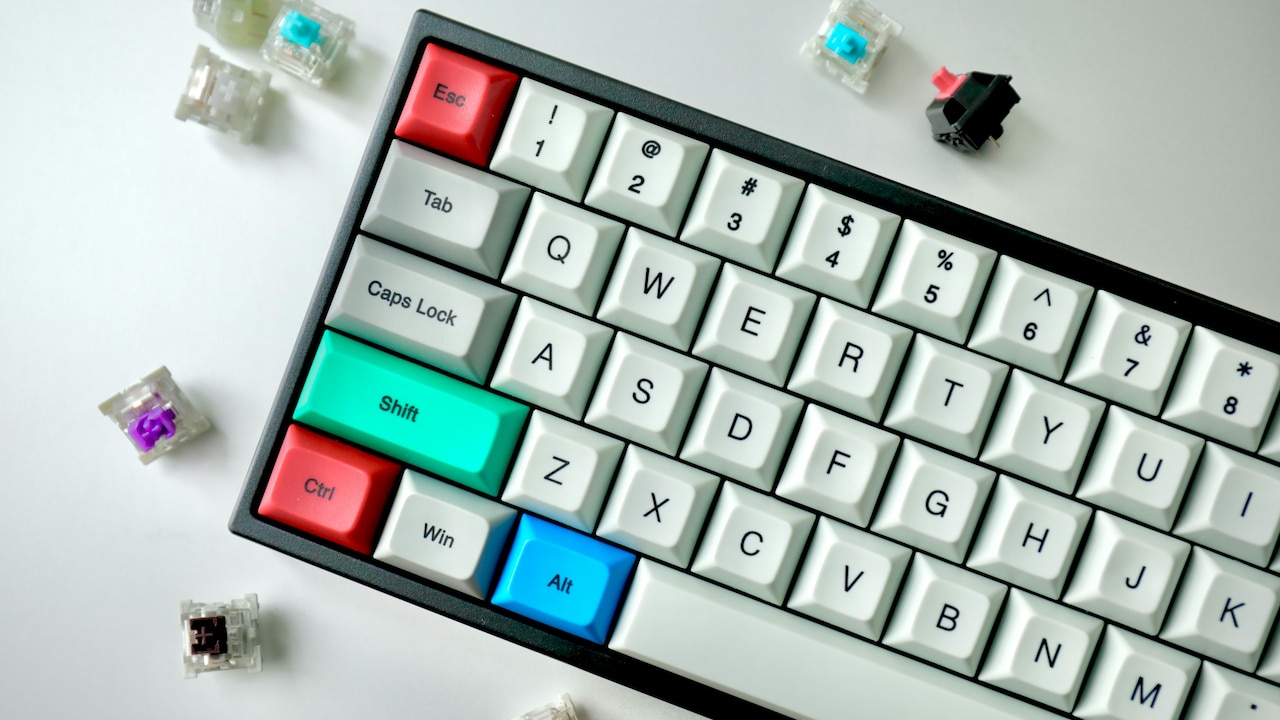
How Key Travel Affects Typing Comfort, Speed and Finger Health
Photo Credit: Pexels
Products Related To This Article
1. Dell KB216 Wired Multimedia Keyboard
2. Ant Esports MK700 V2 Membrane TKL Wired Gaming Keyboard
3. HP 350 Compact Multi-Device Bluetooth Wireless Keyboard
4. Logitech Pebble Keys 2 K380s
5. HP K120 Wired Keyboard
6. Zebronics K24 Wired USB Keyboard
7. Portronics Bubble 3.0 Wireless Keyboard with Bluetooth
Tiny millimetres decide the difference between strain and comfort, hesitation and flow. Key travel influences typing speed, accuracy, health and satisfaction. Whether writing daily messages, completing office work or gaming for hours, choosing the right keyboard can transform the experience.
Instead of picking a device based only on appearance or brand, paying attention to how keys feel can save fingers from fatigue and make every typing moment smoother. In a world built on keystrokes, those little distances become a quiet investment in comfort, one press at a time.
(Disclaimer: This article may include references to or features of products and services made available through affiliate marketing campaigns. NDTV Convergence Limited (“NDTV”) strives to maintain editorial independence while participating in such campaigns. NDTV does not assume responsibility for the performance or claims of any featured products or services.)