Mouse Accuracy Issues? How Surface and Mouse Pad Choices Affect Precision
Mouse accuracy often suffers due to overlooked surface choices. This article explains how desk materials and mouse pads impact tracking precision, comfort and performance, and how small changes can fix big frustrations.
Explore how the surface and the mouse pad can affect the performance of your mouse.
A mouse sits quietly on the desk, rarely demanding attention. Yet the moment the cursor skips, lags, or overshoots a target, irritation kicks in. Many blame the mouse itself. Some even consider replacing it. The truth often lies beneath. The surface plays a far bigger role in accuracy than most people realise. From late-night gaming sessions to long office hours spent editing spreadsheets or designs, precision matters. A shaky cursor can slow productivity and test patience. In homes where desks double up as dining tables, study corners, or gaming zones, mouse surfaces vary wildly. Wood, glass, plastic, cloth, and even bare marble all tell different stories to a mouse sensor.

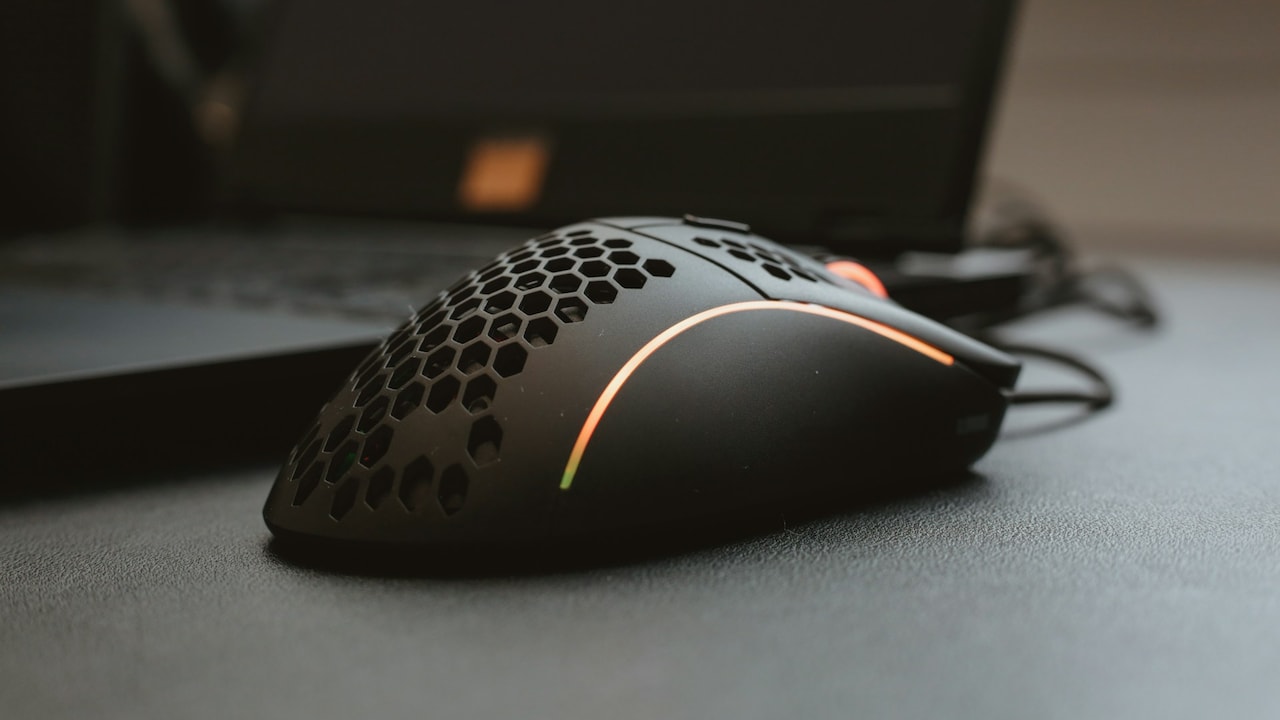
Read all about how the surface and the mouse pad can affect the smoothness of your mouse; Photo Credit: Pexels
This article unpacks how surfaces and mouse pads affect accuracy. It breaks down common mistakes, busts myths, and offers practical insights rooted in everyday experiences.
Also Read: Wireless And Wired Mouse Options That Make Office Work Easier
Why The Surface Under Your Mouse Matters More Than You Think
1. Why Mouse Accuracy Matters More Than Ever
Precision once mattered mainly to gamers and designers. Today, it affects almost everyone. Online classes, remote jobs, digital payments, and content creation rely heavily on accurate cursor control. A misclick during a video call or an accidental drag while filling forms can cause more stress than expected.
Modern mice use advanced sensors. These sensors track movement by reading the surface texture below. When that texture confuses the sensor, accuracy drops. The cursor may stutter, drift, or jump. Over time, these tiny errors add up and slow tasks.
Consider a typical workday. Switching between documents, browsing tabs, and responding to messages demands constant mouse movement. Poor accuracy forces repeated corrections. That wastes time and drains focus. Precision also affects comfort. Jerky movements strain the wrist and forearm, especially during long hours.
A reliable surface keeps movement predictable. The hand relaxes. The brain stays focused on work rather than fighting the cursor. Accuracy, therefore, links directly to efficiency and comfort. Ignoring it often leads to unnecessary upgrades when a simple surface change could fix the issue.
2. How Mouse Sensors Read Surfaces
Mouse sensors do not glide magically. They take rapid snapshots of the surface beneath, sometimes thousands per second. These images help calculate movement. When the surface lacks a consistent texture, the sensor struggles.
Optical sensors prefer matte surfaces with visible patterns. Laser sensors handle more surfaces but can become overly sensitive on glossy finishes. A shiny desk might look stylish, yet it reflects light unevenly. That reflection confuses tracking.
Even subtle dust or smudges affect readings. A surface that looks clean may still disrupt accuracy. This explains why the same mouse behaves differently across desks. The sensor responds to what it sees, not what feels smooth to the hand.
Mouse pads exist to solve this problem. They provide a controlled environment with uniform texture. Quality pads balance friction and glide. Too much friction slows movement. Too little causes overshooting.
Understanding sensor behaviour helps make smarter choices. Instead of guessing or blaming hardware, attention shifts to the surface. That shift often leads to quick, affordable improvements without replacing the mouse itself.
3. The Desk Surface Dilemma
Desks come in many forms. Solid wood, engineered wood, glass tops, plastic laminates, and stone slabs all appear in homes and offices. Each interacts differently with mouse sensors.
Wooden desks usually perform well. Natural grain offers texture, though polished finishes may reduce consistency. Laminated surfaces vary. Matte laminates work better than glossy ones, which reflect light.
Glass desks pose the biggest challenge. Many optical mice fail outright on clear glass. Some laser mice track, but with jitter. A transparent surface lacks the visual reference sensors need. This leads to erratic movement and frustration.
Stone surfaces such as marble or granite feel cool and solid. Unfortunately, they often feature reflective patterns that confuse sensors. Tracking may feel uneven, especially at slower speeds.
Plastic tables fall somewhere in between. Cheaper plastics may show inconsistent textures, while high-quality matte plastics perform better.
Using a mouse directly on a desk may seem convenient. Yet desks rarely offer the consistency needed for precision. This explains why a simple mouse pad often transforms the experience overnight.
4. Cloth Mouse Pads: Comfort Meets Control
Cloth mouse pads remain the most popular choice. They offer a soft surface with controlled friction. This suits everyday tasks and long work sessions.
The fabric texture provides reliable tracking. Optical sensors especially perform well on cloth. Movement feels natural and forgiving. Small corrections become easier. Overshooting reduces.
Comfort plays a major role. Cloth pads cushion the wrist. During extended use, this reduces fatigue. Many people notice less strain after switching from hard surfaces.
Quality varies widely. Budget cloth pads priced around ₹200 may fray or develop uneven patches over time. Mid-range options around ₹500–₹800 often use tighter weaves and stitched edges. These last longer and maintain consistency.
Maintenance matters. Dust and spills affect performance. Regular cleaning keeps the surface fresh. A gentle wash and air drying usually restore texture.
Cloth pads suit mixed-use setups. From office work to casual gaming, they strike a balance. For most users, this type offers the best blend of accuracy, comfort, and affordability.
5. Hard Mouse Pads: Speed with Precision
Hard mouse pads use plastic, aluminium, or composite materials. They offer a fast glide with minimal friction. Many gamers prefer this speed for quick movements.
Sensors track well on quality hard pads. The uniform surface ensures consistency. Cursor movement feels sharp and immediate. This suits fast-paced tasks where reaction time matters.
However, speed demands control. Beginners may overshoot targets. Precision improves with practice. Some users find hard pads tiring during long sessions due to reduced cushioning.
Noise also enters the picture. Mouse movement on hard surfaces produces audible friction. In quiet environments, this can distract.
Durability stands out. Hard pads resist wear and spills. Cleaning takes seconds. A quick wipe restores performance. Prices range from ₹700 to ₹2,000 depending on material and brand.
Hard pads suit those who value speed and low maintenance. Pairing them with adjustable mouse sensitivity helps balance control. They may not suit everyone, yet they excel in specific scenarios.

Hard mouse pads can offer a fast glide with minimal friction; Photo Credit: Pexels
6. Mouse Pad Size and Its Hidden Impact
Size often gets overlooked. Many pick the smallest pad available, assuming the mouse only needs a little space. This assumption causes frequent lifting and repositioning.
Low-sensitivity users need more room. Larger pads allow broad arm movements. This improves accuracy and reduces wrist strain. Small pads force cramped motions, leading to fatigue.
Extended pads that cover both keyboard and mouse areas have grown popular. They create a uniform surface and prevent uneven desk textures from interfering. These pads also protect desks from scratches and spills.
Desk space matters. Compact desks may not accommodate oversized pads. Still, choosing the largest possible option within limits helps.
Prices vary. Large cloth pads start around ₹600 and go upwards based on thickness and stitching. The investment pays off through comfort and control.
Choosing the right size aligns movement with natural posture. The cursor follows intent smoothly. Once experienced, downsizing feels restrictive.
7. Thickness, Stitching, and Build Quality
Thickness affects comfort and stability. Thin pads sit closer to the desk and feel firm. Thick pads cushion the wrist but may feel spongy.
A thickness of 3–4 mm suits most users. It balances support and stability. Thicker pads help on uneven desks by smoothing out minor bumps.
Stitched edges matter more than expected. Unstitched pads fray over time. Loose fabric alters tracking near edges. Stitched borders maintain shape and extend lifespan.
Base material also plays a role. Rubber bases prevent slipping. A sliding pad disrupts precision. Cheaper pads often use inferior rubber that hardens with age.
Build quality reflects in daily use. Spending a little extra upfront avoids frequent replacements. A well-made pad maintains consistent performance for years.
Attention to these details transforms the mouse experience. What seems minor often makes the difference between frustration and flow.
8. Environmental Factors: Dust, Humidity, and Heat
Even the best surface suffers under poor conditions. Dust settles invisibly and alters texture. Regular cleaning preserves accuracy.
Humidity affects cloth pads. Excess moisture softens fabric and increases friction. In humid weather, the mouse may feel sluggish. Allowing pads to dry properly helps.
Heat from laptops and hands warms the surface. Over time, this can affect rubber bases. Pads may warp or lose grip.
Placing pads away from heat sources extends life. Occasional sun drying removes moisture and odours, though prolonged exposure fades colours.
Environmental awareness keeps performance consistent. A few simple habits prevent a gradual decline. Wiping the mouse sensor lens also helps. Dust accumulation there often causes tracking issues.
Small maintenance steps ensure the surface continues to support precision day after day.
9. Matching Mouse DPI with Surface Choice
DPI settings influence how surfaces feel. High DPI exaggerates small movements. On fast surfaces, this leads to overshooting. Lower DPI offers more control.
Adjusting DPI based on the surface improves accuracy. Cloth pads pair well with moderate DPI. Hard pads often benefit from slightly lower settings.
Many mice allow on-the-fly DPI changes. Experimenting helps find the sweet spot. Consistency matters more than high numbers.
Software calibration also plays a role. Some mouse drivers include surface tuning. While not essential, these features fine-tune performance.
Matching settings to the surface avoids unnecessary strain. The cursor responds predictably. Tasks feel smoother and more intuitive.
Understanding this relationship empowers better control without buying new gear.
10. Choosing the Right Setup Without Overspending
Marketing often pushes premium accessories. Yet accuracy does not demand luxury. Sensible choices deliver excellent results.
Start with a decent cloth pad in the ₹400–₹800 range. Pair it with existing hardware. Observe improvement. Upgrade only if specific needs arise.
Avoid impulse buys based on aesthetics alone. Flashy designs may compromise texture. Prioritise function.
Test surfaces before committing. Borrow a pad from a friend or colleague. Personal preference matters. What works for one may not suit another.
Focus on comfort, consistency, and environment. These factors outweigh brand names. A thoughtful setup boosts productivity and enjoyment without straining the wallet.
Precision grows from understanding, not expense.
Products Related To This Article
1. Dyazo Ergonomic PU Vegan Leather Mouse Pad
2. STRIFF Desk Pad Protector, Mouse Pad, Office Desk Mat, Non-Slip PU Leather Desk Blotter
3. Ant Esports Prism Mouse Pad with Anti-fray Stitching
4. Extra Large (800x300x2mm) Extended Gaming Laptop Mouse Pad
5. DailyObjects Large Premium Vegan Leather Desk Mat
6. Brizberry Extended Mouse Pad, Desk Mat
7. Seagull flight of fashion Large Extended Mouse Pad XXL with Non-Slip Rubber Base
Mouse accuracy rarely depends on the mouse alone. The surface beneath shapes every movement. From desk materials to pad textures, each element influences precision. Whether working late, studying, or unwinding with a game, a reliable surface supports every click. Choosing wisely saves time, money, and patience.
The next time the cursor misbehaves, look down before shopping around. The solution might already be within reach, resting quietly under the mouse.
(Disclaimer: This article may include references to or features of products and services made available through affiliate marketing campaigns. NDTV Convergence Limited (“NDTV”) strives to maintain editorial independence while participating in such campaigns. NDTV does not assume responsibility for the performance or claims of any featured products or services.)